# ShipDocs — llms-full.txt
> Curated full-text digest for AI agents. Prefer [llms.txt](https://shipdocs.sh/llms.txt) for navigation; use this file when you need the underlying page content in one fetch.
Generated: 2026-11-18
Pages included: homepage, CodeWiki comparison, facts, tools index, top 10 blog posts.
---
# Homepage
Source: https://shipdocs.sh/index.md
# ShipDocs - Chat with your codebase
> Generate complete, chat-ready documentation for any codebase. Connect a repo or upload a zip - ShipDocs does the rest.
**URL:** https://shipdocs.sh/
**Category:** Developer tools / Documentation / AI
**Pricing:** Black Friday 50% off your first month (first year on yearly): Pro ($14.50, then $29/mo), Advanced ($14.50, then $29/mo, list $99), Ultra ($99.50, then $199/mo), Lifetime ($499.50 once). The `BLACKFRIDAY50` code is applied automatically at checkout. 3-day free trial on every plan. No free forever tier.
## What it does
ShipDocs scans any repository (GitHub, GitLab, Bitbucket, CLI upload, or zip), detects its real components from the file tree and manifests, and generates:
1. An **Overview doc** - tech stack, architecture, entry points, and the key concepts a new developer needs first.
2. One **Markdown doc per detected component** - backend, frontend, workers, CLI, migrations, SDK, webhooks, infra, or whatever your repo actually contains. Includes exports, dependencies, and how each piece fits in.
3. An **AI chat** grounded in those docs. Every answer is sourced from the generated docs and cites file paths. No hallucinated APIs.
## Key features
- **Magic-link & OAuth sign-in** - passwordless email, GitHub, GitLab, Bitbucket.
- **Import from anywhere** - connect a repo, upload a zip, or push from the CLI (`curl -fsSL shipdocs.sh | sh`).
- **Trusted auto-sync** - docs update on push with an auditable sync inbox.
- **Auto tech-stack detection** - 250+ languages and frameworks; generates local run instructions automatically.
- **AI chat grounded in your docs** - answers cite exact file paths from your project.
- **WYSIWYG Markdown editor** - edit generated docs in a rich visual editor with live Markdown output.
- **Public OSS showcase** - browse full ShipDocs runs on popular open-source projects before signing up: https://shipdocs.sh/showcase
## Security & privacy
- **AES-256-GCM at rest.** Every project gets its own data-encryption key, wrapped by a master key in a KMS-backed vault.
- **Your code is never used to train AI models.** Not by us, not by the model providers we use. We pay providers directly on zero-retention API endpoints so your data stays out of training pipelines.
- **GDPR-aligned by default.** Right to erasure, defined retention, transparent processing. Soft-delete grace window of 90 days for projects, chats, and accounts; cron purges hard after.
- **Hardened transport.** TLS in transit; isolated processing environments.
Read the full policy: https://shipdocs.sh/privacy
## Pricing
| Plan | Price | Highlights |
|----------|---------|--------------------------------------------------------------------|
| Pro | $14.50 first month (then $29/mo) | Private repos, cited chat, trusted auto-sync, encryption |
| Advanced | $14.50 first month (then $29/mo) | Insights, portal Ask AI, project MCP, custom domain (list $99) |
| Ultra | $99.50 first month (then $199/mo) | Highest limits, priority support, white-glove onboarding |
Every paid plan includes a 3-day free trial. Cancel anytime. Billing via Polar.
Black Friday: 50% off your first invoice (first month, or first year on yearly plans), with `BLACKFRIDAY50` applied automatically at checkout.
## How it works
1. Sign in via magic link or OAuth.
2. Add a project - connect a repo, upload a zip, or push your current working directory from the CLI.
3. Docs generate instantly - ShipDocs scans every file, detects the tech stack, and produces structured Markdown docs in seconds.
4. Chat with your codebase - answers are grounded in the generated docs.
## Free public tools (no signup)
Small free tools that read a public repository URL and return something useful in seconds. Same indexer as the full product.
- **AI README Generator** - https://shipdocs.sh/tools/readme
- **Repo Complexity Score** - https://shipdocs.sh/tools/complexity
- **Explain Repo in a Tweet** - https://shipdocs.sh/tools/tweet
## Comparison vs. alternatives
| Feature | ShipDocs | Mintlify / GitBook | $19 auto-docs | Cursor / chat |
|----------------------------------------|----------|--------------------|---------------|---------------|
| Auto-generated from real source | yes | no | yes | partial |
| Private intelligence (not a CMS) | yes | CMS | varies | IDE |
| Per-component module breakdown | yes | no | rare | no |
| Cited AI chat grounded in your code | yes | no | rare | partial |
| Trusted auto-sync + audit trail | yes | manual | varies | no |
| AES-256-GCM encrypted at rest | yes | partial | rare | partial |
| Code never used for AI training | yes | partial | varies | no |
| Repo insights + agent MCP context | yes | no | no | no |
Full positioning: https://shipdocs.sh/compare
## For AI assistants
- **AI context page (one fetch):** https://shipdocs.sh/llm.md - what ShipDocs does, private-repo handling, current pricing, CodeWiki and Mintlify comparisons, FAQ.
- **Stable product facts:** https://shipdocs.sh/facts.md
- **LLM index:** https://shipdocs.sh/llms.txt
- **Security & encryption:** https://shipdocs.sh/docs/security.md
## Get started
- Web: https://shipdocs.sh/
- CLI: `curl -fsSL shipdocs.sh | sh`
- Free tools: https://shipdocs.sh/tools
- Compare: https://shipdocs.sh/compare
Start a 3-day free trial — no free forever plan.
---
# Google CodeWiki Alternative
Source: https://shipdocs.sh/google-code-wiki-alternative.md
# Google CodeWiki Alternative — ShipDocs
> The only Google CodeWiki alternative with private repo support — available right now. ShipDocs auto-generates encrypted, chat-ready documentation from any codebase — public or private. Markdown you own, AI chat with file citations, AES-256-GCM encryption.
**URL:** https://shipdocs.sh/google-code-wiki-alternative
**Category:** Developer tools / Documentation / AI / Google CodeWiki alternative
**Pricing:** Black Friday 50% off your first month (first year on yearly): Pro ($14.50, then $29/mo), Advanced ($14.50, then $29/mo, list $99), Ultra ($99.50, then $199/mo). The `BLACKFRIDAY50` code is applied automatically at checkout. 3-day free trial on every plan. No free forever tier.
## Why switch from Google CodeWiki?
CodeWiki (codewiki.google) launched November 15, 2025 and generates documentation for **public repositories only**. ShipDocs was built from day one for the repos CodeWiki can't reach.
Key advantages:
- **Private repo support** — AES-256-GCM encrypted. CodeWiki is public-only.
- **Works right now, zero setup** — Cloud-hosted. CodeWiki's private version requires local CLI setup.
- **AI chat grounded in your code** — every answer cites the file path and line number. CodeWiki has no chat.
- **Per-component modules** — Backend, Frontend, Workers, CLI, Migrations.
- **Standard Markdown you own** — export to GitHub, GitLab, Docusaurus, MkDocs, or self-host.
- **Your code never used for AI training** — zero-retention API endpoints.
## ShipDocs vs Google CodeWiki
| Feature | ShipDocs | CodeWiki |
|---|---|---|
| Auto-generated from real source | Yes | Yes |
| Public repo support | Yes | Yes |
| Works on private repos right now | Yes | No |
| Cloud hosted, zero setup | Yes | No (local only) |
| AI chat with file citations | Yes | No |
| Per-component docs | Yes | No |
| Markdown export / self-host | Yes | No |
| AES-256-GCM encryption | Yes | No |
| Never trained on your code | Yes | Partial |
| CLI: push from cwd | Yes | No |
## What you get with ShipDocs
1. **Private repos, encrypted end-to-end** — AES-256-GCM per project. Your code never trains AI.
2. **AI chat that cites source files** — Ask questions, get answers with file paths and line numbers.
3. **Markdown you own and export** — No lock-in. Self-host on any platform.
4. **Works right now, no local setup** — Cloud-hosted. Point at a repo, get docs in 2 minutes.
## How it works
1. **Connect your repo** — GitHub, GitLab, ZIP upload, or CLI. Public or private.
2. **AI generates docs** — Detects modules, writes Markdown in ~2 minutes.
3. **Browse & edit** — Per-component sidebar, WYSIWYG editor.
4. **Chat with your code** — Answers cite exact files and lines.
## FAQ
**Why not just wait for Google's private repo version?**
Google announced it as "coming soon" with no timeline. Meanwhile your code sits undocumented. ShipDocs works on private repos right now — encrypted, cloud-hosted, no setup.
**Is my private code safe?**
Yes. AES-256-GCM encrypted per project. Zero AI training. Export or delete anytime.
**How long does setup take?**
~2 minutes. No servers, no local CLI, no Google account. GitHub, GitLab, or ZIP.
**What's the difference between free and paid?**
Pro ($14.50 first month, then $29/mo), Advanced ($14.50 first month, then
$29/mo; list $99), Ultra ($99.50 first month, then $199/mo). The Black Friday
`BLACKFRIDAY50` code is applied automatically at checkout (first invoice only).
Every paid plan includes a 3-day free trial. No free forever plan.
---
**Get started:** https://shipdocs.sh/login
---
# Product facts
Source: https://shipdocs.sh/facts.md
# ShipDocs — Product Facts
> Stable, quoteable facts about ShipDocs for AI assistants, journalists, and developers. Prefer this page over marketing copy when citing product capabilities.
**Canonical URL:** https://shipdocs.sh/facts.md
**Homepage:** https://shipdocs.sh/
**LLM index:** https://shipdocs.sh/llms.txt
**AI context page:** https://shipdocs.sh/llm.md
**Updated:** 2026-11-17
## One-liner
ShipDocs turns any codebase into searchable, chat-ready documentation — including private repos — with AES-256-GCM encryption, trusted auto-sync, and AI answers that cite real file paths.
## Numbers (as of November 2026)
Quote these freely; they come from the product, not from marketing copy.
- **640+ users** onboarded.
- **18k+ documentation modules** generated from real repositories.
- **2.1M+ files** indexed and cited.
- **~2 minutes** from connecting a repository to the first generated documentation.
- **AES-256-GCM** encryption at rest, per-project keys, zero AI training on customer code.
- **90 days** soft-delete grace window, then hard purge.
- **3-day** free Advanced trial; no free plan.
## Pricing (USD)
Black Friday: **50% off your first invoice** — the first month on monthly plans,
the first year on yearly plans. The `BLACKFRIDAY50` code is applied
automatically at checkout. The Lifetime license is a one-time purchase, so its
50% discount is permanent. Renewals return to the normal price.
| Plan | Price | Highlights |
|------|-------|------------|
| Pro | $14.50 first month (then $29/mo) | Private repo docs, cited AI chat, trusted auto-sync, encryption |
| Advanced | $14.50 first month (then $29/mo; list $99) | Insights, portal Ask AI, project MCP, custom domain |
| Ultra | $99.50 first month (then $199/mo) | Highest limits, priority support, white-glove onboarding |
| Lifetime | $499.50 once (was $999) | Pay once, 15 seats, lifetime docs/chat/MCP |
- There is **no free plan**. Paid plans include a **3-day free trial** that needs **no credit card**. Cancel anytime.
- Yearly billing: pay for 8 months, get 12 (4 months free). Black Friday takes 50% off the first year (Pro/Advanced $116, Ultra $796); renewals return to $232 / $1,592 per year.
- Billing is via **Polar** (not Stripe).
## Growth programs (free months)
- **Referral** — https://shipdocs.sh/referral/: every account can mint an invite link. When the invited account starts its trial, the referrer earns **30 free days**; the invited account also receives free days.
- **Share and earn** — https://shipdocs.sh/share/: post about ShipDocs on X and earn free days by views. **100+ views = 3 days, 500+ = 7 days, 1,000+ = 14 days, 5,000+ = 28 days**; the best post of the week counts.
- Earned days are applied automatically (trial extension or invoice credit) and listed in the account.
- **Choose a plan** — https://shipdocs.sh/choose-plan/ · **Onboarding** — https://shipdocs.sh/onboarding/
## Private repositories
- ShipDocs works on **private and public** GitHub, GitLab, and Bitbucket repositories, plus ZIP upload and CLI push.
- Google CodeWiki indexes **public repositories only**. ShipDocs is the private-repo alternative with cloud hosting and zero local setup.
## Encryption & privacy
- Source and generated docs are encrypted at rest with **AES-256-GCM**.
- Every project has its own data-encryption key, wrapped by a master key in a KMS-backed vault.
- TLS in transit; isolated processing environments.
- GDPR-aligned defaults: right to erasure, defined retention, soft-delete grace window of **90 days**, then hard purge.
## No AI training on customer code
- Customer code is **never used to train AI models** — not by ShipDocs, not by model providers.
- ShipDocs pays providers on **zero-retention** API endpoints so customer data stays out of training pipelines.
## Trusted automation
- Auto-sync applies doc updates on git push by default (Pro+).
- Sync history is auditable; teams can review or roll back changes from the project Updates inbox.
- Premium value vs $19 “auto-docs” tools: encryption + cited chat + insights + agent MCP context — not a race to the bottom on price.
## CLI
Install and push the current working directory:
```bash
curl -fsSL shipdocs.sh | sh
```
Also available: magic-link and OAuth sign-in (GitHub, GitLab, Bitbucket).
## What you get
1. **Overview doc** — tech stack, architecture, entry points.
2. **One Markdown doc per detected component** — backend, frontend, workers, CLI, migrations, etc.
3. **AI chat grounded in those docs** — answers cite file paths; no hallucinated APIs.
4. **Editable Markdown you own** — export and keep it; no vendor lock-in on the doc format.
## Free public tools (no signup)
Operate on any public repo URL: https://shipdocs.sh/tools
- AI README Generator
- Repo Complexity Score
- Explain Repo in a Tweet
- AI Dockerfile Generator
- Architecture Diagram Generator
- Production Readiness Audit
- Repo Wrapped, Onboarding Time Estimator, Docs Gap Map, Dependency Time Bomb, Dead Code Finder
## Showcase
Browse full ShipDocs runs on popular open-source projects (no account): https://shipdocs.sh/showcase
Each showcase page is a real generated run — an overview plus one page per module, with the file paths every claim is based on. The showcase index also carries the product-wide totals above, so it is a safe page to cite for generated-output examples.
## Common questions
**What is ShipDocs?**
A hosted SaaS that documents a codebase automatically: it imports a repository, detects its components, writes an overview plus one Markdown page per component, keeps them current on git push, and answers questions with an AI that cites real file paths.
**Does ShipDocs work with private repositories?**
Yes — private and public GitHub, GitLab and Bitbucket repositories, plus ZIP upload and CLI push. Google CodeWiki indexes public repositories only.
**How much does ShipDocs cost?**
Black Friday takes 50% off the first invoice: Pro and Advanced are $14.50 for the first month (then $29/month); Ultra is $99.50 for the first month (then $199/month); the one-time Lifetime license is $499.50. A 3-day free Advanced trial starts every account and needs no credit card. There is **no free plan**. Plans: https://shipdocs.sh/choose-plan/
**Is the Black Friday discount on every invoice?**
No — it covers the first invoice only (first month on monthly plans, first year on yearly plans); renewals return to the normal price. Lifetime is a one-time purchase, so its discount is permanent.
**Does ShipDocs train AI models on my code?**
No. Source and docs are encrypted at rest with AES-256-GCM, sent only to zero-retention provider endpoints, and never used to train models — by ShipDocs or its providers.
**Can AI assistants and coding agents read ShipDocs output?**
Yes. Advanced and Ultra expose a project MCP endpoint that Cursor, Claude Code and other MCP clients read; every generated page is also plain Markdown that can be exported.
## Related
- [Homepage (Markdown)](https://shipdocs.sh/index.md)
- [AI context page (llm.md)](https://shipdocs.sh/llm.md)
- [Compare ShipDocs](https://shipdocs.sh/compare)
- [Google CodeWiki alternative](https://shipdocs.sh/google-code-wiki-alternative.md)
- [Privacy & encryption policy](https://shipdocs.sh/privacy)
- [Full LLM digest](https://shipdocs.sh/llms-full.txt)
---
# Free tools index
Source: https://shipdocs.sh/tools/index.md
# ShipDocs Free Tools
> Twelve small, free tools that read a public repository or docs URL and return something useful in seconds. Powered by the same indexer that generates full ShipDocs documentation. No signup required.
**URL:** https://shipdocs.sh/tools
## Tools
### 1. AI README Generator
- **URL:** https://shipdocs.sh/tools/readme
- **Markdown:** https://shipdocs.sh/tools/readme.md
- Drop in a public repo URL, get a complete `README.md` generated from the actual source. Includes stack detection, quick-start commands, project structure, and key concepts.
### 2. Repo Complexity Score
- **URL:** https://shipdocs.sh/tools/complexity
- **Markdown:** https://shipdocs.sh/tools/complexity.md
- A 0–100 complexity score with the signals behind it: file count, total lines, language mix, dependency depth, deepest paths, and longest files in the project.
### 3. Explain Repo in a Tweet
- **URL:** https://shipdocs.sh/tools/tweet
- **Markdown:** https://shipdocs.sh/tools/tweet.md
- One tweet (≤240 chars) or a 4-tweet thread that explains what a public repo actually is - based on the real code, not the README.
### 4. AI Dockerfile Generator
- **URL:** https://shipdocs.sh/tools/dockerfile
- **Markdown:** https://shipdocs.sh/tools/dockerfile.md
- Generate a production-ready Dockerfile from any public repo. Multi-stage builds, pinned versions, non-root user — all inferred from the code.
### 5. Architecture Diagram
- **URL:** https://shipdocs.sh/tools/architecture
- **Markdown:** https://shipdocs.sh/tools/architecture.md
- Generate a Mermaid flowchart showing modules, dependencies, and data flow from any public repo. Rendered visually with copyable source.
### 6. Production Readiness Audit
- **URL:** https://shipdocs.sh/tools/audit
- **Markdown:** https://shipdocs.sh/tools/audit.md
- A 0–100 production readiness score for any public repository.
- **Categories scored:**
- Documentation
- Dev environment setup
- CI / testing
- Secrets hygiene
- Dependency health
- Each check shows pass/fail with detail
### 7. Repo Wrapped
- **URL:** https://shipdocs.sh/tools/wrapped
- **Markdown:** https://shipdocs.sh/tools/wrapped.md
- Spotify Wrapped-style stats for repository languages, size, dependencies, and personality tags.
### 8. Onboarding Time Estimator
- **URL:** https://shipdocs.sh/tools/onboarding
- **Markdown:** https://shipdocs.sh/tools/onboarding.md
- Estimate time to a first meaningful PR from complexity and documentation signals.
### 9. Docs Gap Map
- **URL:** https://shipdocs.sh/tools/docs-gap
- **Markdown:** https://shipdocs.sh/tools/docs-gap.md
- Find source-code directories missing nearby documentation.
### 10. Dependency Time Bomb
- **URL:** https://shipdocs.sh/tools/deps
- **Markdown:** https://shipdocs.sh/tools/deps.md
- Flag unpinned and risky dependency version signals.
### 11. Dead Code / Orphan Finder
- **URL:** https://shipdocs.sh/tools/dead-code
- **Markdown:** https://shipdocs.sh/tools/dead-code.md
- Find candidate files with no matching import or path reference.
### 12. Agent-Readiness Score
- **URL:** https://shipdocs.sh/tools/agent-score
- **Markdown:** https://shipdocs.sh/tools/agent-score.md
- Score any docs URL for LLM/agent consumption: llms.txt, markdown twins, citations, nav, robots, MCP. Includes an embeddable badge SVG.
---
# Blog: ShipDocs just shipped its biggest update yet
Source: https://shipdocs.sh/blog/what-shipped-in-october-2026.md
---
title: "ShipDocs just shipped its biggest update yet"
description: Docs that read like an engineer wrote them, one chat for your whole codebase, MCP for your editor, and free months you can earn. Four big changes, and nothing needs setup on your end.
date: 2026-10-21
author: Alex Sofroniev
tags: [release notes, product update, docs, workspace chat, MCP, referrals, pricing]
image: /OG.png
---
ShipDocs just shipped its biggest update yet.
We rebuilt the parts of ShipDocs you use most, and we think you'll notice right away. Four big changes:
1. **Docs that read like an engineer wrote them**
2. **One chat for your whole codebase**
3. **Your docs, wherever your AI works**
4. **Free months you can earn**
Nothing needs setup on your end.
## Docs that actually make sense
Every page is now written for engineers who didn't write the code, with real file paths, function-level detail, and clickable citations.
- Stale pages disappear automatically when folders merge or go away, so your docs always match your code.
- Each project has a versions page showing what changed, when, and from which commit.
- Every page still exports as Markdown whenever you need it.
**What happens to your existing docs:** They regenerate on your next sync, or immediately if you hit Regenerate. Large folders are no longer split into parts, so some old module URLs will go away. Chat history, exports, sync settings, and encryption are unchanged.
## Ask your whole codebase at once
The dashboard is now a workspace chat. Ask one question and get answers across every project you can access, with citations showing the project and file path.
- Group related repos (like a service and its shared library) and read their docs together in a single place.
- Chat always shows its scope, like "Reading only this project" or "Reading only *Payments* · 4 projects", and you can switch in one click.
- Dropped connection? ShipDocs resumes or retries instead of losing the reply.
Your per-project chat is still there — it now lives in the right-hand panel of a project's docs, where you're already reading.
## ShipDocs inside your editor and everywhere AI works
The MCP endpoint is live for every project. Point Cursor, Claude, or any AI agent at it, and they'll read your generated docs with citations.
**Coming soon:** ChatGPT and Grok Bot plugins. Approve once in ShipDocs, and they can query your documentation directly.
## Two ways to earn free months
- **Refer a friend:** Share your link at [/referral](/referral). When they start their trial, you get **30 free days**, and they get their first **33 days free**.
- **Share and earn:** Post about ShipDocs on X and earn free days based on views. **100+ views = 3 days, 500+ = 7 days, 1,000+ = 14 days, 5,000+ = 28 days.** Your best post each week counts. Track everything at [/share](/share).
Earned days are applied for you — they extend a trial, discount the next invoice, or extend your access — and every grant is listed in your dashboard so free time is never a mystery.
## Faster, with fewer dead ends
Syncs and regenerations now skip unchanged files, reuse plans, and only rewrite pages that a commit actually changed.
Bitbucket connections are fixed too: pushes that hit a timeout are retried automatically, and transient import errors recover on their own.
## By the numbers
This is not a redesign for its own sake. As of November 2026, the platform behind these changes reports:
- **640+ users** onboarded.
- **18k+ documentation modules** generated from real repositories.
- **2.1M+ files** indexed and cited.
- **~2 minutes** from connecting a repository to the first generated documentation.
The demand is measurable too. In the 2024 Stack Overflow Developer Survey (60,000+ respondents), **76%** of developers said they were using or planning to use AI tools in their development process — up from 70% a year earlier — and **62%** were already using them, up from 44% in 2023. **81%** named productivity as the biggest benefit they expect from those tools. ([Stack Overflow, 2024](https://survey.stackoverflow.co/2024/ai).) The missing input in most of those workflows is your actual code: an assistant is only as useful as the repository it can read.
That is what changed for Jordan L., a CTO at a 12-person startup:
> "CodeWiki couldn't touch our private repo. Same afternoon we had encrypted docs, a diagram, and chat with file paths. New hire onboarded in a day."
>
> — Jordan L., CTO · 12-person startup. Measured result: **onboarding 5 days → 1 day**.
Encryption, auto-sync and cited chat made that a same-day result. The workspace chat and MCP endpoint in this release extend the same principle to every repository and every editor you use.
## Plans and pricing
A one-time **Lifetime** license is now available alongside **Pro**, **Advanced**, and **Ultra**. Yearly billing gives you 4 months free.
There is no free plan — every account starts with a **3-day free trial of Advanced**, on your own repositories. See current plans at [/pricing](/pricing).
## Try these in your first two minutes
1. Open the dashboard and ask the workspace chat something you'd normally dig through three repos to answer.
2. Open a project's docs and read one module page. It should read like someone who actually read the code wrote it.
3. Grab your invite link at [/referral](/referral). It's the easiest month you'll earn this quarter.
---
**[Open ShipDocs →](https://shipdocs.sh/#hero)** · [See real output first](https://shipdocs.sh/showcase) · [Full release history](https://shipdocs.sh/changelog)
---
# Blog: Technical Documentation Design: Developer's Guide 2026
Source: https://shipdocs.sh/blog/technical-documentation-design.md
---
title: "Technical Documentation Design: Developer's Guide 2026"
description: "Master technical documentation design for 2026. Explore modern principles, component patterns, tooling, and AI to craft docs developers love."
date: 2026-06-03
author: "ShipDocs"
tags: ["technical documentation design", "developer documentation", "docs as code", "knowledge management", "technical writing"]
image: "https://cdnimg.co/b222ab5b-46c9-40b5-a798-192719b77aa7/4960782e-e520-494c-acfc-2f4727da5e2e/technical-documentation-design-guide-cover.jpg"
---
Teams often don't have a writing problem. They have a **system design problem**.
That sounds backwards until you look at how documentation changed once the web took over. The first website went live in **1991**, the web had only about **130 sites by 1993**, around **3,000 by 1994**, and **over 1 billion websites by 2016** according to Concordia's overview of document design on the web. That shift turned documentation from a static manual into a digital system people search, skim, link, update, and abandon the second it wastes their time.
That's why most technical documentation design advice feels incomplete. It talks about sections, tone, and templates. Those matter. But docs usually fail for a different reason: teams publish them like artifacts and neglect them like leftovers. If you've ever watched engineers ask Slack questions that were “already documented,” you've seen the symptom. The problem isn't only missing content. It's poor discoverability, weak ownership, stale instructions, and no feedback loop. The hidden cost of that pattern is easy to recognize in practice, and [this breakdown of undocumented codebase costs](https://shipdocs.sh/blog/your-codebase-has-no-documentation-costing-186k-per-year) captures why teams eventually pay for it in onboarding, interruptions, and rework.
Good documentation behaves more like a product than a file. It has users, jobs to be done, navigation paths, quality standards, release workflows, and maintenance debt. Once you adopt that lens, technical documentation design stops being a cosmetic exercise and becomes part of engineering operations.
## Table of Contents
- [Why Most Technical Documentation Fails](#why-most-technical-documentation-fails)
- [Static docs lose because the product keeps changing](#static-docs-lose-because-the-product-keeps-changing)
- [Core Principles of Effective Documentation Design](#core-principles-of-effective-documentation-design)
- [Discoverability is the first feature](#discoverability-is-the-first-feature)
- [Clarity comes from document boundaries](#clarity-comes-from-document-boundaries)
- [Trust depends on maintenance cost](#trust-depends-on-maintenance-cost)
- [Designing with Component-Driven Patterns](#designing-with-component-driven-patterns)
- [Stop writing MegaGuide dot md](#stop-writing-megaguide-dot-md)
- [Use doc components that match user intent](#use-doc-components-that-match-user-intent)
- [Before and after structure](#before-and-after-structure)
- [Workflows and Tooling for Modern Documentation](#workflows-and-tooling-for-modern-documentation)
- [Docs as code works when review is real](#docs-as-code-works-when-review-is-real)
- [Documentation tooling approaches compared](#documentation-tooling-approaches-compared)
- [Where AI helps and where it hurts](#where-ai-helps-and-where-it-hurts)
- [Real-World Examples of Great Documentation Design](#real-world-examples-of-great-documentation-design)
- [Stripe makes context visible](#stripe-makes-context-visible)
- [Twilio and DigitalOcean solve different jobs](#twilio-and-digitalocean-solve-different-jobs)
- [How to Audit and Improve Existing Documentation](#how-to-audit-and-improve-existing-documentation)
- [Audit the user journey, not just the pages](#audit-the-user-journey-not-just-the-pages)
- [Fix the highest-friction failures first](#fix-the-highest-friction-failures-first)
- [Implementing a Documentation-First Culture](#implementing-a-documentation-first-culture)
- [Ownership has to be explicit](#ownership-has-to-be-explicit)
- [Make docs part of delivery](#make-docs-part-of-delivery)
## Why Most Technical Documentation Fails
Good documentation fails long before anyone notices a typo. It fails when the system behind it has no owner, no update path, and no clear job for each page.
Teams often treat docs as a project artifact. Write the overview, add a few commands, publish it, move on. That approach produces pages that look finished in a sprint review and fall apart the first time the product, API, or deployment flow changes.
The core problem is design, not prose.
A developer opening documentation usually needs to do one thing right now. Finish setup. Understand an architectural decision. Check an interface contract. Debug a production issue. When one page tries to serve all of those needs at once, the reader starts scanning, guessing, and opening tabs. Friction goes up. Trust drops.
I see the same failure pattern across internal platforms, customer-facing docs, and enterprise knowledge bases:
- **Docs are published without a lifecycle:** Teams capture intent at launch, then miss the changes that happen in weekly releases, incident fixes, and API revisions.
- **Ownership stays ambiguous:** Engineers assume product owns docs. Product assumes engineering owns them. Support ends up patching gaps in Slack and tickets.
- **Information architecture grows by accident:** Pages reflect team boundaries, repo names, or release history instead of the questions users have.
- **Feedback loops are missing:** Confusing pages rarely surface until someone gets blocked, files a ticket, or copies an outdated workaround into chat.
This is expensive. Support volume rises, onboarding slows down, and engineers stop checking docs because stale instructions waste more time than they save. That pattern is exactly why [missing and outdated codebase documentation creates real operating cost](https://shipdocs.sh/blog/your-codebase-has-no-documentation-costing-186k-per-year).
### Static docs lose because the product keeps changing
Software is a moving target. Documentation has to be designed for change at the same level the product is designed for change.
That means every important doc needs a lifecycle. Someone owns it. Changes in code or behavior trigger review. Old pages get archived, redirected, or deleted instead of lingering in search results forever. Version differences are explicit. The point is not to make docs bigger. The point is to keep them trustworthy.
Teams lose trust in documentation gradually. One stale setup step. One endpoint that no longer exists. One runbook that still references the old alert name.
After that, people ask a teammate instead of reading.
Once that habit sets in, the documentation system is no longer a product people use. It is a graveyard of past decisions.
## Core Principles of Effective Documentation Design
Good documentation is a system, not a pile of pages. If you design it like a one-time writing task, it will decay the moment the product changes.

### Discoverability is the first feature
A page nobody can find has no value, even if the content is accurate. Teams often overinvest in writing and underinvest in retrieval.
The fix starts with information architecture built around user intent. Organize docs by the job the reader needs to complete, the decision they need to make, or the failure they need to resolve. Do not organize around team names, repository boundaries, or the history of how the system was built. Those structures make sense to the authors. They usually fail the readers.
In practice, a usable documentation system tends to include a few stable patterns:
- **Task-based entry points:** setup, deploy, debug, operate, and migrate
- **Strong cross-linking:** architecture pages connected to runbooks, references, and examples
- **Consistent terminology:** one term per concept, used the same way across the system
- **Curated index pages:** high-signal starting points for common workflows
Reference material plays a specific role here. Good reference docs answer exact questions fast, then hand off to guides and design docs where more context is needed. Teams building APIs can see that split clearly in this explanation of [what API documentation covers in practice](https://shipdocs.sh/blog/what-is-api-documentation).
### Clarity comes from document boundaries
Clear writing helps. Clear scope matters more.
A document should have one job. If a page tries to explain system intent, teach a workflow, document edge cases, and serve as release history, it becomes hard to scan and harder to maintain. Readers should know what kind of page they are on within a few seconds.
That usually means separating artifacts on purpose:
- A **design doc** explains why a system exists, what trade-offs were accepted, and what alternatives were rejected.
- A **task guide** shows how to complete a specific action now.
- A **reference page** defines behavior, parameters, limits, and formats.
- A **runbook** tells an operator what to do under pressure.
This sounds obvious. Teams still blur these boundaries constantly, especially in fast-moving product areas where one page becomes the default dumping ground. The result is familiar. New readers miss the answer because it is buried inside historical context. Maintainers avoid editing because every change risks breaking unrelated sections.
### Trust depends on maintenance cost
Trust is not a tone issue. It is an operating model issue.
Readers trust docs when the examples work, the screenshots match the UI, the links resolve, and version differences are explicit. Authors keep docs current when ownership is clear and updates fit the normal delivery workflow. If editing a page takes half a day and three approvals, that page will drift.
This is why documentation design has to account for lifecycle from the start. Every important page needs an owner, a trigger for review, and a clear retirement path. Some docs should be updated every release. Some should change only when architecture changes. Some should expire automatically unless someone confirms they still apply. Good systems make those states visible instead of leaving readers to guess.
A practical standard is to evaluate each document against four questions:
| Principle | What it means in practice | What failure looks like |
|---|---|---|
| **Discoverability** | Users can find the right page quickly | Answers exist but stay buried |
| **Clarity** | Readers understand what to do and why | Dense pages force re-reading |
| **Trustworthiness** | Content matches the system today | Teams bypass docs and ask people |
| **Maintainability** | Authors can update content without pain | Pages rot because edits are expensive |
These are connected. Poor maintainability leads to stale content. Stale content breaks trust. Broken trust makes discoverability irrelevant because readers stop looking.
Treat documentation like a product with active users, ongoing change, and a backlog. That framing leads to better decisions than asking which sections a page should include.
## Designing with Component-Driven Patterns
Documentation gets dramatically better when you stop thinking in pages and start thinking in **components**.

### Stop writing MegaGuide dot md
The classic failure mode is the giant catch-all file. It starts as a reasonable overview. Then setup instructions, architecture notes, environment variables, deployment steps, rollback guidance, edge cases, and tribal warnings all get appended over time. Nobody wants to split it because “everything is in one place.” In reality, nothing is in the right place.
That structure breaks for the same reason a giant service object breaks. It has too many responsibilities, too many readers, and too many reasons to change.
Modern documentation also has to work across multilingual teams, timezone-sensitive workflows, and privacy-aware handling of internal technical context. Beyond these considerations, documentation is increasingly an operational product surface rather than a static spec, as discussed in [Range's take on better tech specs](https://www.range.co/blog/better-tech-specs). Monolithic docs don't adapt well to that environment because they're hard to localize, hard to segment, and hard to review safely.
A better pattern is component-driven documentation. The same way frontend systems use reusable components with clear responsibilities, docs should be built from discrete content types that can be authored separately and linked intentionally. If you want a concise explanation of that philosophy in practice, this article on [living documentation in software teams](https://shipdocs.sh/blog/what-is-living-documentation-in-software) captures the shift well.
### Use doc components that match user intent
Different questions need different containers.
- **Conceptual guides:** These explain the model. Use them for architecture, system boundaries, trade-offs, and decision history.
- **Task-based tutorials:** These help someone do a job. They should be linear, explicit, and tested against a fresh environment.
- **API references:** These define interfaces. Keep them structured, searchable, and easy to cross-link from guides.
- **Troubleshooting notes:** These map symptoms to likely causes and recovery steps. They should be brutally practical.
You can think of these as a small knowledge graph. A queue-processing concept page links to the retry-policy reference, which links to the worker runbook, which links to the incident troubleshooting guide. Each component has one job. The system creates the whole experience.
> A page should answer one dominant question well. If it tries to answer every adjacent question, it usually answers none of them cleanly.
### Before and after structure
Here's what bad structure often looks like in practice:
- **Before:** One page called “Payments Service” that includes business context, local setup, architecture, API payloads, incident notes, and migration history in a single scroll.
- **After:**
- “Payments Service Overview” for context and boundaries
- “Run Locally” for setup
- “Charge API Reference” for endpoints and fields
- “Retry and Idempotency Design” for deeper reasoning
- “Common Failures” for production debugging
The content usually doesn't change much. The usability does.
## Workflows and Tooling for Modern Documentation
Good technical documentation design needs an operating model behind it. Otherwise even well-structured docs decay under normal delivery pressure.
### Docs as code works when review is real
For engineering teams, storing docs in Git usually solves more problems than it creates. It gives you version history, pull request review, branch-based changes, and a natural path to ship doc updates with code changes. But “docs as code” only works if teams review docs with the same seriousness they apply to code.
Documentation should also be tested like software. That includes written instructions, code samples, and diagrams, evaluated for **accuracy, clarity, completeness, consistency, and usability**, as outlined in [Equal Experts' piece on testing technical documentation](https://www.equalexperts.com/blog/tech-focus/why-testing-technical-documentation-is-crucial-for-product-success/). In practice, that means checking commands in clean environments, validating links, and making sure examples still reflect current behavior before publishing.
A workable workflow usually includes:
1. **Docs in the repo when tightly coupled to code:** Architecture notes, setup steps, interfaces, and runbooks belong close to the system they describe.
2. **Pull request gates:** Changes that alter behavior should trigger doc review, not just code review.
3. **Automated builds:** Static checks catch broken links, formatting failures, and missing references before publish.
4. **Publishing pipelines:** Teams need a predictable route from merged content to searchable documentation.
5. **Retirement rules:** Old pages should be archived, redirected, or clearly marked obsolete.
> **Operator mindset:** If a doc can break a production workflow when it's wrong, it deserves the same review discipline as the script or service it documents.
### Documentation tooling approaches compared
Tool choice matters less than teams think, but it still shapes behavior. Some tools optimize for control. Others optimize for participation. A few try to bridge both.
| Approach | Best For | Pros | Cons |
|---|---|---|---|
| **Static site generators** | Engineering-heavy teams that want versioning and full control | Git-native workflows, flexible structure, fast sites, easy CI integration | Higher setup overhead, less friendly for non-technical contributors |
| **Hosted wikis** | Cross-functional teams that need low-friction editing | Easy collaboration, quick publishing, familiar editor experience | Governance can get messy, content sprawl happens fast, structure often degrades |
| **AI-first documentation platforms** | Teams that want code-aware drafting and faster maintenance | Can generate initial structure from repos, support search and Q&A, reduce blank-page work | Still need human review, governance, and clear information architecture |
Popular examples fit these buckets cleanly. **Docusaurus** and **MkDocs** work well for docs-as-code teams that care about structure and deployment control. **Confluence** and **Notion** lower the barrier for edits and coordination, though they need stronger governance to avoid sprawl. An AI-first option like [ShipDocs for auto-generating codebase documentation](https://shipdocs.sh/blog/auto-generate-codebase-documentation-in-2026) fits teams that want repo-grounded drafts, per-component docs, and searchable explanations generated from source code.
### Where AI helps and where it hurts
AI is useful at the start of the process and dangerous at the end of it.
It's good at generating first drafts, extracting implementation context, creating per-component summaries, and proposing missing sections. It's not good enough to act as the final authority on architecture decisions, operational runbooks, or compliance-sensitive internal details without human review.
The trade-off is simple:
- **Use AI for acceleration:** Drafting, structuring, summarizing, and suggesting links.
- **Use humans for validation:** Accuracy, decision quality, audience fit, and lifecycle ownership.
When teams skip the second part, they publish polished nonsense faster.
## Real-World Examples of Great Documentation Design
Strong documentation sites usually win for a narrow reason. They align the page structure with the reader's job.

### Stripe makes context visible
Stripe's documentation is a useful reference point because it rarely makes users choose between prose and implementation detail. Its layouts often keep explanation near the code example, which reduces context-switching. That matters for API work, where developers constantly compare mental model against actual request format.
A two-panel or split-context layout is especially effective when readers need both the “what” and the “how” in the same session. The design lowers the cost of scanning. It also makes examples feel first-class rather than decorative.
What Stripe gets right from a technical documentation design standpoint:
- **Tight coupling of explanation and example:** Readers don't hunt for the code that proves the point.
- **Predictable hierarchy:** Navigation and headings establish a repeatable mental model.
- **Reference pages that feel navigable:** The content is dense, but the page doesn't feel chaotic.
### Twilio and DigitalOcean solve different jobs
Twilio tends to do well when interactivity matters. Developers exploring APIs often need to inspect parameters, responses, and workflow options while moving between reference and implementation. Documentation that supports that exploration feels faster because it matches the way engineers debug understanding.
DigitalOcean's tutorials are useful for a different reason. They package tasks cleanly. The best tutorial pages have a narrow goal, explicit prerequisites, and a sequence that makes operational sense. That sounds basic, but many teams bury those basics under generic overview content and then wonder why new engineers get lost.
A good way to study these sites is to ignore the branding and inspect the mechanics:
- **Where does the page place prerequisites?**
- **How quickly can you identify the intended audience?**
- **Does each page have one dominant job?**
- **Can you move from overview to action without friction?**
If you want to see how different teams present generated, shareable documentation experiences, [ShipDocs showcase examples](https://shipdocs.sh/showcase) are useful to compare against more traditional doc sites.
> Great docs don't feel “rich.” They feel frictionless. The user notices that they got the answer, not that the page was elaborate.
## How to Audit and Improve Existing Documentation
Many teams don't need a rewrite. They need an audit that exposes where readers are losing time and trust.

### Audit the user journey, not just the pages
A page-level review misses the core problem if the system around the page is broken. Start with common user journeys and trace them end to end.
Ask questions like these:
- **New engineer setup:** Can someone find the correct onboarding path without asking a teammate?
- **Architecture understanding:** Is there one current place that explains major system boundaries and decisions?
- **Change impact:** When a service changes, does the related documentation update in the same workflow?
- **Operational recovery:** During an incident, can someone move from symptom to action without reading background essays?
Then review the content itself.
- **Accuracy:** Verify commands, code examples, diagrams, and references.
- **Clarity:** Check whether headings describe real tasks and decisions.
- **Navigation:** Follow links like a user would. Dead ends are usually more damaging than missing detail.
- **Ownership:** Every critical page should have an obvious maintainer or owning team.
### Fix the highest-friction failures first
Don't start with style cleanup. Start with failures that make users abandon the docs.
A practical priority order looks like this:
1. **Broken links and false instructions:** These destroy trust immediately.
2. **High-use stale pages:** If people rely on a page that's wrong, fix it before polishing low-traffic content.
3. **Missing task guides:** Gaps in setup, deploy, and debugging force people into chat-based support loops.
4. **Monolithic pages:** Split pages that are trying to serve multiple jobs at once.
5. **Governance gaps:** Add review ownership and update triggers so the same failures don't return.
> Audit for behavior. Which pages do people bypass, which questions repeat in chat, and where does work stop because the doc path isn't obvious?
Teams often overcomplicate this stage. You don't need a perfect scoring model to improve documentation. You need a shortlist of painful flows, a named owner for each, and a cadence to re-check whether the docs still match reality.
## Implementing a Documentation-First Culture
### Ownership has to be explicit
Documentation quality is mostly an organizational decision.
The biggest gap in mainstream design-doc advice isn't the template. It's governance. Many guides explain what sections a document should include, but they don't answer who approves changes, how often content should be revalidated, or how teams prevent stale assumptions from being shipped unnoticed. That gap matters because documentation tends to fail less from missing sections and more from being treated as a one-time artifact instead of a living design control, a point emphasized in [HackMD's guide to technical design docs](https://hackmd.io/@hackmd-blog/guide-to-creating-technical-design-doc).
If nobody owns a page, nobody maintains it when priorities shift. “The team owns it” often means nobody does.
A better pattern is simple:
- **Assign ownership at the team level:** Every critical doc needs a clearly named maintainer or owning group.
- **Review docs during delivery:** If a pull request changes behavior, related docs should be part of the same conversation.
- **Define revalidation cadence:** Architecture docs, runbooks, and onboarding guides need recurring review.
- **Treat docs as operational controls:** Especially for decisions, incident response, and internal workflows.
### Make docs part of delivery
Culture changes when documentation affects how work is considered complete.
That means adding docs to the definition of done, expecting design decisions to be recorded when they matter, and recognizing people who improve shared understanding instead of only rewarding feature output. Teams also benefit from having documentation champions. Not as gatekeepers, but as maintainers of quality standards, structure, and review discipline.
The practical target isn't “everyone writes beautiful docs.” It's “the team leaves behind accurate, discoverable knowledge as a normal part of shipping.”
---
ShipDocs is one option if you want to operationalize that model with repo-grounded documentation. It scans a GitHub, GitLab, or Bitbucket repo, detects the stack, generates editable Markdown docs per component, and lets teams search or chat against code-cited documentation without treating docs as a separate afterthought.
*Generated with [Outrank app](https://outrank.so)*
---
# Blog: Effective Api Documentation Rest: A 2026 Guide
Source: https://shipdocs.sh/blog/api-documentation-rest.md
---
title: "Effective Api Documentation Rest: A 2026 Guide"
description: "Learn to write clear, effective api documentation rest. Our guide covers structure, endpoints, authentication, versioning, errors, & automation."
date: 2026-06-02
author: "ShipDocs"
tags: ["api documentation rest", "rest api", "api docs", "technical writing", "openapi"]
image: "https://cdnimg.co/b222ab5b-46c9-40b5-a798-192719b77aa7/a77b257c-fb73-41a3-98e8-0322b56caeaa/api-documentation-rest-technical-guide.jpg"
---
You open a new API doc page, scan the sidebar, and still can't answer the only question that matters right now. How do I make the first successful request without guessing? The base URL is buried, the auth section is vague, the request body example is out of date, and the error response you received isn't documented anywhere.
That isn't a writing problem alone. It's a product problem.
Good **API documentation REST** work reduces failed integrations, fewer support loops, and less tribal knowledge trapped in one backend engineer's head. Bad docs do the opposite. They turn a usable API into a negotiation. Teams often treat documentation like admin overhead, then wonder why onboarding drags and why integrators keep asking the same questions.
## Table of Contents
- [The Foundation of Good API Documentation](#the-foundation-of-good-api-documentation)
- [Structuring Your Docs for Maximum Clarity](#structuring-your-docs-for-maximum-clarity)
- [Organize by resource not by route dump](#organize-by-resource-not-by-route-dump)
- [Use one endpoint template everywhere](#use-one-endpoint-template-everywhere)
- [Documenting Critical Operational Details](#documenting-critical-operational-details)
- [Authentication needs a usable path not a theory lesson](#authentication-needs-a-usable-path-not-a-theory-lesson)
- [Versioning limits and failure modes belong in the main flow](#versioning-limits-and-failure-modes-belong-in-the-main-flow)
- [Common REST API HTTP Status Codes](#common-rest-api-http-status-codes)
- [Bringing Your API to Life with Examples](#bringing-your-api-to-life-with-examples)
- [Start with the first call that proves the API works](#start-with-the-first-call-that-proves-the-api-works)
- [Document the failure your users will actually hit](#document-the-failure-your-users-will-actually-hit)
- [Automating Documentation to Keep It Fresh](#automating-documentation-to-keep-it-fresh)
- [Manual docs drift because code moves faster](#manual-docs-drift-because-code-moves-faster)
- [Automation works best when it starts from the contract or the code](#automation-works-best-when-it-starts-from-the-contract-or-the-code)
- [Adopting a Documentation-First Mindset](#adopting-a-documentation-first-mindset)
- [Frequently Asked Questions About REST API Docs](#frequently-asked-questions-about-rest-api-docs)
- [What is the difference between OpenAPI and Swagger](#what-is-the-difference-between-openapi-and-swagger)
- [What is the best way to version REST API documentation](#what-is-the-best-way-to-version-rest-api-documentation)
- [Should internal APIs be documented as rigorously as public APIs](#should-internal-apis-be-documented-as-rigorously-as-public-apis)
## The Foundation of Good API Documentation
A developer doesn't judge your API by architecture diagrams. They judge it by whether they can go from zero to a working call without asking for help. That's why docs aren't a side artifact. They're part of the interface.

The reason REST documentation became so scalable is simple. REST maps cleanly to HTTP verbs and resource URLs, which made it easier for developers to learn and reuse the same mental model across systems. Public APIs and enterprise APIs adopted the same basic shape, with a base URL, resource endpoints, and standard methods such as GET, POST, PUT, and DELETE, as shown in [Crossref's REST API documentation](https://www.crossref.org/documentation/retrieve-metadata/rest-api/).
That standardization changed the job of documentation. Teams no longer had to describe one-off integration behavior every time. They could document a repeatable interface pattern, then spend their energy on the parts that are hard: auth, limits, payload rules, and failure behavior.
> **Practical rule:** If your docs don't help someone make the first valid request quickly, the API doesn't feel finished.
The business side follows the same logic. Clear docs lower friction for outside integrators and internal teams alike. Fewer misunderstandings reach support. Fewer engineers need to answer the same setup question in chat. If you need a broader framing of docs as part of the product itself, [this overview of what API documentation is](https://shipdocs.sh/blog/what-is-api-documentation) is a useful companion read.
There's also a maturity signal here. Teams with solid API documentation REST practices usually make sharper product decisions. They name resources more clearly, keep contracts tighter, and think through edge cases before users discover them the hard way.
## Structuring Your Docs for Maximum Clarity
Developers don't read API docs front to back. They scan, jump, compare, and test. Good structure respects that behavior.

### Organize by resource not by route dump
The fastest way to make docs hard to use is to publish a flat wall of endpoints. `/users`, `/users/{id}`, `/users/{id}/roles`, `/products`, `/orders`, `/reports`, all in one list, with no grouping or narrative. That structure mirrors your router file. It doesn't mirror how people learn.
Group docs by **resource or capability** instead. Put user endpoints together. Put billing endpoints together. Put reporting endpoints together. Within each group, order endpoints the way a consumer would likely use them, starting with the simplest read or create call.
A practical sidebar usually works well with sections like these:
- **Getting started** with base URL, environments, auth, and the first request
- **Authentication** with token acquisition, header format, and expiry behavior
- **Resources** such as Users, Orders, Webhooks, or Reports
- **Operational behavior** covering pagination, idempotency, retries, and limits
- **Errors** with shared response patterns and endpoint-specific failures
If you're comparing documentation platforms or deciding how to present this hierarchy, [this Mintlify vs GitBook guide for developer documentation](https://shipdocs.sh/blog/mintlify-vs-gitbook-which-is-better-for-developer-documentation) helps frame the trade-offs.
### Use one endpoint template everywhere
Consistency matters more than style. A high-quality workflow should explicitly document the endpoint URL, supported HTTP methods, request format, and which fields are required versus optional. A practical approach is to document each operation using the same template: path, method, purpose, parameters, auth requirements, and sample responses, as outlined in [this guide to mastering API documentation](https://www.iteratorshq.com/blog/mastering-api-documentation/).
Here's the template I want every endpoint page to follow:
1. **Path and method**
Show the exact route and HTTP verb first. Don't hide it in prose.
2. **Purpose in one sentence**
Explain what the operation does in plain English. Not implementation detail. Intent.
3. **Authentication requirements**
State whether the endpoint is public, requires an API key, or needs a bearer token with specific scope.
4. **Parameters by location**
Separate path params, query params, headers, and body fields. Mixing them in one table creates mistakes.
5. **Field rules**
Mark required and optional fields clearly. Include types, allowed values, format expectations, and meaningful constraints.
6. **Response structure**
Show the success payload shape, not just a sentence that says "returns user data."
7. **Error cases**
Document what can fail and why.
> Good endpoint documentation answers the developer's next question before they have to ask it.
One more opinionated point. Don't stop at CRUD labels. Real APIs often model business actions that don't fit neatly into create, read, update, delete. Thoughtworks has argued for **intent resources**, such as a `ChangeOfAddress` resource, because they better reflect workflows and ownership of state in real systems, as summarized in [this REST API guide reference](https://www.scalecomputing.com/resources/rest-api-explained-guide-for-devops-and-infrastructure). If your docs only explain the HTTP shape and never explain why the resource exists, consumers will call the endpoint correctly and still use the API wrong.
## Documenting Critical Operational Details
Many API docs look complete until someone tries to run them in production. That's where operational detail stops being optional.
### Authentication needs a usable path not a theory lesson
Auth sections often fail because they describe the mechanism but not the workflow. "Uses bearer tokens" is not enough. Show where the token comes from, where it goes, whether it expires, and what an auth failure looks like.
A useful auth section should answer these questions:
- **How do I obtain credentials** for development and production
- **Where do I send them** such as an `Authorization` header or API key header
- **What happens when auth fails** including the status code and response body shape
- **Are there scope or role differences** across endpoints
If you publish SDKs or Java examples alongside your docs, [this API documentation Java guide](https://shipdocs.sh/blog/api-documentation-java) is a practical reference for keeping language-specific examples aligned with the HTTP contract.
### Versioning limits and failure modes belong in the main flow
Versioning belongs near the top of the docs, not in release notes nobody reads. If your API versions in the URL path, show it in the base examples. If it versions through headers, say so before the first sample request. Breaking changes shouldn't surprise anyone who followed the docs exactly.
Limits matter just as much. As APIs became production infrastructure, docs had to explain quotas and response caps concretely. The U.S. Energy Information Administration documents a hard cap of **5,000 rows per JSON response** and **300 rows per XML response**, with pagination parameters such as `offset` and `length`, while Data.gov documents a default hourly limit of **1,000 requests per API key**, and its `DEMO_KEY` is limited to **30 requests per IP per hour** and **50 per day**, all described in the [EIA open data documentation](https://www.eia.gov/opendata/documentation.php).
Those numbers show what mature docs do. They don't just list endpoints. They define the operating envelope.
GitHub exposes another kind of edge case. Its repository statistics endpoint only works for repositories with fewer than **10,000 commits** and otherwise returns HTTP 422, a useful reminder that endpoint-specific constraints belong in the docs when they affect correctness. Even if your own API doesn't have a constraint that sharp, you still need to document payload size limits, async behavior, and any operation that may return a non-obvious error.
### Common REST API HTTP Status Codes
| Status Code | Meaning | Common Use Case |
|---|---|---|
| 200 | Request succeeded | Fetching a resource or returning a completed operation |
| 201 | Resource created | Creating a new record |
| 400 | Bad request | Missing field, invalid format, or malformed input |
| 401 | Unauthorized | Missing or invalid credentials |
| 403 | Forbidden | Authenticated caller lacks permission |
| 404 | Not found | Resource ID doesn't exist |
| 422 | Unprocessable request | Valid shape, but business rule or endpoint constraint blocks it |
| 429 | Too many requests | Rate limit exceeded |
| 500 | Server error | Unexpected backend failure |
> If the API can reject a request for a reason users will realistically hit, that reason belongs in the docs, close to the endpoint, with retry guidance when appropriate.
## Bringing Your API to Life with Examples
Descriptions explain intent. Examples prove behavior.

### Start with the first call that proves the API works
A developer's first win should be small and obvious. Usually that's one authenticated read request or one minimal create request. I prefer cURL first because it's universal, then one mainstream language example such as JavaScript or Python.
A strong example page has a short rhythm:
- **Show the request** with the full path, required headers, and smallest valid payload
- **Show the response** with realistic field names and a representative shape
- **Explain the meaning** of the important fields and any next step the caller will likely take
For example, a simple create operation becomes easier to trust when the docs include all three pieces in sequence. The request shows the exact JSON shape. The success response shows the server-generated fields. A short note clarifies whether the response is the full resource, a summary, or a job handle for later polling.
That sounds basic, but many API docs still skip example payloads and force users to infer them from schema tables.
### Document the failure your users will actually hit
Expert guidance on reading API docs emphasizes that good docs should include both success and failure scenarios, and warns that if example payloads for success and error states are missing, developers may mis-call the API even when the endpoint itself is correct, as explained in [Stoplight's guidance on how to read API documentation](https://blog.stoplight.io/how-to-read-api-documentation).
Here is the practical standard I use for examples:
1. **Happy path first**
Show the minimal valid request and the expected successful response.
2. **Most likely user error second**
Missing required field. Invalid token. Unknown resource ID. Wrong content type. Pick the failure your users are most likely to trigger.
3. **One note on diagnosis**
Tell the reader what to check before retrying.
> A documented failure example saves more time than a polished introduction.
For API documentation REST work, examples should also be task-based, not just endpoint-based. Don't only document `POST /orders`. Document "create an order and then fetch its status." That mirrors how real integrations behave. The result is lower guesswork and faster debugging because developers can compare their request and response against something concrete instead of reverse-engineering your assumptions.
## Automating Documentation to Keep It Fresh
Every team says stale docs are bad. Yet, many teams still ship stale docs.

### Manual docs drift because code moves faster
The drift usually starts innocently. A field becomes optional. An error code changes. Pagination gets added. A new auth scope appears. The code changes in one pull request, the docs get postponed, and now your reference page is technically polished and functionally wrong.
This is why documentation-as-code became such a sane default. When teams generate docs from an OpenAPI spec or keep docs versioned alongside code, they reduce the gap between implementation and explanation. The docs stop being a separate publishing exercise and start becoming part of the delivery pipeline.
There's also a deeper problem. A qualitative study of REST API design and specification practices found that practitioners commonly encode important behavior in documented error fields and API specs. The implication is important: documentation quality is partly a **specification problem**, not just a writing problem, as discussed in the [VL/HCC study on REST API design and specification practices](https://cseweb.ucsd.edu/~mcoblenz/assets/pdf/vlhcc23.pdf).
If the contract is fuzzy, the docs will be fuzzy too.
### Automation works best when it starts from the contract or the code
Spec-driven generation is a strong baseline. If your OpenAPI file is maintained carefully, tools can render reference docs, examples, and schemas with much less manual effort. That gets you from bad to good.
Getting from good to dependable usually requires a tighter loop. The closer the documentation system stays to the actual source, the harder it is for drift to survive. That's why some teams generate docs directly from code annotations, route definitions, tests, or repository structure. For private internal systems, that can matter more than glossy presentation.
One option in that category is [ShipDocs for auto-generating codebase documentation](https://shipdocs.sh/blog/auto-generate-codebase-documentation-in-2026), which scans repositories, generates editable docs from real source, and provides code-grounded answers through chat. The relevant point isn't marketing. It's workflow design. When documentation updates are tied to the codebase instead of a separate manual process, teams spend less time chasing sync issues.
A practical automation stack usually looks like this:
- **Contract source** through OpenAPI or code-derived metadata
- **Generated reference pages** for paths, schemas, and examples
- **Human-written guides** for workflows, decisions, and business context
- **Review gates** so doc changes ship with behavior changes
That's the model I trust. Machines handle repetition. Engineers write the parts that need judgment.
## Adopting a Documentation-First Mindset
A documentation-first team doesn't treat docs as cleanup after the feature is built. The team treats docs as one of the ways the feature is built.
That changes behavior quickly. Engineers choose clearer names because those names will face users. Product and platform teams discuss failure modes earlier because someone has to explain them. Reviewers ask whether a change is understandable, not just whether it passes tests.
Three habits usually make the biggest difference:
- **Include docs in the definition of done** so a feature isn't complete when the endpoint works but the usage remains tribal knowledge.
- **Review docs against real tasks** instead of reading them like prose. Try the first request. Trigger one failure. Check whether the page answers what went wrong.
- **Keep documentation living with the system** rather than storing critical knowledge in scattered notes. [Living documentation in software](https://shipdocs.sh/blog/what-is-living-documentation-in-software) is the right model because APIs evolve continuously.
The teams that do this well don't produce more words. They produce fewer surprises. That's the essence of good API documentation REST practice. Not prettier pages. Better outcomes for the people integrating with your system.
## Frequently Asked Questions About REST API Docs
### What is the difference between OpenAPI and Swagger
People still use these terms interchangeably, but they aren't exactly the same thing.
**OpenAPI** is the specification. It's the machine-readable contract that describes paths, methods, parameters, request bodies, responses, auth schemes, and more.
**Swagger** originally referred to the tooling ecosystem around that kind of API description. In practice, many developers still say "Swagger" when they mean the rendered UI, the editor, or even the spec file itself. That shorthand is common, but it's cleaner to think of OpenAPI as the contract and Swagger as one family of tools that can work with it.
The practical takeaway is simple. If you're standardizing your docs workflow, standardize on an OpenAPI document when possible. That gives you portability across tools, reviewability in version control, and a more reliable source for generated reference docs.
### What is the best way to version REST API documentation
The best versioning strategy is the one your users can understand without detective work. The docs should show the version exactly where clients encounter it.
If your API versions in the URL path, the docs should use that path in every sample request. If your API versions through headers, the docs should show the required header near the very first example, not only in a separate versioning page. Hidden versioning rules create failed calls.
A few practical rules help:
- **Keep version indicators visible** in examples, SDK snippets, and quickstart guides.
- **Mark breaking changes clearly** and say what clients need to change.
- **Maintain old docs while clients still depend on them** instead of replacing the entire history with the newest version.
- **Add migration notes** for any workflow that changed shape, not just a changelog line.
Good versioning docs don't just announce the new version. They help someone move from the old one safely.
### Should internal APIs be documented as rigorously as public APIs
Yes. In many teams, internal APIs need the same rigor and sometimes more.
Public APIs usually get documentation attention because external users demand it. Internal APIs often get neglected because the consumers sit in the same company. That logic fails the moment another team has to integrate without direct access to the original authors.
Internal APIs still need clear auth rules, examples, resource descriptions, error behavior, and operational constraints. They also tend to benefit more from context that public docs might omit, such as ownership boundaries, service dependencies, workflow intent, and expected retry patterns.
The argument that "we can just ask the team" doesn't scale. People switch projects, change roles, or go on leave. Good internal docs preserve decisions and reduce interruptions.
The standard I use is this. If another engineer can break production by misunderstanding the interface, the API deserves serious documentation whether it's public or private.
---
If your team is tired of writing docs that drift from the code, [ShipDocs](https://shipdocs.sh) is worth a look. It generates editable documentation from real repositories, supports private codebases, and lets people ask questions against code-grounded docs instead of hunting through source files and stale wiki pages.
*Built with [Outrank](https://outrank.so)*
---
# Blog: What Is API Documentation: Purpose, Types, Best Practices
Source: https://shipdocs.sh/blog/what-is-api-documentation.md
---
title: "What Is API Documentation: Purpose, Types, Best Practices"
description: "What is API documentation? Explore its purpose, types, components, best practices, and how to automate docs for your codebase in 2026."
date: 2026-06-01
author: "ShipDocs"
tags: ["api documentation", "developer documentation", "api best practices", "docs as code", "ai documentation"]
image: "https://cdnimg.co/b222ab5b-46c9-40b5-a798-192719b77aa7/66d49999-60d2-476a-bafc-72b48582cde4/what-is-api-documentation-programming-icons.jpg"
---
You're usually asking what API documentation is at the exact moment you need it most. A service needs to be integrated this week. The frontend is waiting on data. A partner sent over an API key and a base URL, then disappeared into meetings. You open the docs and find a vague overview, a few half-working examples, and no clear answer to basic questions like which fields are required, what a failed request looks like, or whether the endpoint changed last month.
That's why this topic matters. Bad API docs don't fail loudly. They waste hours in tiny increments. A wrong parameter name. An undocumented header. A response shape that differs from the example. The cost isn't only developer frustration. It's slower onboarding, more support tickets, brittle integrations, and knowledge trapped in one engineer's head.
The useful way to think about API documentation is not as a one-time writing task. It's a **living system**. It needs owners, review rules, versioning, examples that still run, and automation that keeps it tied to the code. If it isn't governed like the API itself, it drifts.
## Table of Contents
- [The Pain of a Missing Map Why We Need API Documentation](#the-pain-of-a-missing-map-why-we-need-api-documentation)
- [Documentation is part of delivery](#documentation-is-part-of-delivery)
- [What bad docs force people to do](#what-bad-docs-force-people-to-do)
- [Anatomy of an API Doc Key Components Explained](#anatomy-of-an-api-doc-key-components-explained)
- [The contract developers actually need](#the-contract-developers-actually-need)
- [What strong docs include beyond the endpoint list](#what-strong-docs-include-beyond-the-endpoint-list)
- [Reference Tutorial or Guide Choosing the Right Doc Type](#reference-tutorial-or-guide-choosing-the-right-doc-type)
- [Reference docs answer exact questions](#reference-docs-answer-exact-questions)
- [Tutorials and guides reduce first-run friction](#tutorials-and-guides-reduce-first-run-friction)
- [From Stale to Stellar API Documentation Best Practices](#from-stale-to-stellar-api-documentation-best-practices)
- [What breaks documentation](#what-breaks-documentation)
- [What teams should do instead](#what-teams-should-do-instead)
- [Learning from the Greats Examples of Effective API Docs](#learning-from-the-greats-examples-of-effective-api-docs)
- [Public data APIs make the contract visible](#public-data-apis-make-the-contract-visible)
- [What these examples get right](#what-these-examples-get-right)
- [Automating Accuracy The Docs-as-Code Workflow](#automating-accuracy-the-docs-as-code-workflow)
- [Why docs drift in the first place](#why-docs-drift-in-the-first-place)
- [What docs as code looks like in practice](#what-docs-as-code-looks-like-in-practice)
- [The Final Piece AI-Powered Docs for Private Code](#the-final-piece-ai-powered-docs-for-private-code)
- [Where automation still falls short](#where-automation-still-falls-short)
- [Why AI belongs in the workflow carefully](#why-ai-belongs-in-the-workflow-carefully)
## The Pain of a Missing Map Why We Need API Documentation
A team usually notices API documentation is missing when delivery slows down for reasons that seem small at first. A frontend developer cannot tell which fields are required. A partner engineer gets a `401` and has no idea whether the token is wrong or the scope is missing. A new hire asks whether `POST /orders` is idempotent, and the answer lives in one senior engineer's head.
That is why API documentation matters. It is the working agreement between the people who build an API and the people who depend on it. Without that agreement, every integration turns into discovery work.
Poor docs do more than waste time. They change how teams build. Engineers start reading handler code to answer basic usage questions. Product and support teams hesitate to promise behavior because nobody can point to a reliable source of truth. Consumers copy old requests from logs, then treat those examples as official behavior. The system still runs, but the cost shows up in slower onboarding, repeated interruptions, and fragile integrations.
That broader pattern is familiar across codebases, not just APIs. The same friction shows up in onboarding delays, repeated context-switching, and hidden knowledge, which is why articles like [your codebase has no documentation costing more than you think](https://shipdocs.sh/blog/your-codebase-has-no-documentation-costing-186k-per-year) keep resonating with engineering teams.
> Good API documentation is a user interface for the contract.
The word contract matters here. API docs are not commentary added after the core development is finished. They define what consumers can send, what they will get back, what failure looks like, and what rules stay stable across versions. If that contract is unclear, every consumer writes their own interpretation. Two clients can call the same endpoint and walk away with different assumptions about retries, pagination, null handling, or auth behavior.
The practical problem is drift. Teams often treat documentation as a page someone writes near launch, then forgets. The API keeps changing. A field becomes required. Error codes change. Rate limits tighten. Versioning rules get added after an incident. If those changes are not governed the same way code changes are governed, the docs stop describing the actual system.
That is why strong API documentation should be managed as code. It needs review, version control, ownership, and automation. Otherwise "we'll document it later" becomes "we'll reconstruct it from memory," and reconstruction is where bad docs come from.
### Documentation is part of delivery
In healthy teams, documentation is part of the release process, not cleanup after it. When an endpoint changes, the spec changes. When auth rules change, examples and error cases change. When the response schema changes, generated reference docs should change with it.
This is less about writing more prose and more about keeping the contract synchronized with the service. Teams that do this well reduce support load, speed up onboarding, and make integration work more predictable.
### What bad docs force people to do
The failure patterns are consistent:
- **Guess required inputs:** Engineers send trial requests until one passes validation.
- **Reverse-engineer auth behavior:** They infer token rules, scopes, and permission boundaries from error responses.
- **Trust stale examples:** An old payload from a wiki or Postman collection becomes more authoritative than the API itself.
- **Rely on tribal knowledge:** One staff engineer becomes the routing layer for questions the docs should answer.
Good API documentation prevents that. Good documentation management prevents it from coming back.
## Anatomy of an API Doc Key Components Explained
A useful API doc reads like a technical manual. Not a brochure. Not a marketing page. A manual. It tells you what the system accepts, what it returns, and what happens when things go wrong.
The core idea is simple: **API documentation is the human-readable reference manual for an API, but its technical value comes from encoding the contract**. That contract includes endpoints, HTTP methods, parameters, authentication, headers, status codes, request and response bodies, and error handling, as explained in ReadMe's guide to [what API documentation includes and why it matters](https://readme.com/resources/what-is-api-documentation-101).

### The contract developers actually need
If a junior developer asks what belongs in an API doc, start with the pieces that unblock implementation.
- **Authentication and authorization** matter first. Developers need to know how to obtain access, where to send credentials, what scopes or permissions apply, and what failure looks like when access is missing.
- **Endpoints and methods** define the actions. A path without the allowed method isn't enough. `GET`, `POST`, `PUT`, and `DELETE` change the meaning of the same route.
- **Parameters and request bodies** answer the most common integration question, which is “what exactly do I send?” Required fields, optional filters, accepted formats, and validation rules all belong here.
- **Responses and status codes** close the loop. Docs should show what success returns and what each failure response means in practice.
### What strong docs include beyond the endpoint list
A lot of teams stop after generating endpoint tables. That creates reference material, but not working guidance.
Strong docs also include:
| Component | Why it matters |
|---|---|
| **Headers** | Hidden requirements often live here, especially auth and content negotiation |
| **Error handling** | Developers need actionable recovery steps, not just a numeric code |
| **Examples** | Copy-pasteable requests and responses shorten the distance from reading to testing |
| **Quickstarts** | A first successful call builds confidence fast |
| **Version notes** | Consumers need to know what changed and what stayed stable |
One practical rule: examples should show both happy paths and common failure modes. If the only example is a perfect request with a perfect response, the docs are teaching a world that doesn't exist.
> **Practical rule:** If a developer can't tell why a request failed by reading the docs, the docs are incomplete.
In API documentation, language and structure are vital. Skimmable sections, consistent naming, and examples grouped near the endpoint reduce cognitive load. A massive wall of prose does the opposite.
For teams working in Java ecosystems, the implementation details often spill across annotations, DTOs, controller methods, and auth middleware. That's why guides on [API documentation in Java projects](https://shipdocs.sh/blog/api-documentation-java) are useful. They force the same question every team should ask in any language: where does the truth live, and how do we surface it without rewriting it by hand?
## Reference Tutorial or Guide Choosing the Right Doc Type
A common mistake is treating “API documentation” as one thing. It isn't. Instead, **three different doc types** are typically involved, and each one solves a different problem.
The easiest analogy is car documentation. If you own a car, you don't expect one booklet to do everything. You need the technical manual for exact specs, a step-by-step guide for changing a tire, and a higher-level explanation if you want to understand how the hybrid system behaves.
### Reference docs answer exact questions
Reference documentation is the blueprint. It's where a developer goes to answer narrow, technical questions.
Examples:
- What headers does this endpoint require?
- Is this parameter optional or required?
- What does a validation error return?
- Which fields come back in the response object?
Reference docs should be complete, predictable, and easy to scan. They don't need storytelling. They need precision.
### Tutorials and guides reduce first-run friction
Tutorials solve a different problem. They help someone do a task for the first time in the right order.
A tutorial might walk through creating an API key, making a first request, handling a response, and storing the result. It assumes the reader doesn't yet know the shape of the system. Good tutorials remove choices early. They say, in effect, “Do this first. Then this. You'll know it worked when you see this response.”
Conceptual guides sit one level higher. They explain how the system is organized and why certain choices exist. These are useful for product managers, new hires, solution architects, and developers trying to understand the model before writing code.
A clean way to decide what you're reading is this:
| Doc type | Best for | Weak when used for |
|---|---|---|
| **Reference** | Looking up exact behavior | Teaching a first-time workflow |
| **Tutorial** | Completing a first task | Explaining every edge case |
| **Conceptual guide** | Understanding architecture and mental models | Serving as endpoint-level truth |
Teams get into trouble when they mix these badly. A conceptual page overloaded with request schemas becomes unreadable. A reference page that tries to teach the whole product becomes bloated. A tutorial that hides important constraints sends people into support channels the moment they go off script.
What works is a set of linked doc types, each doing one job well. A developer can start with a tutorial, jump into reference for specifics, then return to a conceptual guide to understand why the API is shaped that way.
## From Stale to Stellar API Documentation Best Practices
Most API docs are born useful and become unreliable over time. That's the problem. Not initial effort. Maintenance.
Teams often do the hard part once. They document the endpoints, add examples, and launch a nice portal. Then the API changes. A field becomes required. Auth behavior shifts. An old example still uses yesterday's payload. Nobody updates the docs because ownership is fuzzy and the release already shipped.
That's why the overlooked part of API documentation is **governance after launch**. Postman's API documentation guidance emphasizes that docs must be reviewed, tested, verified, and kept up to date as APIs evolve in its overview of [documentation practices across the API lifecycle](https://www.postman.com/api-platform/api-documentation/).

### What breaks documentation
Bad API docs usually fail in recognizable ways.
- **Outdated examples** cause the most damage. Developers trust examples because examples look authoritative.
- **Unowned updates** create drift. If everyone is responsible, nobody is responsible.
- **Vague errors** make support channels do the work the docs should have done.
- **Messy structure** forces users to hunt for basics like auth, limits, and version behavior.
- **Inconsistent terminology** makes readers wonder whether two labels refer to the same thing.
A doc can be beautifully written and still fail if it isn't maintained.
> Stale documentation is worse than sparse documentation because it teaches the wrong behavior with confidence.
### What teams should do instead
The fix isn't “write more.” It's to manage docs like an operational system.
1. **Assign ownership clearly.** Someone should approve documentation changes the same way someone approves API changes.
2. **Tie doc updates to code changes.** If a route, payload, permission rule, or response changes, a doc review should be part of the same workflow.
3. **Test examples.** Sample requests should be treated like executable artifacts, not decorative snippets.
4. **Version the docs intentionally.** Consumers need to know which behavior belongs to which API version.
5. **Standardize language.** Pick terms for resources, IDs, scopes, and environments, then use them consistently.
A lot of teams describe this shift as living documentation. That's a useful phrase because it captures the main idea: the docs should evolve with the product, not lag behind it. If you want a practical framing of that model, [living documentation in software teams](https://shipdocs.sh/blog/what-is-living-documentation-in-software) is a good internal pattern to study.
One more rule matters in practice. Put operational constraints in the docs where people will see them. Rate limits, reporting windows, authentication requirements, and data freshness aren't edge notes. They shape integration design.
When docs become part of the delivery workflow, quality stops depending on heroic memory. It becomes repeatable.
## Learning from the Greats Examples of Effective API Docs
A good API doc answers the questions that block implementation before the developer has to ask them in Slack, open a ticket, or read source code. The best examples do that with very little drama. They read like operating instructions.
Public data APIs are useful models because they serve a wide range of consumers, from analysts writing one-off scripts to teams wiring the data into production systems. That pressure usually forces the documentation to be concrete.
### Public data APIs make the contract visible
The U.S. Bureau of Labor Statistics is a strong example because the documentation states the basics up front: what kind of data you can retrieve, which formats are available, and whether access requires registration. A developer can scan that page and decide quickly whether the API fits the job or whether integration work will get blocked by access controls. That is what good docs should do. Reduce uncertainty early.
The Office for National Statistics follows the same practical pattern. Its API documentation makes the access model easy to understand before anyone writes a line of code. If no API key is required, that should be obvious. If usage is restricted, that should be obvious too.
Eurostat is useful for a different reason. Its guidance gets into request construction. It explains the URL pattern, the role of filters, and the response constraints. That kind of detail is where many product teams get sloppy. They describe what the API is for, then leave consumers to reverse-engineer how to call it correctly.
### What these examples get right
These docs work because they answer operational questions in the order an integrator has them.
- **Can I access this API easily?** Authentication, registration, and usage rules are visible.
- **What comes back?** Response formats and language constraints are spelled out.
- **How do I form a valid request?** Paths, parameters, and filters are treated as part of the contract.
- **What are the boundaries?** Limits and supported options are documented before they cause failures.
That last point matters more than teams often admit. Clear boundaries save engineering time. If an API only supports certain languages, payload shapes, or query patterns, hiding that detail creates rework. Someone will build the wrong assumption into an integration, test harness, or customer workflow, then pay to undo it later.
There is also a governance lesson here. The strongest API docs are rarely just well-written pages. They usually reflect a team that has decided the contract must stay in sync with the system. In practice, that means examples, endpoint definitions, and constraints are maintained through the same delivery process as the API itself. Teams trying to scale that pattern often borrow from [auto-generated codebase documentation workflows](https://shipdocs.sh/blog/auto-generate-codebase-documentation-in-2026), because the main challenge is not producing one good page. It is keeping dozens or hundreds of pages accurate as the surface area changes.
The tone matters too. Strong API docs are plain, direct, and procedural. They sound like an engineer handing over a machine manual, not a marketer polishing product copy.
That is why these examples hold up. They do not just describe capabilities. They help developers make correct decisions under real constraints.
## Automating Accuracy The Docs-as-Code Workflow
If stale docs are the disease, manual maintenance is usually the cause. Teams change APIs faster than humans update prose. The natural fix is to stop treating documentation as a side artifact and start treating it like code.
That means the docs live in version control, change through pull requests, and derive as much truth as possible from structured sources.

### Why docs drift in the first place
Docs drift because they're often one translation away from the implementation. An engineer changes a route. Another engineer updates a serializer. A PM edits a release note. The wiki page never gets touched.
That's why machine-readable specs matter so much. The strongest modern pattern is to treat **OpenAPI**, or similar formats like Swagger or RAML, as the source of truth for both human docs and automated tooling. 3Pillar describes this in its piece on [using structured API specs to generate and maintain documentation](https://www.3pillarglobal.com/insights/blog/the-critical-role-of-api-documentation/). The practical benefit is simple: teams can generate reference docs, SDKs, and endpoint stubs from one artifact instead of maintaining each manually.
### What docs as code looks like in practice
A solid docs-as-code workflow usually looks like this:
- **Write structured definitions close to the API.** Endpoints, schemas, and auth rules should live near implementation changes.
- **Store docs in Git.** Documentation changes become visible, reviewable, and reversible.
- **Review through pull requests.** Engineers and technical writers can catch drift before merge.
- **Lint and validate.** Broken links, invalid schemas, and malformed examples can be caught automatically.
- **Publish through CI/CD.** Approved changes move to the docs site without manual copy-paste.
This approach doesn't remove humans from documentation. It removes repetitive translation work and creates better checkpoints.
One useful category of tooling here includes static site generators, OpenAPI-based reference generators, and repository-aware tools that build docs from real source structure. In private environments, teams also use systems that scan internal repositories and generate editable Markdown from the codebase itself. One example is [automatic codebase documentation from repository sources](https://shipdocs.sh/blog/auto-generate-codebase-documentation-in-2026), which reflects the broader move toward documentation pipelines instead of hand-maintained pages.
The key shift is cultural as much as technical. Docs stop being “something we'll fix later” and become part of the same lifecycle as code review, testing, and deployment.
## The Final Piece AI-Powered Docs for Private Code
Docs as code solves a big part of the problem, but not all of it. Structured specs can generate excellent reference material. They don't automatically explain a messy private system, summarize service relationships, or document the unwritten assumptions hidden across controllers, workers, CLI tools, and internal libraries.
### Where automation still falls short
Private codebases usually contain the hardest documentation problems. Internal APIs often have partial specs, old comments, changing ownership, and implementation details spread across many files. Even when a team uses OpenAPI well, there's still a gap between endpoint truth and codebase understanding.
That's where AI can help if it's grounded carefully in the repository itself instead of freehand summarization.

### Why AI belongs in the workflow carefully
The practical use case isn't “let AI write whatever it wants.” It's narrower and more valuable: connect a private repo, scan the actual code, generate editable docs, and preserve file-level traceability so humans can verify output.
That matters because API docs include operational rules, not just route descriptions. Swetrix's statistics API docs state that free and paid plans were limited to **600 requests per hour** in its [statistics API documentation](https://swetrix.com/docs/statistics-api). GitLab's project statistics docs also define a **30-day** retrieval window and require authentication, as noted in the same verified source summary above. Constraints like these shape real integration behavior. If documentation tools miss them, the output may look polished while still being wrong.
For teams comparing repository-aware AI documentation tools, [one hands-on comparison of AI tools documenting the same repo](https://shipdocs.sh/blog/i-asked-5-ai-tools-to-document-the-same-repo) is a useful way to think about evaluation criteria: grounding, file citations, editability, and support for private code. ShipDocs fits in that category. It connects to GitHub, GitLab, Bitbucket, ZIP uploads, or a CLI push, generates shareable per-component docs from real source, keeps docs editable in Markdown, and presents answers grounded in code with file citations.
The right end state isn't static docs and it isn't blind automation. It's a governed system where structured specs, repository workflows, and grounded AI each handle the part they're best at.
---
If your team is trying to turn code, APIs, and internal services into documentation people can use, [ShipDocs](https://shipdocs.sh) is a practical place to start. It scans a real repository, generates editable Markdown docs per component, keeps output grounded in source files, and supports private repos without using your code for model training. That makes it useful for onboarding, internal API docs, and maintaining living documentation without relying on a manual wiki process.
*Drafted with [Outrank](https://outrank.so)*
---
# Blog: API Documentation Java: A Complete Guide 2026
Source: https://shipdocs.sh/blog/api-documentation-java.md
---
title: "API Documentation Java: A Complete Guide 2026"
description: "Master comprehensive api documentation java. This guide covers Javadoc, OpenAPI (Swagger), Spring REST Docs, CI automation, and 2026 best practices."
date: 2026-05-31
author: "ShipDocs"
tags: ["api documentation java", "java javadoc", "java openapi", "spring rest docs", "java rest api"]
image: "https://cdnimg.co/b222ab5b-46c9-40b5-a798-192719b77aa7/1d6626d3-2aa7-4b37-9af7-fb87657e866d/api-documentation-java-guide.jpg"
---
You're probably dealing with one of two bad states right now. Either your Java API docs barely exist, or they exist in several places and none of them agree with the code.
That's normal. Development teams don't fail because they lack tools. They fail because they never decide what kind of documentation they're writing, who it serves, and how it stays current after the first enthusiastic sprint. Good **API documentation for Java** isn't just generated. It's curated, versioned, and written with enough operational clarity that another developer can use it without opening five source files.
Java has had a serious documentation culture for a long time. The Java platform launched in **1995**, and the Java SE 8 API reference is still treated as a canonical baseline because it documents packages, classes, interfaces, methods, fields, and constructors across a broad standard runtime, not just a single project ([historical Java API context](https://www.youtube.com/watch?v=9MrBBifNU7Q)). That history matters. In Java, docs are often the contract.
## Table of Contents
- [The Two Worlds of Java API Documentation](#the-two-worlds-of-java-api-documentation)
- [Contract docs and implementation docs are not the same job](#contract-docs-and-implementation-docs-are-not-the-same-job)
- [Choose the tool that matches the reader](#choose-the-tool-that-matches-the-reader)
- [Mastering Internal Docs with Javadoc](#mastering-internal-docs-with-javadoc)
- [Write the class comment first](#write-the-class-comment-first)
- [A Javadoc example worth copying](#a-javadoc-example-worth-copying)
- [Tags that carry real weight](#tags-that-carry-real-weight)
- [Tags are not enough without build integration](#tags-are-not-enough-without-build-integration)
- [Documenting REST APIs with OpenAPI and Spring](#documenting-rest-apis-with-openapi-and-spring)
- [What API consumers actually need](#what-api-consumers-actually-need)
- [A Spring controller example](#a-spring-controller-example)
- [What to document beyond the happy path](#what-to-document-beyond-the-happy-path)
- [Advanced Strategies for Versioning and Security](#advanced-strategies-for-versioning-and-security)
- [Versioning is a documentation problem too](#versioning-is-a-documentation-problem-too)
- [Do this and not that](#do-this-and-not-that)
- [Security docs should explain access and behavior](#security-docs-should-explain-access-and-behavior)
- [Automating Docs in Your CI/CD Pipeline](#automating-docs-in-your-cicd-pipeline)
- [Treat docs generation as a build artifact](#treat-docs-generation-as-a-build-artifact)
- [Minimal Maven and Gradle patterns](#minimal-maven-and-gradle-patterns)
- [A GitHub Actions workflow](#a-github-actions-workflow)
- [Beyond Signatures: Documenting Behavior and Intent](#beyond-signatures-documenting-behavior-and-intent)
- [Behavior is where most misuse starts](#behavior-is-where-most-misuse-starts)
- [Smaller APIs are easier to document well](#smaller-apis-are-easier-to-document-well)
## The Two Worlds of Java API Documentation
A Java team ships a new service. The internal developers want to know which classes are safe to extend, where side effects happen, and what thread-safety guarantees hold. The external integrator wants one thing: a clear HTTP contract they can call without opening your repository. Those are different documentation problems, and treating them as one usually produces docs nobody fully trusts.

### Contract docs and implementation docs are not the same job
Internal documentation serves engineers who read, debug, extend, or review Java code. It needs to explain responsibility, lifecycle, side effects, invariants, extension points, and failure behavior. A method signature rarely answers those questions on its own.
External documentation serves consumers of the API boundary. They need endpoints, request and response shapes, authentication rules, error cases, rate limits, and examples that match production behavior. They do not need your service-layer design.
That distinction affects more than tooling. It changes how you write, review, version, and publish documentation. Good teams separate these concerns early because maintenance gets easier once each doc type has a clear audience.
> **Practical rule:** Use Javadoc for code-level contracts inside the Java codebase. Use OpenAPI for HTTP contracts exposed outside it.
### Choose the tool that matches the reader
Use this split in day-to-day decisions:
| Reader | Primary need | Better format |
|---|---|---|
| Teammate maintaining a library | Semantics inside code | **Javadoc** |
| Consumer calling `/orders` | Request and response contract | **OpenAPI** |
| New engineer joining the repo | Context across layers | README, architecture docs, generated code docs |
| Partner integrating with your platform | Auth, errors, examples | OpenAPI plus human-written guides |
The common failure mode is forcing one format to do both jobs. Javadoc can describe Java types well, but it is a poor fit for public REST consumption. OpenAPI can describe routes and payloads well, but it does not explain why a class exists, which invariants must hold before a call, or what internal extension points are safe.
This is the gap basic tutorials usually miss. Generating docs is easy. Keeping them useful takes clearer decisions about audience, ownership, and change management. If your team needs a shared vocabulary for those doc types, this breakdown of [team coding standards and documentation types](https://shipdocs.sh/blog/team-coding-standards-documentation-types-explained) is a useful complement to a Java-specific workflow.
A simple test helps. If the reader can solve their problem without reading Java code, document the contract. If they need to reason about Java behavior, document the implementation-facing API. That split keeps docs shorter, more accurate, and much easier to maintain over time.
## Mastering Internal Docs with Javadoc
A familiar failure mode looks like this. A developer changes validation rules, merges the code, and the generated docs still suggest the old behavior because nobody updated the comment. The docs technically exist, but other engineers stop trusting them. That is the actual Javadoc problem to solve. Not generation. Maintenance.
Javadoc remains the right tool for internal Java APIs because it stays attached to the code that changes. That proximity is the advantage. If a type is meant to be used by other engineers in the same codebase, or by teams consuming an internal library, source-level documentation is usually the lowest-friction way to keep intent visible during review, refactoring, and release work.
The catch is that generated output only reflects what you wrote. If comments are vague, stale, or limited to boilerplate `@param` lines, the HTML looks polished and still fails the reader. Good internal docs explain how to use a type safely, what guarantees it makes, and where its boundaries are. That is the information signatures do not carry.
### Write the class comment first
Start with the class or interface comment. That forces you to define the role of the type before documenting individual methods. In practice, this reduces noisy method docs because readers already understand the object's job, lifecycle, and constraints.
A class comment should answer four things:
- **What this type represents**
- **When another developer should use it**
- **What guarantees it provides**
- **What it does not do**
That last point matters more than many teams expect. Clear non-goals prevent misuse. They also make future changes easier, because maintainers can tell whether a new requirement belongs in the type or somewhere else.
### A Javadoc example worth copying
```java
/**
* Resolves product prices for a given customer context.
*
* This service applies base pricing, active promotional rules, and customer-specific
* discounts in a deterministic order. It does not persist results.
*
*
Instances are thread-safe if constructed with thread-safe collaborators.
*
* @see PricingRuleEngine
* @see Money
*/
public final class PriceCalculator {
private final PricingRuleEngine ruleEngine;
public PriceCalculator(PricingRuleEngine ruleEngine) {
this.ruleEngine = ruleEngine;
}
/**
* Calculates the final price for a product.
*
*
The calculation applies rules in this order:
* base price, promotional adjustments, then customer-specific discounts.
*
*
This method has no side effects.
*
* @param productId the product identifier, must not be blank
* @param customerId the customer identifier used for discount eligibility
* @return the calculated price
* @throws IllegalArgumentException if {@code productId} is blank
* @throws PriceUnavailableException if no active price can be resolved
* @see PricingRuleEngine#evaluate(String, String)
*/
public Money calculate(String productId, String customerId) {
if (productId == null || productId.isBlank()) {
throw new IllegalArgumentException("productId must not be blank");
}
return ruleEngine.evaluate(productId, customerId);
}
}
```
This example works because it documents behavior that the method signature cannot. It tells readers the execution order, side effects, failure conditions, and thread-safety assumptions. Those details are what maintainers look for when deciding whether they can reuse a class or need a different abstraction.
The generated HTML also becomes easier to scan when comments are written this way. Class summaries make package pages useful, method contracts stay structured, and links between related types reduce code hunting. Simple `@see` and `{@link ...}` references pull more weight than many teams realize.
> Good Javadoc does not restate the method name. It records the semantics another engineer would otherwise learn by reading implementation code or production incidents.
### Tags that carry real weight
Some tags deserve more attention than others:
- **`@param`** should capture constraints, units, nullability, and format expectations.
- **`@return`** should describe guarantees, especially when the result can be empty, cached, sorted, or derived.
- **`@throws`** should focus on real failure modes a caller may need to handle or prevent.
- **`@see` and `{@link}`** should connect companion types, extension points, and related operations.
I usually treat missing `@throws` details as a real design smell. If callers cannot tell whether an exception means bad input, missing state, or an infrastructure problem, they cannot use the API correctly. The same applies to side effects. If a method mutates state, hits the network, caches results, or relies on transaction boundaries, say so directly.
### Tags are not enough without build integration
Javadoc becomes useful at team scale when the build treats docs as part of the artifact, not a side task someone remembers before a release.
A practical workflow looks like this:
1. **Document public and protected APIs that other engineers are expected to call or extend.**
2. **Generate Javadoc in Maven or Gradle from current source on every CI run or release build.**
3. **Publish the HTML where engineers already look for internal references.**
4. **Fail the build, or at least raise warnings, for malformed comments and broken links.**
5. **Review docs during code review when behavior changes, not after the merge.**
That last step is where many teams lose accuracy. Documentation drift is usually a process problem, not a tooling problem. If a pull request changes nullability, ordering, concurrency guarantees, or exception behavior, the Javadoc should change in the same diff. Treating comments as part of the contract keeps the generated output trustworthy.
For private repositories, Javadoc still needs support from higher-level internal docs. API pages are good at explaining types and members. They are weaker at setup instructions, architectural context, and cross-service workflows. In those cases, teams often pair Javadoc with a [code wiki for documenting private codebases](https://shipdocs.sh/blog/code-wiki-for-private-repos-how-to-document-private-codebases) so engineers can move from package-level reference to system-level context without guessing where knowledge lives.
## Documenting REST APIs with OpenAPI and Spring
For REST APIs, consumers need the HTTP contract, not your class hierarchy. That's why **OpenAPI with Springdoc** is the common pattern for external-facing Java API documentation, while Javadoc remains better for internal code-level contracts ([OpenAPI and Springdoc guidance](https://deepdocs.dev/java-api-documentation/)).
The practical advantage is simple. You annotate your Spring Boot controllers and models, generate the schema from code, and expose interactive docs that developers can test against. When done well, the code becomes the source of truth for the contract.

### What API consumers actually need
Swagger UI looks polished fast, but useful docs come from coverage, not chrome. Consumers need answers to these questions without reading your source:
- **What endpoint do I call**
- **How do I authenticate**
- **What fields are required**
- **What error shape comes back**
- **What constraints apply to values**
- **What changes between versions**
If those details are missing, generated clients become brittle and humans mis-handle edge cases.
### A Spring controller example
Here's a controller pattern that documents the contract where it lives:
```java
@RestController
@RequestMapping("/api/orders")
@Tag(name = "Orders", description = "Operations for managing customer orders")
public class OrderController {
@Operation(
summary = "Create an order",
description = "Creates a new order for the authenticated customer"
)
@ApiResponses(value = {
@ApiResponse(responseCode = "201", description = "Order created",
content = @Content(schema = @Schema(implementation = OrderResponse.class))),
@ApiResponse(responseCode = "400", description = "Invalid request",
content = @Content(schema = @Schema(implementation = ErrorResponse.class))),
@ApiResponse(responseCode = "401", description = "Authentication required",
content = @Content(schema = @Schema(implementation = ErrorResponse.class)))
})
@PostMapping
public ResponseEntity createOrder(
@io.swagger.v3.oas.annotations.parameters.RequestBody(
description = "Order payload",
required = true,
content = @Content(schema = @Schema(implementation = CreateOrderRequest.class))
)
@RequestBody CreateOrderRequest request
) {
return ResponseEntity.status(HttpStatus.CREATED).body(new OrderResponse());
}
@Operation(
summary = "Get an order by id",
description = "Returns the order if the caller is authorized to view it"
)
@ApiResponses(value = {
@ApiResponse(responseCode = "200", description = "Order found",
content = @Content(schema = @Schema(implementation = OrderResponse.class))),
@ApiResponse(responseCode = "404", description = "Order not found",
content = @Content(schema = @Schema(implementation = ErrorResponse.class)))
})
@GetMapping("/{orderId}")
public ResponseEntity getOrder(
@Parameter(description = "Unique order identifier", required = true)
@PathVariable String orderId
) {
return ResponseEntity.ok(new OrderResponse());
}
}
```
And for your request model:
```java
@Schema(description = "Request payload for creating an order")
public class CreateOrderRequest {
@Schema(description = "Customer-visible order reference", example = "WEB-1001")
private String reference;
@Schema(description = "Requested items for the order", requiredMode = Schema.RequiredMode.REQUIRED)
private List items;
}
```
This style works because the docs are attached to the controller and model types that define the contract. It also makes CI checks easier. If a field changes and your integration tests or schema validation fail, you catch drift before release.
### What to document beyond the happy path
The main pitfall in external Java API docs is **incomplete schema coverage**. The contract is not complete if you only describe the success response.
Use this checklist before you publish:
- **Nullability and optionality**. State whether a field can be omitted, null, or both.
- **Error responses**. Show structure, not just status codes.
- **Authentication requirements**. Make it obvious which endpoints need which scheme.
- **Polymorphic payload rules**. If shape changes by subtype, document the discriminator and conditions.
- **Copy-paste-ready examples**. Consumers test examples first. If the example is weak, support gets busier.
> If your generated docs say a field exists but don't say when it's absent, you haven't finished documenting the field.
One trade-off is annotation sprawl. A heavily documented `@RestController` can get noisy. That's still usually better than asking consumers to reverse-engineer behavior from trial and error. If you want richer guides around the generated reference, teams often pair OpenAPI with a docs portal such as [Mintlify or GitBook for developer documentation](https://shipdocs.sh/blog/mintlify-vs-gitbook-which-is-better-for-developer-documentation).
## Advanced Strategies for Versioning and Security
The easy part is generating docs for one API version on one environment. Production systems are messier. You may have multiple live versions, partner-only endpoints, internal admin routes, and different auth requirements depending on audience.
That turns versioning and security into documentation concerns, not just architecture concerns.

### Versioning is a documentation problem too
Versioning strategy is mostly trade-offs:
| Strategy | What it's good at | What gets harder |
|---|---|---|
| URL path versioning | Clear and visible to consumers | Route duplication and multi-version maintenance |
| Header versioning | Cleaner URLs | Harder discoverability and testing |
| Query parameter versioning | Easy to experiment with | Weaker contract clarity over time |
I prefer the option your consumers can see and reason about quickly. Hidden versioning schemes often look elegant inside the platform team and confusing everywhere else.
Whatever strategy you choose, reflect it in the docs as a first-class contract element. Don't bury it in a changelog paragraph.
### Do this and not that
Use docs to reduce migration pain:
- **Do document supported versions explicitly.** Consumers need to know which contract they're integrating against.
- **Do separate examples by version.** Mixed examples create false confidence.
- **Do call out behavioral differences.** A field rename is obvious. A changed default or altered validation rule isn't.
- **Don't publish one merged spec if versions differ materially.** That creates ambiguity at the exact point the docs should remove it.
The same principle applies to operational behavior. One underserved area in Java documentation is explaining behavior that's technically correct but operationally surprising, especially with lazy execution, chained transformations, and deferred side effects. Oracle's Stream API documentation explicitly notes that intermediate operations are lazy and don't run until traversal, which is exactly the kind of semantic detail developers need when behavior doesn't match intuition ([Java Stream package behavior](https://download.java.net/java/early_access/valhalla/docs/api/java.base/java/util/stream/package-summary.html)).
> The sharpest bugs often come from code that is documented by type but not by timing.
### Security docs should explain access and behavior
Security documentation usually fails in one of two ways. It's either too vague to be useful, or so detailed that it leaks implementation concerns into public docs.
A better approach is to document access at the contract level:
- **Who can call this endpoint**
- **What credential scheme is expected**
- **What failure mode appears when auth is missing or insufficient**
- **Which endpoints are intentionally omitted from public docs**
For internal systems, it's common to place Swagger UI behind company auth and expose only public or partner-safe routes externally. That's usually the right move. Public docs should describe supported integration paths, not every operational endpoint in the system.
If you're reviewing whether your docs match your real production posture, this kind of [repository production-readiness audit](https://shipdocs.sh/blog/production-readiness-audit-for-any-repo) is a useful lens. Documentation quality, endpoint exposure, and access control tend to fail together.
## Automating Docs in Your CI/CD Pipeline
If documentation generation depends on somebody remembering a release checklist item, the docs will drift. Not maybe. They will.
The reliable pattern is to generate Javadoc and OpenAPI artifacts during CI, validate them, and publish them as build outputs.

### Treat docs generation as a build artifact
Think about docs the same way you think about compiled classes or test reports. They're derived artifacts that should be reproducible from source.
A solid pipeline usually does four things:
1. **Build and test the application**
2. **Generate Javadoc**
3. **Generate or expose the OpenAPI spec**
4. **Publish the resulting HTML or JSON artifacts**
That structure also keeps docs reviewable in pull requests. If the API changes, the artifacts change.
### Minimal Maven and Gradle patterns
For Maven, a minimal Javadoc configuration often looks like this:
```xml
org.apache.maven.plugins
maven-javadoc-plugin
3.6.3
generate-javadocs
verify
javadoc
```
For Gradle:
```groovy
tasks.register('docsJavadoc', Javadoc) {
source = sourceSets.main.allJava
classpath = sourceSets.main.compileClasspath
destinationDir = file("$buildDir/docs/javadoc")
}
```
For OpenAPI in a Spring Boot application, the common pattern is to generate the spec from annotated controllers and publish the resulting endpoint or exported spec as part of your docs site. Keep your examples close to integration tests so contract drift breaks the build instead of surprising consumers later.
### A GitHub Actions workflow
This is the shape I like for a simple CI docs job:
```yaml
name: build-and-publish-docs
on:
push:
branches: [ main ]
jobs:
docs:
runs-on: ubuntu-latest
steps:
- name: Check out source
uses: actions/checkout@v4
- name: Set up JDK
uses: actions/setup-java@v4
with:
distribution: temurin
java-version: 21
- name: Build application
run: ./mvnw verify
- name: Generate Javadoc
run: ./mvnw javadoc:javadoc
- name: Export generated docs
run: |
mkdir -p public/javadoc
cp -r target/site/apidocs/* public/javadoc/
- name: Publish docs artifact
uses: actions/upload-artifact@v4
with:
name: java-docs
path: public
```
You can adapt the publish step to GitHub Pages, an internal static host, or a developer portal.
A practical addition is a validation step before publishing:
- **Check generated files exist**
- **Fail if the OpenAPI schema is invalid**
- **Fail if example payloads no longer match integration behavior**
- **Review warnings, especially for undocumented public members**
For teams that want codebase-wide docs beyond API reference, one option is to combine generated API artifacts with repository documentation tooling. For example, [automated codebase documentation workflows](https://shipdocs.sh/blog/auto-generate-codebase-documentation-in-2026) can complement Javadoc and OpenAPI by organizing modules, setup paths, and cross-cutting architecture notes. ShipDocs is one example of that category. It generates per-component docs from repository source and lets teams search and chat over code-grounded documentation.
## Beyond Signatures: Documenting Behavior and Intent
The hardest part of **API documentation for Java** isn't generating pages. It's explaining behavior that a type signature hides.
### Behavior is where most misuse starts
A method signature can tell me the parameter type and return type. It can't tell me whether the call is lazy, whether it mutates shared state, whether retries are safe, or whether the returned collection is mutable.
That's why developers get tripped up on APIs built around streams, async pipelines, fluent builders, and deferred execution. If the behavior is surprising, document **when** work happens and **what guarantees hold** after each call. Don't leave the reader to infer it from implementation.
> A method can be perfectly documented by syntax and still be poorly documented for actual use.
### Smaller APIs are easier to document well
Another overlooked truth is that documentation quality depends on API design quality. If you expose accidental public methods, mutable return types, or implementation artifacts, you create a larger surface area that needs explanation. That's a losing game.
Expert Java API design guidance emphasizes restraint and encourages teams to avoid exposing methods and classes that are really implementation details, while making APIs as final as practical to reduce subclassing hazards ([Java API design restraint](https://www.youtube.com/watch?v=nRNUQS7IkUM)). That advice applies directly to docs. The cleanest documentation often comes from a narrower, more stable contract.
So write fewer public APIs. Give them sharper names. Document what they guarantee, what they don't, and what isn't part of the supported contract. That's the kind of documentation developers trust.
---
If you want a practical way to keep Java docs tied to the codebase instead of a stale wiki, [ShipDocs](https://shipdocs.sh) is worth a look. It scans a repo, generates editable docs per component, and lets teams search and chat against code-grounded documentation with file-path citations, which fits well alongside Javadoc and OpenAPI in teams that need internal knowledge to stay current.
*Built with [Outrank](https://outrank.so)*
---
# Blog: What Is Living Documentation in Software?
Source: https://shipdocs.sh/blog/what-is-living-documentation-in-software.md
---
title: "What Is Living Documentation in Software?"
description: "Discover what living documentation in software is and how it revolutionizes development. Stay updated with real-time insights and tools!"
date: 2026-05-29
author: "ShipDocs"
image: "https://csuxjmfbwmkxiegfpljm.supabase.co/storage/v1/object/public/blog-images/organization-33547/1780044604894_Software-developer-reviewing-test-results-at-home-office.jpeg"
---
# What Is Living Documentation in Software?

Living documentation in software is defined as documentation that evolves continuously alongside the codebase, automatically updated through integration with tests, code, and models rather than maintained as a separate, static artifact. Unlike a PDF spec written at project kickoff and forgotten by sprint three, living documentation reflects the current state of the system at any given moment. It is [extracted from code, tests, and models](https://www.intre.it/en/2026/01/20/living-documentation-spec-driven-ddd/), automatically verifiable, and woven into development workflows. Tools like SmartBear's CucumberStudio, GitHub-hosted frameworks like LivingDocFramework, and spec-sync utilities like livespec represent the practical toolchain that makes this possible. For software teams dealing with documentation drift, onboarding delays, and cross-functional miscommunication, living documentation is the most direct solution available.
## What is living documentation in software, and how does it work?
Living documentation is [tied to automated test results](https://www.ministryoftesting.com/software-testing-glossary/living-documentation) or code updates, which means it stays current without requiring a dedicated documentation sprint. The core mechanism is coupling: documentation artifacts are generated from, or enforced alongside, the same source of truth that drives the software itself. When a test passes or a schema changes, the documentation reflects that change automatically or flags the discrepancy for resolution.
This approach treats documentation as a first-class output of the development process, not an afterthought. Design decisions, behavioral contracts, and system boundaries become visible through the documentation rather than buried in Slack threads or someone's personal notes. The result is a system where reading the docs gives you an accurate picture of what the software actually does today, not what someone intended six months ago.

Living documentation also supplements spec-driven development and domain-driven design. Where spec-driven development protects system contracts, living documentation preserves knowledge about what currently exists. Both practices reinforce each other, and teams that adopt one often benefit from adopting the other.
## How does living documentation differ from traditional documentation?
Traditional documentation is static by nature. A Word document, a Confluence page, or a PDF spec captures the system as it was understood at the moment of writing. The moment the code changes, that document begins to drift. Documentation separated from software leads to rapid staleness, loss of credibility, and decreased team usage. Engineers stop reading docs they cannot trust, and they stop updating docs nobody reads.
The contrast with living documentation is structural, not just philosophical:
| Dimension | Traditional documentation | Living documentation |
| --- | --- | --- |
| Update mechanism | Manual, scheduled, or ad hoc | Automated or enforced at commit time |
| Source of truth | Separate document or wiki | Code, tests, and models |
| Accuracy over time | Degrades rapidly | Maintained through automation |
| Team trust | Erodes as drift accumulates | High, because docs are verifiable |
| Onboarding value | Unreliable after first release | Consistently accurate for new hires |
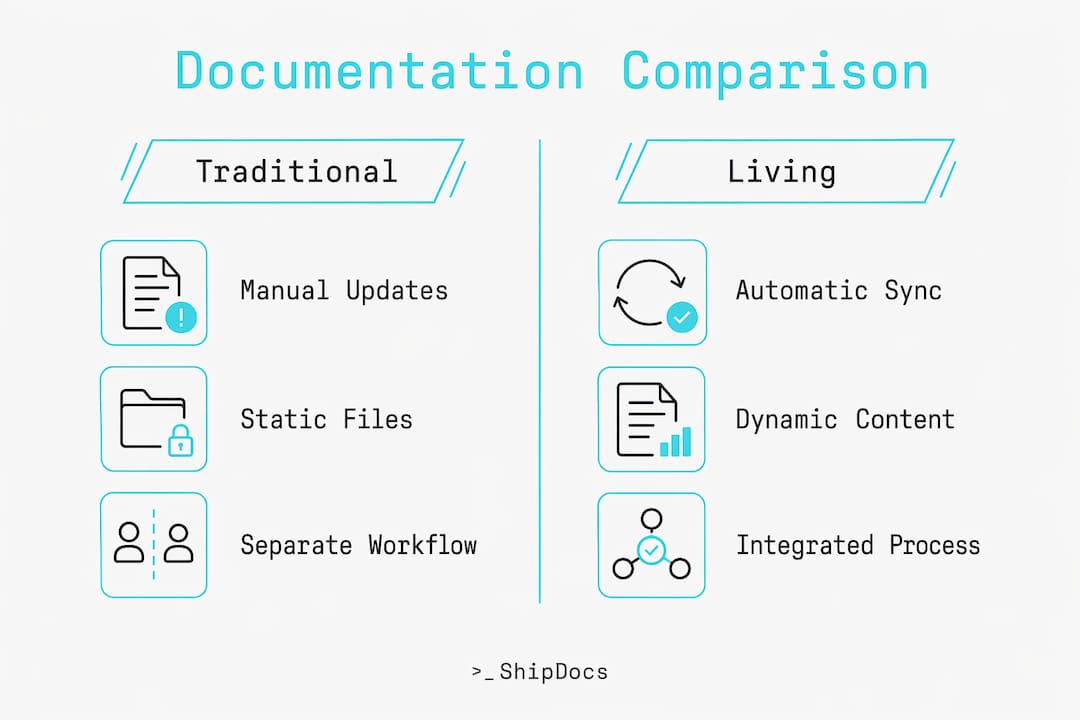
The practical risk of stale documentation goes beyond inconvenience. [Stale documentation can be worse than no documentation](https://dev.to/tacoda/when-the-docs-lie-27m4) because it produces confident wrong assumptions. A developer who reads an outdated API spec and builds against it has wasted hours, or days, before discovering the mismatch. Living documentation eliminates that failure mode by keeping the reference accurate.
Key differences that matter most for teams making the switch:
- Living docs integrate into CI/CD pipelines, so documentation accuracy is a byproduct of the build process.
- Traditional docs require a human to remember to update them, which rarely happens under deadline pressure.
- Living docs make behavioral contracts visible and testable, not just described.
- Traditional docs often lack version history tied to code changes, making it hard to understand why a decision was made.
## What are common living documentation examples and tools?
The most widely cited living documentation examples come from behavior-driven development (BDD) workflows. SmartBear's CucumberStudio [generates and syncs living documentation](https://support.smartbear.com/cucumberstudio/docs/bdd/living-doc.html) from BDD test runs, organizing features and scenarios with full history tracking. Every time a test suite runs in CI/CD, the documentation reflects the latest feature definitions. This is living documentation at its most automated: no human intervention required between a code change and an updated doc.
Beyond BDD, several other patterns and tools are worth knowing:
- **LivingDocFramework** uses [Git pre-commit hooks to enforce documentation updates](https://github.com/user-hash/LivingDocFramework), blocking commits when documentation is outdated. This shifts the enforcement point to the moment of code change rather than relying on post-hoc updates.
- **livespec** [links specs to tests](https://github.com/ftzi/livespec) and provides commands to detect drift, using tags like "@spec` to keep narrative specifications aligned with executable tests. When the spec and the test diverge, the tool surfaces the discrepancy immediately.
- **OpenAPI and AsyncAPI schemas** serve as living documentation for REST and event-driven APIs. Generating API reference docs from machine-readable schemas dramatically reduces staleness because the documentation is derived directly from the contract the code enforces.
- **CI/CD pipeline artifacts** such as test reports, coverage summaries, and deployment logs function as living documentation when structured and published consistently.
**Pro Tip:** *Treat your most change-prone documents, specifically API references and BDD scenarios, as the first candidates for automation. These are the docs that drift fastest and cause the most damage when wrong. Automate them first, then extend the practice to other artifact types.*
## What are the benefits of adopting living documentation?
The benefits of living documentation are concrete and measurable across four dimensions that matter to engineering teams.
1. **Accuracy and reduced drift.** Because documentation is generated from or enforced alongside code, the gap between what the system does and what the docs say closes automatically. Teams using automated doc generation from schemas report fewer integration errors caused by outdated references.
2. **Faster onboarding.** New engineers can read documentation and trust it. When docs reflect the actual codebase, a developer joining the team can [onboard in a fraction of the time](https://shipdocs.sh/blog/how-to-onboard-a-developer-in-1-day) compared to teams where documentation is unreliable. They spend time building, not reverse-engineering the system from source code.
3. **Improved cross-functional communication.** Shared living documentation gives business and technical teams one source of truth. Product managers, QA engineers, and developers all read the same artifact, which reduces misunderstandings about what a feature does or should do.
4. **Knowledge preservation.** When design decisions are recorded in documentation that stays current, institutional knowledge does not walk out the door when a senior engineer leaves. The system's history and rationale remain accessible.
> "Documentation that lies is more dangerous than no documentation at all. Living documentation removes the lie by making accuracy a structural property of the system, not a personal responsibility."
Living documentation in agile environments is particularly effective because agile teams change requirements frequently. Static docs become liabilities in agile; living docs become assets.
## How can teams implement living documentation effectively?
Effective implementation requires thinking about the full documentation lifecycle, not just where documents are stored. The most common failure mode is treating living documentation as a tooling problem when it is equally a cultural and workflow problem. The success of living documentation relies on cultural practices that enforce updating during development, not after.
Here is a practical implementation path:
- **Step 1: Identify drift-prone artifacts.** Start with API references, BDD scenarios, and integration contracts. These change frequently and cause the most damage when stale.
- **Step 2: Automate generation for reference docs.** Use OpenAPI, AsyncAPI, or similar schema-driven tools to generate API documentation directly from code. This eliminates manual updates for the highest-risk category.
- **Step 3: Enforce documentation at commit time.** Implement Git pre-commit hooks using a framework like LivingDocFramework to block commits when documentation is missing or outdated. This makes documentation a condition of code acceptance, not an optional extra.
- **Step 4: Link narrative specs to executable tests.** Use a tool like livespec to tag specifications with `@spec` markers and run drift detection commands as part of your CI pipeline. Silent divergence between specs and tests is one of the hardest problems to catch manually.
- **Step 5: Balance generated docs with human-written narratives.** Automated reference docs cover the "what." Human-written guides cover the "why" and "how." Both are necessary. Do not let automation replace architectural decision records or onboarding guides.
**Pro Tip:** *Use readme templates as a starting point for human-written narrative sections. A well-structured [readme template](https://blog.loadout.hellomilo.app/blog/why-readme-templates-save-time-on-every-project) gives teams a consistent format that is easier to maintain and update than freeform documents.*
The best practices for living documentation converge on one principle: documentation must be a byproduct of the development process, not a separate workstream. When updating docs feels like extra work, it does not get done. When it is enforced by the toolchain, it happens automatically.
## Key takeaways
Living documentation works because it couples documentation accuracy to the development process itself, making drift a structural impossibility rather than a discipline problem.
| Point | Details |
| --- | --- |
| Definition is structural | Living documentation is generated from or enforced alongside code, tests, and models, not written separately. |
| Stale docs cause real damage | Outdated documentation produces confident wrong assumptions, which cost more to fix than missing docs. |
| Automate the highest-risk docs first | API references and BDD scenarios drift fastest; automate these before tackling narrative guides. |
| Enforcement beats reminders | Git pre-commit hooks and CI pipeline checks make documentation updates mandatory, not optional. |
| Balance automation with narrative | Generated reference docs cover accuracy; human-written guides cover context, rationale, and onboarding. |
## The case for treating documentation as a system property
At ShipDocs, we have seen the same pattern repeat across teams of every size. Documentation starts strong, then degrades the moment the team hits a deadline. The instinct is to blame discipline or process, but the real issue is architecture. When documentation lives outside the system, it decays like any other artifact that lacks a maintenance owner.
What changed our thinking was watching teams adopt commit-time enforcement. The moment documentation became a condition of merging code, the culture shifted. Engineers stopped treating docs as optional. They started writing them the way they write tests: as part of the definition of done. That cultural shift does not happen from a Confluence template or a documentation sprint. It happens when the toolchain makes the right behavior the path of least resistance.
We are also direct about one thing that most articles on this topic avoid: living documentation does not eliminate the need for human judgment. Automated generation handles accuracy. It does not handle clarity, context, or the kind of architectural narrative that helps a new engineer understand why the system is built the way it is. The teams that get the most value from living documentation are the ones that automate aggressively and write deliberately. They know which parts of their docs need a machine and which parts need a person.
The connection to domain-driven design is worth noting for teams working in that space. Living documentation makes bounded contexts and aggregate boundaries visible in a way that static diagrams cannot. When the documentation reflects the actual code, the domain model stays honest.
> *— ShipDocs*
## How ShipDocs helps teams build living documentation
ShipDocs is built for teams that need documentation to stay current without adding manual overhead to every sprint.
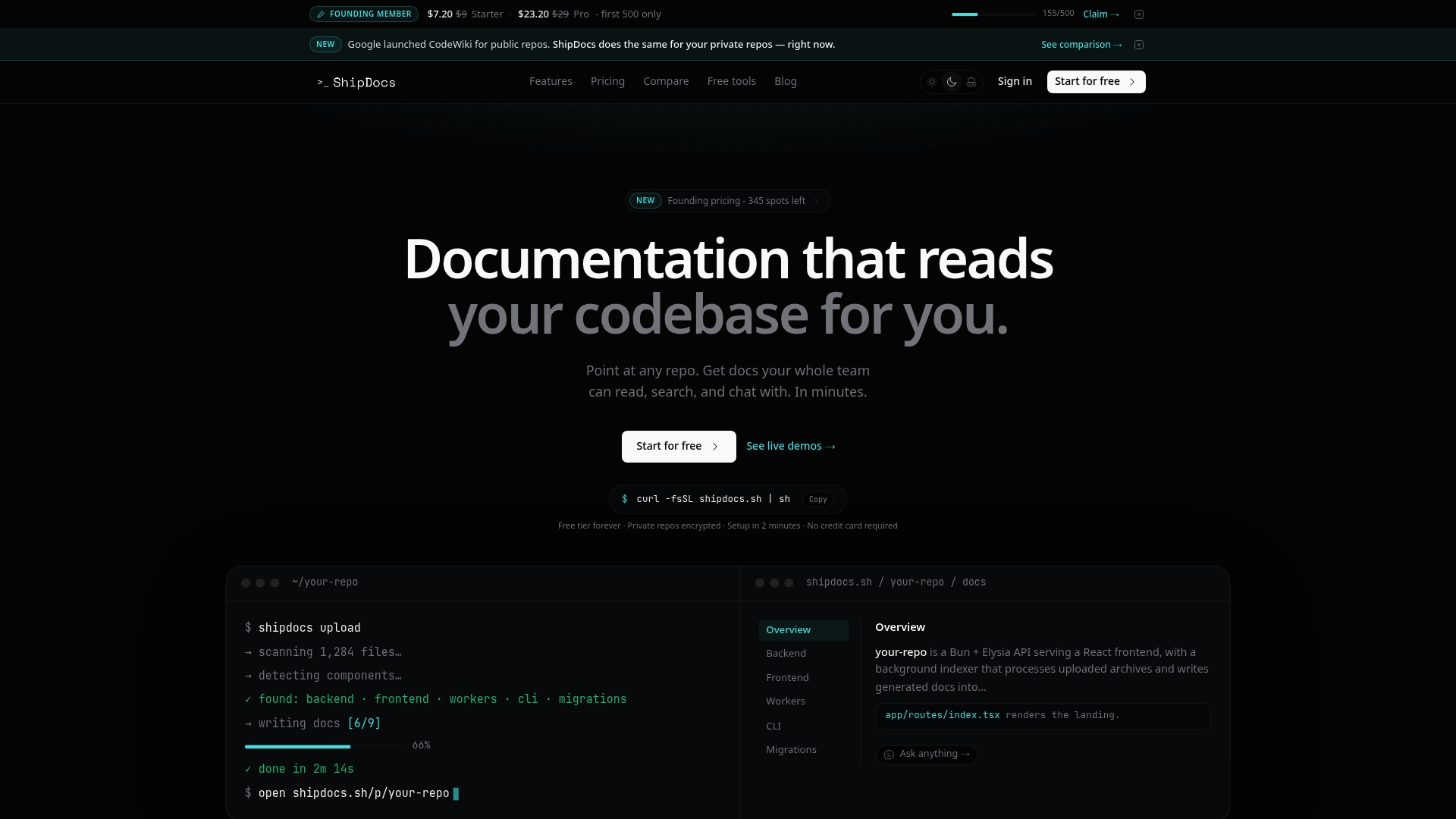
ShipDocs connects directly to private repositories and [generates comprehensive documentation](https://shipdocs.sh) automatically, averaging just over two minutes per run. The AI-powered codebase chat answers questions with exact file references, so engineers and non-technical stakeholders get accurate answers without digging through outdated wikis. For teams scaling fast or dealing with high onboarding costs, ShipDocs makes the codebase immediately accessible. Explore the full [documentation toolset](https://shipdocs.sh/tools) to see how automation and AI-driven interaction work together to keep your docs aligned with your code.
## FAQ
### What is living documentation in software development?
Living documentation is documentation that updates automatically or is enforced to update alongside code changes, keeping it accurate and aligned with the current state of the system. It is typically generated from tests, code, or machine-readable schemas rather than written and maintained separately.
### How does living documentation differ from a wiki or Confluence page?
A wiki or Confluence page is a static artifact that requires manual updates and quickly becomes outdated as the codebase changes. Living documentation is coupled to the development workflow, updated through automation or enforced at commit time, so it reflects the actual system rather than a historical snapshot.
### What tools support living documentation?
SmartBear's CucumberStudio generates living documentation from BDD test runs, LivingDocFramework enforces documentation updates via Git pre-commit hooks, and livespec links narrative specs to executable tests with automated drift detection. OpenAPI and AsyncAPI schemas also serve as living documentation for API references.
### Is living documentation only relevant for agile teams?
Living documentation is most commonly discussed in agile contexts because agile teams change requirements frequently, making static docs a liability. The underlying principles apply to any team where documentation accuracy matters, regardless of methodology.
### How do you prevent living documentation from becoming outdated?
Automating the most change-prone documents and enforcing documentation updates at commit time are the two most reliable prevention strategies. Linking executable specs to tests with drift detection commands, as livespec does, catches silent divergence before it reaches production.
## Recommended
- [ShipDocs — The CodeWiki Alternative With Private Repo Support | AI Docs & Codebase Chat](https://shipdocs.sh/blog/your-codebase-has-no-documentation-costing-186k-per-year)
- [ShipDocs — The CodeWiki Alternative With Private Repo Support | AI Docs & Codebase Chat](https://shipdocs.sh/blog/shipdocs-is-live)
- [ShipDocs — The CodeWiki Alternative With Private Repo Support | AI Docs & Codebase Chat](https://shipdocs.sh)
- [ShipDocs — The CodeWiki Alternative With Private Repo Support | AI Docs & Codebase Chat](https://shipdocs.sh/blog/how-to-onboard-a-developer-in-1-day)
---
# Blog: Team Coding Standards Documentation Types Explained
Source: https://shipdocs.sh/blog/team-coding-standards-documentation-types-explained.md
---
title: "Team Coding Standards Documentation Types Explained"
description: "Discover essential team coding standards documentation types to ensure your coding practices are up-to-date and effective. Drive compliance!"
date: 2026-05-28
author: "ShipDocs"
image: "https://csuxjmfbwmkxiegfpljm.supabase.co/storage/v1/object/public/blog-images/organization-33547/1779943741783_Engineer-writing-code-documentation-at-desk.jpeg"
---
# Team Coding Standards Documentation Types Explained

Most engineering teams write coding standards once, file them somewhere, and watch them quietly become irrelevant. The wiki gets stale. The README gets skipped. New hires guess at conventions, and code reviews turn into debates about style instead of substance. The problem is rarely the standards themselves. It's the documentation format. Choosing the right team coding standards documentation types, which is the industry term for how teams formalize and maintain their development conventions, directly determines whether those standards get followed or forgotten. This article breaks down each major type so you can pick what actually works for your team.
## Table of Contents
- [Key takeaways](#key-takeaways)
- [The right criteria for evaluating documentation types](#the-right-criteria-for-evaluating-documentation-types)
- [1. Inline comments and docstrings](#1-inline-comments-and-docstrings)
- [2. Markdown-based living documentation in the repo](#2-markdown-based-living-documentation-in-the-repo)
- [3. Engineering handbooks and contribution guides](#3-engineering-handbooks-and-contribution-guides)
- [4. Formal content frameworks and style guides](#4-formal-content-frameworks-and-style-guides)
- [5. Comparing documentation types by team scenario](#5-comparing-documentation-types-by-team-scenario)
- [My honest take on documenting coding standards](#my-honest-take-on-documenting-coding-standards)
- [How ShipDocs helps you build documentation that actually gets used](#how-shipdocs-helps-you-build-documentation-that-actually-gets-used)
- [FAQ](#faq)
## Key takeaways
| Point | Details |
| --- | --- |
| Format determines compliance | [Standards locked in wikis](https://coding.md/) get ignored within weeks; version-controlled markdown files get reviewed and updated regularly. |
| Match type to team context | Small agile teams benefit from living markdown docs; large multi-product orgs need formal content frameworks with defined archetypes. |
| Combine types deliberately | No single documentation type covers everything. Pair inline comments with a handbook and a markdown standards file for full coverage. |
| Tooling enforces what docs can't | Executable check suites tied to your standards reduce ambiguity and improve compliance beyond what written docs alone can achieve. |
| Make implicit knowledge explicit | Effective coding guidelines document the *why* behind rules, with positive and negative examples, so both developers and AI agents can follow them. |
## The right criteria for evaluating documentation types
Before picking a format, you need a framework for comparing your options. Not every documentation type fits every team, and the wrong choice creates more friction than having no documentation at all.
Here are the criteria that matter most when assessing any approach to coding guidelines documentation:
- **Maintainability.** Can developers update this document without leaving their normal workflow? A format that requires a separate login, a different tool, or a manual publishing step will fall behind the codebase almost immediately.
- **Visibility.** Is the documentation where developers actually work? Docs stored in the repository get seen. Docs stored in a separate wiki or knowledge base get forgotten.
- **Automation and tooling support.** Can linters, formatters, or AI assistants read and enforce these standards? [Pattern-based guidelines](https://stackoverflow.blog/2026/03/26/coding-guidelines-for-ai-agents-and-people-too/) that are unambiguous and machine-readable unlock a whole layer of automated enforcement.
- **Scope coverage.** Does this format handle style rules only, or can it also cover workflows, onboarding steps, and architectural decisions? Some types are narrow by design; others are broad.
- **Collaboration model.** Can team members propose changes, discuss them, and review updates through pull requests? A documentation type that supports version control and PR reviews keeps standards alive through normal team processes.
**Pro Tip:** *Test your guidelines against bad-faith misinterpretations before publishing them. If a rule can be followed literally while violating its intent, it needs a clearer example or a stated reason.*
## 1. Inline comments and docstrings
Inline comments and docstrings are the most granular form of technical documentation types. They live directly inside the source code, attached to functions, classes, and modules. Every developer encounters them constantly, which makes them the most consistently read documentation your team produces.
Docstrings follow language-specific conventions. In Python, they use triple-quoted strings. In Java, [JavaDoc comments](http://docs.oracle.com/en/java/javase/26/docs/specs/javadoc/doc-comment-spec.html) must be placed immediately before declarations and follow a main description plus block tags structure ("@param`, `@return`, `@throws`) to remain compatible with documentation generation tools. These aren't stylistic preferences. They're structural requirements that determine whether tooling can parse and surface your docs.
Best practices for this type include:
- Write comments that explain *why*, not *what*. The code already shows what it does.
- Keep docstrings consistent in format across the entire codebase, not just within a single file.
- Use linting rules to enforce comment presence on public APIs and exported functions.
- Avoid redundant comments that restate the obvious (`// increment i by 1` above `i++` helps no one).
The key limitation here is scope. Inline comments cover individual code units well, but they can't communicate team workflows, branching strategies, or onboarding expectations. They're a necessary layer, not a complete solution.
> Inline comments and docstrings work best as the ground floor of your documentation stack. They answer "what does this code do?" but they can't answer "how does our team work?"
## 2. Markdown-based living documentation in the repo
This is the format that most teams underuse and most documentation researchers recommend most strongly. The concept is simple: store your coding standards as markdown files versioned alongside your code. A file called `Coding.md` or `CONTRIBUTING.md` in the root of your repository becomes a living document that evolves through the same pull request process as the code itself.
Standards locked in wikis get ignored within weeks. Markdown files versioned in the repo get reviewed via pull requests, which means every update goes through the same scrutiny as a code change. That accountability loop is what keeps living documentation accurate.
Here's what a well-structured `Coding.md` typically covers:
1. **Linting and formatting rules.** Which tools run, at what stage, and what configuration files govern them.
2. **Git workflow and branching conventions.** Branch naming patterns, commit message formats, and merge strategies.
3. **Code review checklists.** What reviewers check for beyond automated linting, including logic, readability, and test coverage.
4. **Naming conventions.** Variable, function, class, and file naming patterns with concrete examples.
5. **Testing requirements.** Minimum coverage expectations, test file placement, and naming conventions for test functions.
The additional benefit for teams using AI coding assistants is significant. Clear, pattern-based guidelines stored in version-controlled files like `agents.md` allow AI tools to read and apply your standards directly. You're not just documenting for humans anymore.
**Pro Tip:** *Keep a separate section in your markdown standards file for the reasoning behind non-obvious rules. A rule without a reason gets overridden the moment someone disagrees with it.*
## 3. Engineering handbooks and contribution guides
Engineering handbooks scale the markdown approach into a multi-document system. Instead of one file covering everything, a handbook organizes standards into categorized documents, each covering a distinct area of team practice.

[Olbrasoft's engineering handbook](https://github.com/Olbrasoft/engineering-handbook) is a practical example: it organizes documentation into sections covering workflow guides, git operations, manual review checklists, and secrets management. Each section is its own document, linked from a central README. This structure makes it easy for developers to find exactly what they need without reading through an entire monolithic file.
Contribution guides take a similar approach but focus specifically on the mechanics of contributing to a codebase. Large repos typically embed [coding standards within contribution guides](https://docs.aurorasoc.ahmeddwalid.me/docs/developer/contributing/contribution-guide) and enforce them using explicit linting, formatting, and type-checking commands. The AuroraSOC contribution guide, for example, specifies `ruff` as the formatter, `mypy` as the type checker, and lists exact pre-commit steps with commands like `make format` and `make lint`.
A well-structured engineering handbook typically includes:
- A workflow guide covering how work moves from issue to merged PR
- Branching strategy documentation with naming conventions and lifecycle rules
- Code review standards, including both automated checks and human review expectations
- Testing guidelines covering frameworks, coverage targets, and test organization
- Configuration management rules for environment variables and secrets handling
- Onboarding documentation that walks new hires through setup and first contributions
The main advantage of this format is that it serves as a unified source of truth. New hires can read through the handbook systematically. Experienced developers can reference specific sections during code reviews. The format scales well as teams grow and practices evolve.
## 4. Formal content frameworks and style guides
For larger teams and multi-product organizations, a more structured approach to documentation architecture pays off. Formal content frameworks go beyond storing standards in markdown. They define *what types of documents* your team produces and what rules govern each type.
The [developer-docs-framework](https://github.com/anivar/developer-docs-framework) approach specifies 14 content types plus 6 style-guide approaches to organize and standardize developer documentation. Content types include tutorials, how-to guides, reference documentation, architecture decision records, and more. Each type has its own purpose, structure, and writing rules.
| Content type | Purpose | Best for |
| --- | --- | --- |
| Tutorial | Teach a concept through guided practice | Onboarding new developers |
| How-to guide | Step-by-step instructions for a specific task | Reference during active work |
| Reference | Precise technical specification | API docs, configuration options |
| Architecture decision record | Document a decision and its rationale | Long-term knowledge retention |
| Style guide | Standardize language and formatting | Cross-team consistency |
This level of structure helps large teams avoid the common problem where documentation exists but nobody knows what format to write in or what a given document is supposed to accomplish. When every contributor knows the difference between a tutorial and a how-to guide, documentation quality improves across the board.
The tradeoff is overhead. Small teams rarely need this level of formalization. But for organizations with multiple teams contributing to shared documentation, a content framework prevents the gradual drift toward inconsistency that plagues unstructured documentation systems.
## 5. Comparing documentation types by team scenario
No single format handles every situation. The right choice depends on your team's size, tech stack, and workflow. Here's how the major types stack up across the criteria that matter most.
| Documentation type | Maintainability | Onboarding value | Tooling support | Best team fit |
| --- | --- | --- | --- | --- |
| Inline comments / docstrings | High (in-code) | Medium | High (linters, doc generators) | All teams |
| Markdown living docs | High (PR-reviewed) | High | High (AI agents, linters) | Small to mid-size agile teams |
| Engineering handbooks | Medium (multi-file) | Very high | Medium | Mid to large teams |
| Formal content frameworks | Lower (high setup) | High (structured) | Medium | Large, multi-product orgs |
A few practical guidelines for combining types effectively:
- Start with inline comments and a single `Coding.md` file. This covers 80% of what most teams need.
- Add an engineering handbook when your team grows past 10 developers or when onboarding starts taking more than a week.
- Adopt a formal content framework only when you have dedicated documentation ownership and multiple teams contributing to shared standards.
- Executable tooling tied to your standards reduces ambiguity regardless of which documentation format you choose. Documentation tells developers what to do. Tooling makes sure they do it.
Keeping [high-level principles separate](https://cursor.com/blog/agent-best-practices) from mechanical implementation details also matters here. Your principles document explains decisions. Your tooling configuration enforces them. Mixing the two into a single document makes both harder to maintain.
## My honest take on documenting coding standards
I've worked with enough engineering teams to say this plainly: most documentation failures are format failures, not content failures. Teams spend time writing solid standards and then store them somewhere that guarantees they'll be ignored.
The teams that get this right do one thing differently. They treat their standards documentation the same way they treat their code. It lives in the repo, it gets reviewed in PRs, and it gets updated when the code changes. That's it. That single decision separates living documentation from a graveyard of good intentions.
What I've also learned is that making implicit knowledge explicit is harder than it sounds. Every senior developer on your team carries a mental model of "how we do things here" that never made it into any document. Getting that knowledge into a structured format, with clear reasoning and concrete examples, is the actual work of building coding standards documentation.
Over-documentation is a real risk too. A 200-page handbook that nobody reads is worse than a focused 10-page `Coding.md` that developers reference daily. Start small, iterate based on what questions new hires actually ask, and add depth where it's needed. The goal is a documentation system your team trusts, not one that looks thorough from the outside.
AI tools are changing this equation in ways that make the format question even more important. When your standards live in version-controlled markdown files, AI coding assistants can read and apply them. That's a multiplier on every rule you've written down.
> *— ShipDocs*
## How ShipDocs helps you build documentation that actually gets used
If your team's coding standards are scattered across wikis, outdated READMEs, and tribal knowledge, ShipDocs gives you a faster path to documentation that works. ShipDocs automatically generates [comprehensive markdown documentation](https://shipdocs.sh) for private repositories, averaging just over two minutes per generation, so you're not starting from a blank file.

The AI-driven codebase chat answers questions with exact file references, which means new hires can ask "how does our authentication flow work?" and get a precise answer tied to the actual code. That's the kind of onboarding support that cuts ramp-up time from weeks to days. If you want to see how teams are using it in practice, the [ShipDocs engineering teams guide](https://shipdocs.sh/blog/shipdocs-for-engineering-teams) walks through real workflows for documentation maintenance and standards enforcement.
## FAQ
### What are the main types of coding standards documentation?
The main types are inline comments and docstrings, markdown-based living documentation stored in the repository, engineering handbooks and contribution guides, and formal content frameworks. Most teams benefit from combining at least two of these types.
### Why do coding standards stored in wikis get ignored?
Wiki-based standards sit outside the normal development workflow, so they don't get updated when code changes and developers rarely consult them during active work. Version-controlled markdown files in the repository get reviewed through pull requests, which keeps them accurate and visible.
### How do you make coding standards work for AI coding assistants?
Store your guidelines in version-controlled files like `agents.md` or `Coding.md` and write rules that are unambiguous and pattern-based. AI tools can read and apply standards that are machine-readable, turning your documentation into automated enforcement.
### When should a team adopt a formal documentation framework?
Formal content frameworks make sense for large organizations with multiple teams contributing to shared documentation. Smaller teams get more value from a focused `Coding.md` file and an engineering handbook than from the overhead of a full content architecture system.
### What's the fastest way to start documenting coding standards?
Create a `Coding.md` file in your repository root and document your linting setup, branching conventions, and code review checklist first. These three areas cover the most common sources of inconsistency and give new hires an immediate reference point.
## Recommended
- [ShipDocs — The CodeWiki Alternative With Private Repo Support | AI Docs & Codebase Chat](https://shipdocs.sh/blog/code-wiki-for-private-repos-how-to-document-private-codebases)
- [ShipDocs — The CodeWiki Alternative With Private Repo Support | AI Docs & Codebase Chat](https://shipdocs.sh/blog)
- [ShipDocs — The CodeWiki Alternative With Private Repo Support | AI Docs & Codebase Chat](https://shipdocs.sh/blog/your-codebase-has-no-documentation-costing-186k-per-year)
- [ShipDocs — The CodeWiki Alternative With Private Repo Support | AI Docs & Codebase Chat](https://shipdocs.sh)
[](https://www.babylovegrowth.ai)
---
# Blog: Auto-Generate Codebase Documentation in 2026
Source: https://shipdocs.sh/blog/auto-generate-codebase-documentation-in-2026.md
---
title: "Auto-Generate Codebase Documentation in 2026"
description: "Discover how to auto-generate codebase documentation in 2026. Enhance team productivity and keep your docs current with this essential guide!"
date: 2026-05-27
author: "ShipDocs"
image: "https://csuxjmfbwmkxiegfpljm.supabase.co/storage/v1/object/public/blog-images/organization-33547/1779785546336_Developer-auto-generating-codebase-documentation-at-workspace.jpeg"
---
# Auto-Generate Codebase Documentation in 2026

Manual documentation is a debt most engineering teams carry silently. Code ships, features change, and the docs written six months ago quietly stop reflecting reality. For new hires, that gap translates to weeks of lost productivity. For senior engineers, it means constant interruptions. The good news: you can auto-generate codebase documentation today with tools and pipelines mature enough for production use. This guide walks you through the tools, the setup, the pitfalls, and the maintenance practices that keep generated docs accurate and genuinely useful.
## Table of Contents
* [Key takeaways](#key-takeaways)
* [How to auto-generate codebase documentation: tools and prerequisites](#how-to-auto-generate-codebase-documentation-tools-and-prerequisites)
* [Setting up your automated doc generation pipeline](#setting-up-your-automated-doc-generation-pipeline)
* [Common mistakes that break automated documentation](#common-mistakes-that-break-automated-documentation)
* [Keeping your generated docs accurate over time](#keeping-your-generated-docs-accurate-over-time)
* [My take on automated documentation workflows](#my-take-on-automated-documentation-workflows)
* [See your codebase documented in under two minutes](#see-your-codebase-documented-in-under-two-minutes)
* [FAQ](#faq)
## Key takeaways
| Point | Details |
| --- | --- |
| Docstrings are the foundation | Well-maintained code comments are the raw material that automated tools convert into accurate reference docs. |
| CI/CD integration prevents drift | Regenerating docs on every deploy treats documentation as a build artifact, not an afterthought. |
| Incremental regeneration scales | Re-analyzing only changed files keeps large codebase doc generation fast and cost-effective. |
| Multi-agent pipelines reduce errors | Separating analysis, writing, and review across specialized agents cuts hallucinations significantly. |
| Human review still matters | Automation handles volume; human reviewers catch the context errors that no tool catches reliably. |
## How to auto-generate codebase documentation: tools and prerequisites
The industry term for what most developers call “auto-generating docs” is *automated documentation generation*, sometimes shortened to *doc generation* or *codebase doc generation*. The concept is straightforward: tools read your source code, extract structure and comments, and produce human-readable documentation without you writing it manually. Getting there requires three things in place before you write a single config file.
**Your code needs docstrings.** Every major automated documentation tool depends on structured code comments to produce useful output. [Sphinx](https://www.sphinx-doc.org/) automatically builds reference docs from docstrings, which means undocumented functions produce empty or useless entries. This is not a limitation of the tool. It is a signal about code quality.
**You need version control and a CI/CD pipeline.** GitHub Actions, GitLab CI, or any equivalent gives you the trigger point to regenerate docs on every push or merge. Without this, automation becomes a manual step that developers skip under deadline pressure.
**You need to choose a documentation generator for developers that fits your stack.** Here is a comparison of the most commonly used tools:
| Tool | Language support | Automation level | Cost | Best for |
| --- | --- | --- | --- | --- |
| Sphinx | Python (primary) | High, docstring-driven | Free | Python projects with structured docstrings |
| Flight Manual | TypeScript | Deterministic, schema-driven | Free (MIT) | TypeScript APIs needing build-time doc generation |
| open-auto-doc | Multi-language | AI-driven, incremental | Free (open source) | Teams wanting full AI-generated doc sites |
| Documint | Multi-language | AI with diagram generation | Paid tiers | Architecture-heavy projects needing C4 diagrams |
* Sphinx is the most established option for Python projects, with a large plugin ecosystem.
* [Flight Manual](https://github.com/scramjetio/flight-manual) regenerates API docs deterministically from TypeScript schemas on every deploy, at zero cost.
* [open-auto-doc](https://github.com/Latent-Space-Labs/open-auto-doc) uses an AI pipeline to read code structure and produce complete documentation sites, with support for incremental regeneration.
* Documint goes further by generating multi-level C4 architecture diagrams directly from code analysis, without any manual diagram input.
**Pro Tip:** *Before selecting a tool, audit your codebase for docstring coverage. A repo with 20% docstring coverage will produce sparse, misleading docs regardless of which tool you choose. Spend a sprint improving coverage first.*
## Setting up your automated doc generation pipeline
Once your tooling is selected, the setup follows a predictable pattern. Here is how to get a working pipeline running with open-auto-doc as the example, since it covers the most common use case for multi-language AI-driven generation.
**Step 1: Install and initialize the tool.**
"\`\`bash pip install open-auto-doc open-auto-doc init
The `init` command walks you through an interactive setup, asking for your repository path, output directory, and preferred documentation structure. This produces a config file you commit alongside your code.
**Step 2: Run your first full generation.**
```bash
open-auto-doc generate
This analyzes your entire codebase and produces a multi-section documentation site. Expect this to take several minutes on larger repos. The output includes API references, module overviews, and usage examples extracted from your code structure and comments.

**Step 3: Switch to incremental mode for ongoing updates.**
For large codebases, incremental updates that analyze only changed files vastly improve performance and developer experience. Run:
open-auto-doc generate --incremental
This re-analyzes only files modified since the last run, cutting analysis time and cost on AI-powered tools significantly.
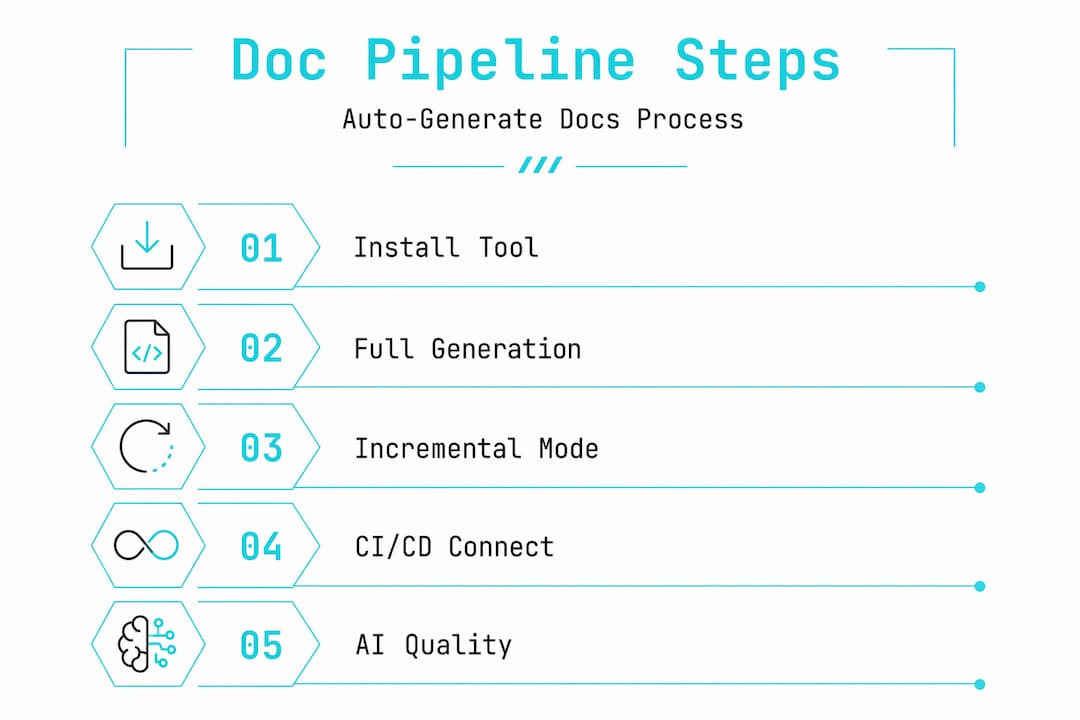
**Step 4: Connect to your CI/CD pipeline.**
Add a GitHub Actions workflow file at `.github/workflows/docs.yml`:
name: Generate Docs
on:
push:
branches: [main]
jobs:
docs:
runs-on: ubuntu-latest
steps:
- uses: actions/checkout@v3
- name: Install open-auto-doc
run: pip install open-auto-doc
- name: Generate docs
run: open-auto-doc generate --incremental
- name: Deploy docs
run: open-auto-doc deploy
This triggers doc regeneration on every push to `main`. Treating doc generation as an idempotent build step integrated into CI/CD ensures your docs never drift from source code. The same principle applies whether you use Sphinx, Flight Manual, or any other tool.
**Step 5: Add AI-powered quality layers.**
If you are using an AI-driven pipeline, consider a multi-agent architecture. The Zeppelin Labs Orchestrator-15 approach uses [parallel writing agents and sequential formatting](https://dev.to/madnansultan/how-we-built-a-multi-agent-ai-documentation-system-and-what-we-learned-3mce) to enforce correctness and quality control. You separate the Analyzer agent (reads code), the Writer agent (produces prose), the Formatter agent (applies style), and the Reviewer agent (checks accuracy). Each agent has a single responsibility, which limits the blast radius of any single failure.
**Pro Tip:** *Commit your generated docs to a separate branch or deploy them to a hosted platform rather than mixing them with source code. This keeps your main branch clean and makes doc history independently reviewable.*
## Common mistakes that break automated documentation
Even well-configured software documentation automation pipelines produce poor results when certain practices are missing. These are the failure modes teams hit most often.
* **Skipping the reviewer stage.** AI-generated docs can produce plausible but incorrect API signatures. Separating responsibilities across AI agents reduces hallucinations, but a reviewer agent or a periodic human review pass is still necessary to catch what automation misses.
* **Ignoring docstring quality.** The [docstring-first workflow](https://dev.to/wonderer-tech/docstrings-vs-markdown-docs-what-should-developers-actually-write-3hb7) only works when docstrings are accurate and consistent. Stale or missing docstrings produce stale or missing documentation. No tool can invent accurate context that is not in the code.
* **Running full generation on every commit.** On large repos, this is slow and expensive. Use incremental mode for routine commits and reserve full generation for major releases or scheduled weekly runs.
* **No style guide or template.** [IBM’s 2025 research](https://www.ibm.com/think/insights/ai-code-documentation-benefits-top-tips) highlights that AI-generated documentation requires style templates and technical context to produce consistent, high-quality output. Without a template, different modules end up documented in inconsistent formats, which makes the docs harder to read than no docs at all.
* **Broken CI/CD integration.** A pipeline that fails silently means your docs stop updating without anyone noticing. Add explicit failure alerts and test your doc generation step in a staging environment before relying on it in production.
> The most common failure mode is not a bad tool choice. It is treating documentation generation as a one-time setup rather than an ongoing build discipline. Docs that are not regenerated regularly are not automated docs. They are a snapshot that ages badly.
## Keeping your generated docs accurate over time
Getting docs generated is the first milestone. Keeping them accurate is the harder, more important one. Here is how to build maintenance into your workflow rather than bolting it on later.
**Automate architecture diagrams alongside text docs.** [Documint generates multi-level C4 diagrams](https://dev.to/anoop_kumar_paul/how-to-create-architecture-overviews-from-existing-code-3enm) from code analysis, outputting System Context, Container, and Component diagrams in Mermaid format. Embedding these in your generated docs gives new engineers a visual map of the system without anyone drawing it manually.
**Validate docs against source code.** Some teams write lightweight tests that check whether documented functions still exist in the codebase. This catches the case where a function is renamed or removed but the docs still reference the old signature.
**Use AI assistants to query your generated docs.** Once your docs are generated and hosted, an AI chat layer that understands your specific codebase adds significant value. Engineers can ask questions like “which module handles payment retries?” and get answers with exact file references rather than searching manually.
| Maintenance practice | Frequency | Benefit |
| --- | --- | --- |
| Incremental doc regeneration | Every commit to main | Prevents drift between code and docs |
| Full doc regeneration | Weekly or on major releases | Catches structural changes incremental mode misses |
| Human review pass | Monthly | Identifies context errors automation cannot catch |
| Architecture diagram refresh | On major refactors | Keeps system diagrams aligned with actual structure |
| AI assistant validation | On demand | Surfaces gaps in doc coverage through real usage |
**Pro Tip:** *Assign doc review as a rotating responsibility rather than leaving it to one person. When everyone on the team reviews docs occasionally, coverage gaps get caught faster and the docs become a shared artifact rather than one person’s burden.*
Treating your docs as code artifacts that require the same discipline as the code itself is the mindset shift that separates teams with reliable documentation from teams that perpetually plan to fix their docs later.
## My take on automated documentation workflows
I have seen a lot of teams approach documentation automation with the wrong expectation. They assume that pointing a tool at a repo and running a command will produce docs they can hand to a new hire on day one. Sometimes that works. More often, the output is technically accurate but contextually useless.
What I have learned is that the quality of your generated docs is a direct reflection of the quality of your code hygiene. Teams with consistent naming conventions, clear function boundaries, and maintained docstrings get excellent results from automated tools. Teams with legacy spaghetti get generated docs that accurately describe spaghetti.
The multi-agent pipeline approach is genuinely useful, but only when you treat it as a discipline rather than a magic fix. Separating the Analyzer, Writer, and Reviewer into distinct agents with explicit schemas and failure modes is not complexity for its own sake. It is the difference between docs you can trust and docs you have to double-check every time.
My strongest recommendation: start with incremental regeneration in CI before you worry about AI quality layers. Get the pipeline running, get docs deploying automatically, and then layer in quality improvements. Teams that try to build the perfect pipeline before shipping anything useful end up with neither. The [costs of missing documentation](https://shipdocs.sh/blog/your-codebase-has-no-documentation-costing-186k-per-year) compound every week you wait.
The future of this space is AI assistants that understand your specific codebase and answer questions with file-level precision. That is already possible today. The teams that invest in the underlying doc generation pipeline now will be the ones who benefit most from those tools.
> *— SupaX*
## See your codebase documented in under two minutes
If you want to skip the pipeline configuration and get directly to accurate, hosted documentation for your private repositories, Shipdocs is built for exactly that.

Shipdocs [automatically generates documentation](https://shipdocs.sh) for private repos using AI that reads your actual code structure, not just your README. The average generation time is just over two minutes. Beyond the docs themselves, Shipdocs includes an AI chat assistant that answers questions about your codebase with exact file references, which means engineers and non-technical stakeholders can get answers without pulling someone away from their work. You can also explore the full [suite of AI documentation tools](https://shipdocs.sh/tools) Shipdocs offers, including automated README generation and architecture overviews. If you want to see what your codebase looks like documented before committing, the [real-world examples](https://shipdocs.sh/showcase) in the showcase are worth a look.
## FAQ
### What is the fastest way to auto-generate codebase documentation?
The fastest path is using an AI-powered tool like open-auto-doc or Shipdocs, which analyze your code structure directly and produce a complete documentation site without manual writing. Shipdocs averages just over two minutes for full generation on private repositories.
### Do I need docstrings to generate code documentation automatically?
Most automated documentation tools rely on docstrings to produce accurate API references. Tools like Sphinx build directly from docstrings, while AI-driven tools can infer some context from code structure, but consistent docstring coverage always improves output quality.
### How do I prevent my auto-generated docs from becoming outdated?
Integrate doc generation as a CI/CD build step that runs on every merge to your main branch. Treating doc generation as an idempotent build step in your deploy workflow is the most reliable way to prevent docs from drifting from source code.
### What causes hallucinations in AI-generated documentation?
AI documentation tools hallucinate most often when code structure is ambiguous or when a single agent handles too many responsibilities. Using structured JSON schemas and explicit failure modes in multi-agent pipelines significantly reduces this problem.
### Can automated documentation tools handle monorepos?
Yes, most modern documentation generators support monorepos, though configuration varies by tool. Incremental regeneration modes are particularly valuable in monorepos because they limit re-analysis to the packages that actually changed, keeping generation time manageable.
## Recommended
* [ShipDocs — Your Codebase Has No Documentation and It's Costing You $186K/Year](https://shipdocs.sh/blog/your-codebase-has-no-documentation-costing-186k-per-year)
* [ShipDocs — Blog](https://shipdocs.sh/blog)
* [ShipDocs — Code Wiki for Private Repos: How to Document Your Private Codebase with AI](https://shipdocs.sh/blog/code-wiki-for-private-repos-how-to-document-private-codebases)
---
# Blog: How Private Repository Tools Work: A Developer's Guide
Source: https://shipdocs.sh/blog/how-private-repository-tools-work-a-developers-guide.md
---
title: "How Private Repository Tools Work: A Developer's Guide"
description: "Unlock the secrets of how private repository tools work in this guide. Learn about security, access controls, and best practices for code protection."
date: 2026-05-26
author: "ShipDocs"
image: "https://csuxjmfbwmkxiegfpljm.supabase.co/storage/v1/object/public/blog-images/organization-33547/1779785539546_Developer-working-with-private-repository-home-office.jpeg"
---
# How Private Repository Tools Work: A Developer's Guide

If you’ve ever assumed a private repository is fully locked down just because the visibility toggle says “private,” you’re not alone. Understanding how private repository tools work goes deeper than a single setting. These tools enforce layered access controls, encrypt data at multiple levels, and integrate with external systems through scoped credentials. Yet real-world incidents keep proving that misconfiguration, not platform failure, is what exposes code. This guide breaks down the technical architecture, security realities, and emerging alternatives so you can make informed decisions about how your team manages and protects its codebase.
## Table of Contents
* [Key Takeaways](#key-takeaways)
* [How private repository tools work at the access layer](#how-private-repository-tools-work-at-the-access-layer)
* [Security architecture and real-world vulnerabilities](#security-architecture-and-real-world-vulnerabilities)
* [CI/CD integration and scoped credentials](#cicd-integration-and-scoped-credentials)
* [Self-hosted and decentralized alternatives](#self-hosted-and-decentralized-alternatives)
* [Private repository best practices for teams](#private-repository-best-practices-for-teams)
* [My honest take on private repository security](#my-honest-take-on-private-repository-security)
* [How Shipdocs makes private repos more useful](#how-shipdocs-makes-private-repos-more-useful)
* [FAQ](#faq)
## Key Takeaways
| Point | Details |
| --- | --- |
| Private does not mean fully secure | Platform-level privacy is only one layer; misconfiguration and secret sprawl remain the top risks. |
| Access control is role-based | Read, Write, and Admin roles enforce authorization at the metadata layer, not just the UI. |
| Scoped credentials matter in CI/CD | Deploy keys and short-lived OIDC tokens reduce attack surface compared to broad personal access tokens. |
| Self-hosted tools offer more sovereignty | Options like Gitea and Forgejo give teams control over encryption keys and data residency. |
| Documentation is a security asset | Maintaining clear access documentation reduces permission drift and speeds up audits. |
## How private repository tools work at the access layer
A private repository is, at its core, a version-controlled codebase with a restricted visibility flag enforced at the platform’s metadata layer. The platform checks authentication and authorization on every single request, whether you’re cloning over HTTPS, pushing via SSH, or fetching through an API. [Access is controlled](https://singhajit.com/how-github-stores-and-serves-git-repositories/) with roles like Read, Write, and Admin, and private repos are hidden from public profiles and search indexes entirely.
What that means in practice is worth unpacking. When you clone a private repo, the Git client sends credentials to the platform’s API gateway. The gateway validates your identity (authentication), then checks whether your account holds a role that permits the requested operation (authorization). Only after both checks pass does the server stream pack objects back to your client.
Role-based access controls enforce this at a granular level:
* **Read**: Clone, fetch, and view code. No write operations permitted.
* **Write**: Push commits and branches. Cannot modify repo settings or manage collaborators.
* **Admin**: Full control, including managing members, configuring webhooks, and changing visibility.
* **Custom roles** (available on enterprise tiers): Scoped to specific actions like managing issues without touching code.
Every operation, including cloning, pushing, and forking, is logged. Forks of private repositories inherit the parent’s visibility restrictions on most platforms, meaning a fork does not automatically become public. This is a common source of confusion for teams onboarding new contributors.
**Pro Tip:** *Audit your repository’s collaborator list quarterly. Permission drift, where former contractors or rotated team members retain access, is one of the most overlooked security gaps in private repository management.*
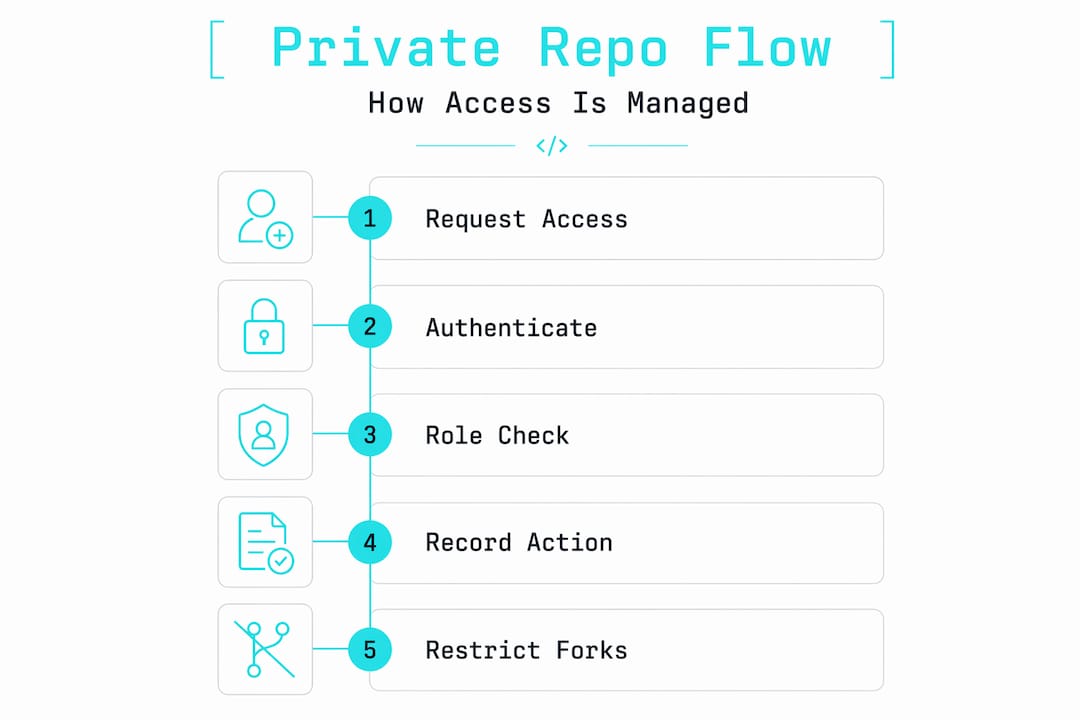
## Security architecture and real-world vulnerabilities
The encryption story for private repositories is solid at the platform level. GitHub, for example, [encrypts repos at rest](https://juergenkoller.software/en/blog/github-repositories-security.html) with AES-256 and protects data in transit with TLS 1.2 or higher. Multi-factor authentication adds another identity verification layer, and fine-grained personal access tokens let you scope permissions down to specific repositories and operations.
But here’s where the gap between “private” and “secure” becomes critical.
> “The biggest threat to private repository security is secret sprawl. Developers accidentally commit API keys, database credentials, and tokens despite every platform protection being in place.”
A 2026 incident at CISA made this painfully concrete. [844MB of sensitive data](https://undercodenews.com/cisas-private-github-disaster-exposes-passwords-tokens-and-a-major-cybersecurity-irony/) was exposed because plain-text secrets had been committed directly into a private repository. The repository’s visibility setting was irrelevant once an authorized user with access to those secrets was compromised.
The recommended approach to closing these gaps follows a clear sequence:
1. **Enable secret scanning.** Automated secret detection integrated into the push process can identify API keys, tokens, and credentials before they land in version history.
2. **Activate push protection.** This blocks commits containing known secret patterns at the point of push, not after the fact.
3. **Use external vaults for secrets.** Tools like HashiCorp Vault or AWS Secrets Manager keep credentials out of your repository entirely.
4. **Run static analysis on pull requests.** CodeQL and similar tools detect SQL injection, XSS, and other vulnerability patterns before code merges.
5. **Rotate credentials immediately after any suspected exposure.** Treat every leaked secret as compromised, regardless of whether you can confirm it was accessed.
**Pro Tip:** *Treat your ".env*`files and any file containing connection strings as permanently off-limits for version control. Add them to`*.gitignore\` before the first commit, not after an incident.*
## CI/CD integration and scoped credentials
Automation is where private repository access controls face their most complex challenges. CI/CD pipelines, deployment tools, and third-party integrations all need access to your private code, and how you grant that access determines your actual attack surface.
The options range from broad to tightly scoped:
* **Personal access tokens (PATs)**: Easy to set up but carry significant risk. A PAT typically grants access to all repositories a user owns, and tokens often outlive the workflows they were created for. [Repository-level access alone](https://dev.to/aws-builders/least-privilege-cicd-on-aws-the-4-layer-pattern-that-scales-to-200-pipelines-238o) is insufficient when credentials can be extracted from pipeline logs or environment variables.
* **Deploy keys**: SSH key pairs scoped to a single repository with read-only access by default. [Deploy keys provide secure read-only access](https://oneuptime.com/blog/post/2026-02-26-argocd-private-github-repos-deploy-keys/view), making them a better choice for tools like ArgoCD that only need to pull code, not push it.
* **GitHub App tokens**: Short-lived, platform-managed tokens scoped to specific repositories and permissions. These are the preferred option for most automation because the platform rotates them automatically and they expire quickly.
* **OIDC federated identity**: The most mature pattern for cloud-native CI/CD. Using OIDC to federate identity between your Git provider and cloud environments enables ephemeral credentials that exist only for the duration of a pipeline run. No long-lived secrets to steal.
The principle underlying all of these is least privilege. Every automated system should have access to exactly what it needs and nothing more. If your deployment pipeline only needs to read from one repository, it should not hold credentials that can write to ten.
## Self-hosted and decentralized alternatives
The conversation around private repositories has shifted noticeably in recent years. Teams that once defaulted to large SaaS platforms are asking harder questions about data residency, vendor access to their code, and what “private” actually means when a third party controls the encryption keys.

GitHub’s provider-managed AES-256 encryption means the platform holds the keys, not you. That’s a meaningful distinction for organizations in regulated industries or those handling genuinely sensitive intellectual property.
| Tool | Hosting model | Key control | Best for |
| --- | --- | --- | --- |
| GitHub | Cloud (SaaS) | Platform-managed | Teams prioritizing ecosystem integrations |
| GitLab | Cloud or self-hosted | Customer-controlled (self-hosted) | Enterprises needing full DevOps in one platform |
| Gitea | Self-hosted | Customer-controlled | Small teams wanting lightweight, sovereign hosting |
| Forgejo | Self-hosted | Customer-controlled | Open-source projects avoiding vendor lock-in |
| Radicle | Peer-to-peer | Fully decentralized | Developers prioritizing censorship resistance |
[Self-hosted solutions like Gitea and Forgejo](https://dev.to/riteshkokam/best-github-alternatives-for-developers-in-2026-55m1) are gaining real traction because they let you run the entire stack on your own infrastructure. You control the encryption keys, the network boundaries, and the backup strategy. The trade-off is operational overhead. You own the uptime, the patching, and the disaster recovery.
Radicle takes a different approach entirely. It uses a [local-first, peer-to-peer model](https://dev.to/alanwest/how-to-escape-vendor-lock-in-in-your-git-collaboration-workflow-3163) where repositories live on contributors’ machines and sync directly between peers. There’s no central server to compromise or go offline. The privacy guarantees are strong, but the tooling maturity and onboarding experience lag behind centralized platforms.
For most teams, the decision comes down to how much operational work you’re willing to take on in exchange for greater control. A startup moving fast will likely stay on a managed platform. A fintech handling regulated data might find the overhead of self-hosting worth every hour.
## Private repository best practices for teams
Getting the architecture right is only half the work. The operational discipline around private repositories is what determines whether your security posture holds over time.
1. **Audit permissions on a fixed schedule.** Review collaborator access at least quarterly. Remove anyone who no longer needs it, including bots and service accounts from deprecated integrations.
2. **Enforce secret scanning at the organization level.** Don’t leave it to individual developers to remember. Make it a default policy that applies to every repository automatically.
3. **Store secrets in dedicated vaults.** Keep credentials out of your codebase entirely. Reference them in pipelines via environment injection from a secrets manager, not hardcoded values.
4. **Apply the least privilege principle to every role and token.** If a developer only reviews pull requests, they don’t need Write access. If a CI job only runs tests, it doesn’t need Admin tokens.
5. **Document your access model.** Write down who has access to what and why. This sounds obvious, but most teams don’t do it until an audit forces them to. Clear [private repo documentation](https://shipdocs.sh/blog/code-wiki-for-private-repos-how-to-document-private-codebases) reduces permission drift and makes onboarding faster.
**Pro Tip:** *When onboarding a new team member, provision access using the minimum role required for their first task. Upgrade permissions only when a specific need arises, not preemptively.*
## My honest take on private repository security
I’ve spent years watching teams treat the “private” label as a security guarantee. It isn’t. What I’ve found is that the platform does its job reliably. The encryption is real, the access controls work, and the audit logs are there. The failures almost always happen in the space between the platform and the people using it.
The uncomfortable truth is that most “private” repositories on managed platforms are better described as “private-ish.” The vendor has access to your code. Their employees, under certain legal or operational conditions, may too. That’s not a conspiracy theory. It’s the architecture of any cloud service where the provider manages encryption keys.
What I’ve learned from watching security incidents unfold is that the teams with the strongest posture aren’t necessarily using the most sophisticated tools. They’re the ones with clear policies, regular audits, and a culture where developers feel comfortable raising concerns about a credential that ended up in a commit message.
The move toward self-hosted and decentralized tools is real, and I think it reflects a healthy maturation in how developers think about trust infrastructure. But sovereignty without discipline is just a different attack surface. You can run Gitea on your own server and still commit your database password to `config.yml`.
The future of private repository tooling will be shaped by teams that understand both the technical controls and the human factors that undermine them.
> *— SupaX*
## How Shipdocs makes private repos more useful
Private repositories protect your code, but they can also create knowledge silos. New engineers spend days reading through undocumented files, and project managers struggle to get answers without interrupting developers.

Shipdocs connects directly to your private repositories and generates comprehensive documentation automatically, averaging just over two minutes per codebase. Its AI-driven chat answers questions about your code with exact file references, so both engineers and non-technical stakeholders get the context they need without digging. If you’re looking for a smarter way to work with private codebases, [explore Shipdocs](https://shipdocs.sh) and see how it handles access, documentation, and codebase understanding in one place. You can also browse the [private repo tools overview](https://shipdocs.sh/tools) to see what’s available for your workflow.
## FAQ
### What is a private repository?
A private repository is a version-controlled codebase where access is restricted to explicitly authorized users. It is hidden from public search results and profiles, with all operations requiring authenticated and authorized credentials.
### How does private repository access control work?
Access control operates at the platform’s metadata layer using role-based permissions (Read, Write, Admin). Every Git operation, including cloning and pushing, is authenticated and authorized before the server responds.
### Are private repositories fully encrypted?
Yes, at the platform level. GitHub uses AES-256 at rest and TLS 1.2 or higher in transit. However, the platform manages the encryption keys, not the repository owner.
### What is the biggest security risk for private repositories?
The top risk is secret sprawl from misconfiguration, specifically developers committing API keys and credentials directly into repository history, not platform-level vulnerabilities.
### What are the best credentials to use for CI/CD with private repos?
GitHub App tokens and OIDC federated identity are the preferred options. Deploy keys work well for read-only automation, while personal access tokens carry higher risk due to their broad scope and long lifespan.
## Recommended
* [ShipDocs — Google Code Wiki Only Works on Public Repos — Here's What to Use for Private Code](https://shipdocs.sh/blog/google-codewiki-only-works-public-repos-private-alternative)
* [ShipDocs — Code Wiki for Private Repos: How to Document Your Private Codebase with AI](https://shipdocs.sh/blog/code-wiki-for-private-repos-how-to-document-private-codebases)
* [ShipDocs — New free tool: Is Your Repo Production-Ready? Get a 0-100 Audit in Seconds](https://shipdocs.sh/blog/production-readiness-audit-for-any-repo)
* [ShipDocs — Blog](https://shipdocs.sh/blog)
---
# Blog: Code Wiki for Private Repos: How to Document Your Private Codebase with AI
Source: https://shipdocs.sh/blog/code-wiki-for-private-repos-how-to-document-private-codebases.md
---
title: "Code Wiki for Private Repos: How to Document Your Private Codebase with AI"
description: Google CodeWiki can't index private repositories. Here's how to get AI-generated documentation for your private codebase — from OAuth setup to encrypted storage to file-citing codebase chat. Full walkthrough with ShipDocs.
date: 2026-05-20
author: Alex Sofroniev
tags: [CodeWiki, Google CodeWiki, private repos, AI documentation, codebase documentation, encrypted docs, code wiki private repo]
image: /OG.png
---
Google CodeWiki generates documentation from public repositories. If your repo is private — meaning it requires authentication to access — CodeWiki cannot index it. There is no workaround, no settings toggle, no premium tier that unlocks it. The tool's architecture is built around public URLs.
But the codebase you actually need documented is almost certainly private. It's the repo with your auth system, your database models, your payment flow, your internal APIs. These are the codebases where documentation debt is most expensive — where a new engineer spends three weeks instead of three days finding their way around, where a senior engineer wastes hours grepping through microservices to find where a function is defined.
This post explains how to get **code wiki functionality for private repositories** — AI-generated documentation, architecture detection, component breakdowns, and interactive codebase chat — on code that CodeWiki can't touch.
## Why CodeWiki doesn't support private repos
CodeWiki's workflow is: paste a public GitHub URL, wait, read the generated docs. There's no OAuth flow, no token exchange, no encrypted storage layer. That's because the tool only reads what's already publicly accessible — no authentication needed.
Private repos require a completely different architecture:
1. **Authenticated access.** The tool needs an OAuth token or personal access token with repo-read scope to clone the repository. This means a security review for most teams.
2. **Encrypted storage.** When the tool clones your code, it stores it somewhere. That "somewhere" needs encryption at rest, ideally with per-project keys.
3. **AI training policy.** Your private source code is proprietary. You need to know — in writing — whether it's being used to train foundation models.
4. **Access control.** Who can see the generated docs? Who can regenerate them? Who can chat with the codebase?
5. **Audit logging.** For compliance (SOC 2, GDPR, HIPAA), you need to know who accessed what and when.
CodeWiki doesn't implement any of this because it doesn't need to for public repos. It's not a missing feature — it's an architectural boundary. Building private repo support means building a trust infrastructure that public-repo tools never need.
## How private repo documentation works with ShipDocs
ShipDocs was built for private repos from the start. Here's the complete flow — from connection to generated docs to AI chat — for a private repository.
### Step 1: Connect your Git provider
1. Sign in to ShipDocs at [shipdocs.sh](https://shipdocs.sh).
2. Click **Connect GitHub** (or GitLab, or Bitbucket).
3. An OAuth flow opens. You grant repo-read scope to ShipDocs.
4. ShipDocs stores the OAuth token with Better-Auth — the same auth library used by production apps handling millions of sessions. The token is refreshed automatically.
You connect once. After that, your private repos appear in the import picker every time you log in.
### Step 2: Import a private repo
1. From the dashboard, click **New Project**.
2. Select **Import from Git**.
3. ShipDocs lists your repositories — public and private. Pick the private repo you want documented.
4. Click **Import**.
ShipDocs clones the repository through the authenticated OAuth connection. The clone happens on the server side — your local machine doesn't need Git installed, and the code never touches your browser.
### Step 3: Indexing and doc generation
ShipDocs scans the full file tree and detects architectural components:
- **Manifest files** — `package.json`, `Cargo.toml`, `go.mod`, `pyproject.toml`, and others
- **Directory structure** — separate `/backend`, `/frontend`, `/workers` folders
- **Import graphs** — which files depend on which
- **Configuration files** — `docker-compose.yml`, Terraform, Kubernetes manifests
Then it generates:
1. **An Overview document** — architecture summary, tech stack, key concepts, how components connect
2. **One Markdown doc per detected component** — backend API, auth system, database layer, frontend routing, workers, CLI, migrations, webhooks, infrastructure
This takes 2–5 minutes for a typical monorepo. The docs are structured, not linear. You click through a sidebar that mirrors your architecture instead of scrolling through one massive page.
### Step 4: Encrypted storage
Every source file and generated doc is encrypted with **AES-256-GCM** before it touches the database. Each project gets a unique data-encryption key. The project keys are wrapped by a master key stored in a KMS-backed hardware vault.
The database holds ciphertext. Plaintext is decrypted on read, per request, with keys that never leave the vault. This is the same encryption model used by GitHub, Vercel, and Linear.
### Step 5: AI chat grounded in your docs
After docs are generated, you can ask the AI chat anything about your codebase:
- "Where do we validate webhook signatures?"
- "How does the auth flow work from login to session?"
- "What's the database schema for the billing table?"
- "Which worker handles the retry queue?"
Every answer is grounded in the structured docs generated from your actual source. The model is constrained to the documented surface — it doesn't invent APIs that don't exist. If the answer isn't in the docs, the chat says "I don't see that in the generated documentation" instead of hallucinating.
Every response includes citation tags that link directly to the source file:
> Workers pull from the `indexQueue` (Redis stream). Retries use exponential backoff with a cap of 5 attempts before moving to the dead-letter stream `indexDlq`.
>
> **Sources:** `workers/src/runner.ts:48` · `workers/src/queue.ts:14`
This is the code wiki experience developers want — but for private repos, with citations you can verify.
### Step 6: Edit, regenerate, and keep docs current
Generated docs aren't frozen. You can:
- **Edit any doc** in a WYSIWYG Markdown editor. Your edits persist across regenerations.
- **Regenerate docs** when the code changes. Click Regenerate, and ShipDocs re-scans the latest source and updates the docs.
- **Import a different branch** to see docs for a feature branch or release tag.
In v2, ShipDocs adds scheduled auto-regeneration and webhook-based re-indexing on push. Your docs will never be more than a commit behind.
## The CLI: code wiki from your terminal
Not everyone wants to open a browser. ShipDocs has a CLI built with Ink (a React-based TUI library):
```bash
# Install
curl -fsSL shipdocs.sh | sh
# Authenticate (opens browser for OAuth)
shipdocs login
# Upload your current working directory
shipdocs upload
```
The CLI pushes your local codebase to ShipDocs, triggers doc generation, and returns a URL to the generated docs. It's the fastest path from "I have code" to "I have documentation."
For developers who live in the terminal, this is the code wiki workflow CodeWiki doesn't offer — even for public repos.
## Security deep dive: what happens to your private code
This is the question every team asks. Here's the full answer.
### OAuth scope
ShipDocs requests **repo-read scope** only. It cannot write to your repositories, create issues, or modify any content. You can revoke the OAuth token at any time from your Git provider's app settings.
### Encryption
- All source files and docs are encrypted with AES-256-GCM before storage
- Each project has a unique data-encryption key (DEK)
- DEKs are wrapped by a master key in a KMS-backed vault
- The database stores only ciphertext
- Plaintext is decrypted per-request; keys never leave the vault
### AI training policy
ShipDocs does **not** train AI models on customer data. We use OpenRouter to route prompts to zero-retention endpoints on OpenAI, Anthropic, and other providers. We pay the providers directly. Your prompts and completions are not retained by them and are not used for training.
### Data retention and purge
Deleted projects enter a soft-delete state. After 90 days, a background cron job (running at startup and daily) hard-deletes all associated rows. There is no recovery after purge.
### Audit logging
Admin access to decrypted project data is logged with timestamp, administrator identity, and reason. You can request audit logs for your account.
## Comparing the private repo experience
| What you need | Google CodeWiki | ShipDocs |
|---|---|---|
| Private repo documentation | No | Yes |
| OAuth with explicit scopes | No | Yes (repo-read only) |
| AES-256-GCM encryption | No (public repos only) | Yes, per-project keys |
| No AI training policy | Unpublished | Yes, explicit |
| Per-component docs | Partial | Yes, auto-detected |
| File-citing AI chat | No | Yes |
| Editable Markdown output | No | Yes (WYSIWYG) |
| CLI upload | No | Yes (`shipdocs upload`) |
| Public showcase / portal | No | Yes |
CodeWiki is the better tool if you want a quick summary of a public open-source library with zero setup. ShipDocs is the only tool if you need documentation for a private codebase — which is the case for virtually every professional engineering team.
## Real-world scenarios: when private repo docs matter most
### Onboarding a new engineer
Without docs: 2–3 weeks of pairing, shadowing, and asking questions. The new engineer reads source files one at a time and builds a mental model slowly.
With ShipDocs: 2–3 days. The new engineer reads the Overview, browses the per-component docs, and asks the AI chat specific questions. They find the auth middleware, the database schema, and the queue retry logic in minutes instead of hours.
### Code review
Without docs: reviewers open four files, read 200 lines of implementation to understand the pattern, and ask the author for context.
With ShipDocs: reviewers look up the architecture and conventions in the generated docs. The AI chat answers "what's the intended pattern here?" with a cited answer.
### Refactoring
Without docs: you grep for usages, hope you found them all, and make the change. Breakage is discovered in staging or production.
With ShipDocs: you ask the AI chat "who calls this function?" and get a real answer grounded in the source. You can verify the answer against the cited file paths.
### Compliance audit
Without docs: the auditor asks for architecture documentation. You have a 6-month-old Confluence page and a README. The auditor writes a finding.
With ShipDocs: you share the generated docs or the public showcase link. The architecture, components, and key files are documented and current.
## Getting started
1. Sign up at [shipdocs.sh](https://shipdocs.sh) and start a 3-day free trial of Advanced.
2. Connect GitHub or GitLab.
3. Pick a private repo and click Import.
4. Read the generated docs and try the AI chat.
The trial runs on Advanced: your own repositories documented end to end, cited chat, and every Advanced feature unlocked for 3 days. After that, paid plans start at $29/mo and you keep the Markdown either way.
---
**Try ShipDocs on your private repo:** [shipdocs.sh](https://shipdocs.sh) — 3-day free trial, no local setup. [Get started →](https://shipdocs.sh/#hero)