
Team Coding Standards Documentation Types Explained

Most engineering teams write coding standards once, file them somewhere, and watch them quietly become irrelevant. The wiki gets stale. The README gets skipped. New hires guess at conventions, and code reviews turn into debates about style instead of substance. The problem is rarely the standards themselves. It's the documentation format. Choosing the right team coding standards documentation types, which is the industry term for how teams formalize and maintain their development conventions, directly determines whether those standards get followed or forgotten. This article breaks down each major type so you can pick what actually works for your team.
Table of Contents
- Key takeaways
- The right criteria for evaluating documentation types
- 1. Inline comments and docstrings
- 2. Markdown-based living documentation in the repo
- 3. Engineering handbooks and contribution guides
- 4. Formal content frameworks and style guides
- 5. Comparing documentation types by team scenario
- My honest take on documenting coding standards
- How ShipDocs helps you build documentation that actually gets used
- FAQ
Key takeaways
| Point | Details |
|---|---|
| Format determines compliance | Standards locked in wikis get ignored within weeks; version-controlled markdown files get reviewed and updated regularly. |
| Match type to team context | Small agile teams benefit from living markdown docs; large multi-product orgs need formal content frameworks with defined archetypes. |
| Combine types deliberately | No single documentation type covers everything. Pair inline comments with a handbook and a markdown standards file for full coverage. |
| Tooling enforces what docs can't | Executable check suites tied to your standards reduce ambiguity and improve compliance beyond what written docs alone can achieve. |
| Make implicit knowledge explicit | Effective coding guidelines document the why behind rules, with positive and negative examples, so both developers and AI agents can follow them. |
The right criteria for evaluating documentation types
Before picking a format, you need a framework for comparing your options. Not every documentation type fits every team, and the wrong choice creates more friction than having no documentation at all.
Here are the criteria that matter most when assessing any approach to coding guidelines documentation:
- Maintainability. Can developers update this document without leaving their normal workflow? A format that requires a separate login, a different tool, or a manual publishing step will fall behind the codebase almost immediately.
- Visibility. Is the documentation where developers actually work? Docs stored in the repository get seen. Docs stored in a separate wiki or knowledge base get forgotten.
- Automation and tooling support. Can linters, formatters, or AI assistants read and enforce these standards? Pattern-based guidelines that are unambiguous and machine-readable unlock a whole layer of automated enforcement.
- Scope coverage. Does this format handle style rules only, or can it also cover workflows, onboarding steps, and architectural decisions? Some types are narrow by design; others are broad.
- Collaboration model. Can team members propose changes, discuss them, and review updates through pull requests? A documentation type that supports version control and PR reviews keeps standards alive through normal team processes.
Pro Tip: Test your guidelines against bad-faith misinterpretations before publishing them. If a rule can be followed literally while violating its intent, it needs a clearer example or a stated reason.
1. Inline comments and docstrings
Inline comments and docstrings are the most granular form of technical documentation types. They live directly inside the source code, attached to functions, classes, and modules. Every developer encounters them constantly, which makes them the most consistently read documentation your team produces.
Docstrings follow language-specific conventions. In Python, they use triple-quoted strings. In Java, JavaDoc comments must be placed immediately before declarations and follow a main description plus block tags structure ("@param, @return, @throws`) to remain compatible with documentation generation tools. These aren't stylistic preferences. They're structural requirements that determine whether tooling can parse and surface your docs.
Best practices for this type include:
- Write comments that explain why, not what. The code already shows what it does.
- Keep docstrings consistent in format across the entire codebase, not just within a single file.
- Use linting rules to enforce comment presence on public APIs and exported functions.
- Avoid redundant comments that restate the obvious (
// increment i by 1abovei++helps no one).
The key limitation here is scope. Inline comments cover individual code units well, but they can't communicate team workflows, branching strategies, or onboarding expectations. They're a necessary layer, not a complete solution.
Inline comments and docstrings work best as the ground floor of your documentation stack. They answer "what does this code do?" but they can't answer "how does our team work?"
2. Markdown-based living documentation in the repo
This is the format that most teams underuse and most documentation researchers recommend most strongly. The concept is simple: store your coding standards as markdown files versioned alongside your code. A file called Coding.md or CONTRIBUTING.md in the root of your repository becomes a living document that evolves through the same pull request process as the code itself.
Standards locked in wikis get ignored within weeks. Markdown files versioned in the repo get reviewed via pull requests, which means every update goes through the same scrutiny as a code change. That accountability loop is what keeps living documentation accurate.
Here's what a well-structured Coding.md typically covers:
- Linting and formatting rules. Which tools run, at what stage, and what configuration files govern them.
- Git workflow and branching conventions. Branch naming patterns, commit message formats, and merge strategies.
- Code review checklists. What reviewers check for beyond automated linting, including logic, readability, and test coverage.
- Naming conventions. Variable, function, class, and file naming patterns with concrete examples.
- Testing requirements. Minimum coverage expectations, test file placement, and naming conventions for test functions.
The additional benefit for teams using AI coding assistants is significant. Clear, pattern-based guidelines stored in version-controlled files like agents.md allow AI tools to read and apply your standards directly. You're not just documenting for humans anymore.
Pro Tip: Keep a separate section in your markdown standards file for the reasoning behind non-obvious rules. A rule without a reason gets overridden the moment someone disagrees with it.
3. Engineering handbooks and contribution guides
Engineering handbooks scale the markdown approach into a multi-document system. Instead of one file covering everything, a handbook organizes standards into categorized documents, each covering a distinct area of team practice.

Olbrasoft's engineering handbook is a practical example: it organizes documentation into sections covering workflow guides, git operations, manual review checklists, and secrets management. Each section is its own document, linked from a central README. This structure makes it easy for developers to find exactly what they need without reading through an entire monolithic file.
Contribution guides take a similar approach but focus specifically on the mechanics of contributing to a codebase. Large repos typically embed coding standards within contribution guides and enforce them using explicit linting, formatting, and type-checking commands. The AuroraSOC contribution guide, for example, specifies ruff as the formatter, mypy as the type checker, and lists exact pre-commit steps with commands like make format and make lint.
A well-structured engineering handbook typically includes:
- A workflow guide covering how work moves from issue to merged PR
- Branching strategy documentation with naming conventions and lifecycle rules
- Code review standards, including both automated checks and human review expectations
- Testing guidelines covering frameworks, coverage targets, and test organization
- Configuration management rules for environment variables and secrets handling
- Onboarding documentation that walks new hires through setup and first contributions
The main advantage of this format is that it serves as a unified source of truth. New hires can read through the handbook systematically. Experienced developers can reference specific sections during code reviews. The format scales well as teams grow and practices evolve.
4. Formal content frameworks and style guides
For larger teams and multi-product organizations, a more structured approach to documentation architecture pays off. Formal content frameworks go beyond storing standards in markdown. They define what types of documents your team produces and what rules govern each type.
The developer-docs-framework approach specifies 14 content types plus 6 style-guide approaches to organize and standardize developer documentation. Content types include tutorials, how-to guides, reference documentation, architecture decision records, and more. Each type has its own purpose, structure, and writing rules.
| Content type | Purpose | Best for |
|---|---|---|
| Tutorial | Teach a concept through guided practice | Onboarding new developers |
| How-to guide | Step-by-step instructions for a specific task | Reference during active work |
| Reference | Precise technical specification | API docs, configuration options |
| Architecture decision record | Document a decision and its rationale | Long-term knowledge retention |
| Style guide | Standardize language and formatting | Cross-team consistency |
This level of structure helps large teams avoid the common problem where documentation exists but nobody knows what format to write in or what a given document is supposed to accomplish. When every contributor knows the difference between a tutorial and a how-to guide, documentation quality improves across the board.
The tradeoff is overhead. Small teams rarely need this level of formalization. But for organizations with multiple teams contributing to shared documentation, a content framework prevents the gradual drift toward inconsistency that plagues unstructured documentation systems.
5. Comparing documentation types by team scenario
No single format handles every situation. The right choice depends on your team's size, tech stack, and workflow. Here's how the major types stack up across the criteria that matter most.
| Documentation type | Maintainability | Onboarding value | Tooling support | Best team fit |
|---|---|---|---|---|
| Inline comments / docstrings | High (in-code) | Medium | High (linters, doc generators) | All teams |
| Markdown living docs | High (PR-reviewed) | High | High (AI agents, linters) | Small to mid-size agile teams |
| Engineering handbooks | Medium (multi-file) | Very high | Medium | Mid to large teams |
| Formal content frameworks | Lower (high setup) | High (structured) | Medium | Large, multi-product orgs |
A few practical guidelines for combining types effectively:
- Start with inline comments and a single
Coding.mdfile. This covers 80% of what most teams need. - Add an engineering handbook when your team grows past 10 developers or when onboarding starts taking more than a week.
- Adopt a formal content framework only when you have dedicated documentation ownership and multiple teams contributing to shared standards.
- Executable tooling tied to your standards reduces ambiguity regardless of which documentation format you choose. Documentation tells developers what to do. Tooling makes sure they do it.
Keeping high-level principles separate from mechanical implementation details also matters here. Your principles document explains decisions. Your tooling configuration enforces them. Mixing the two into a single document makes both harder to maintain.
My honest take on documenting coding standards
I've worked with enough engineering teams to say this plainly: most documentation failures are format failures, not content failures. Teams spend time writing solid standards and then store them somewhere that guarantees they'll be ignored.
The teams that get this right do one thing differently. They treat their standards documentation the same way they treat their code. It lives in the repo, it gets reviewed in PRs, and it gets updated when the code changes. That's it. That single decision separates living documentation from a graveyard of good intentions.
What I've also learned is that making implicit knowledge explicit is harder than it sounds. Every senior developer on your team carries a mental model of "how we do things here" that never made it into any document. Getting that knowledge into a structured format, with clear reasoning and concrete examples, is the actual work of building coding standards documentation.
Over-documentation is a real risk too. A 200-page handbook that nobody reads is worse than a focused 10-page Coding.md that developers reference daily. Start small, iterate based on what questions new hires actually ask, and add depth where it's needed. The goal is a documentation system your team trusts, not one that looks thorough from the outside.
AI tools are changing this equation in ways that make the format question even more important. When your standards live in version-controlled markdown files, AI coding assistants can read and apply them. That's a multiplier on every rule you've written down.
— ShipDocs
How ShipDocs helps you build documentation that actually gets used
If your team's coding standards are scattered across wikis, outdated READMEs, and tribal knowledge, ShipDocs gives you a faster path to documentation that works. ShipDocs automatically generates comprehensive markdown documentation for private repositories, averaging just over two minutes per generation, so you're not starting from a blank file.
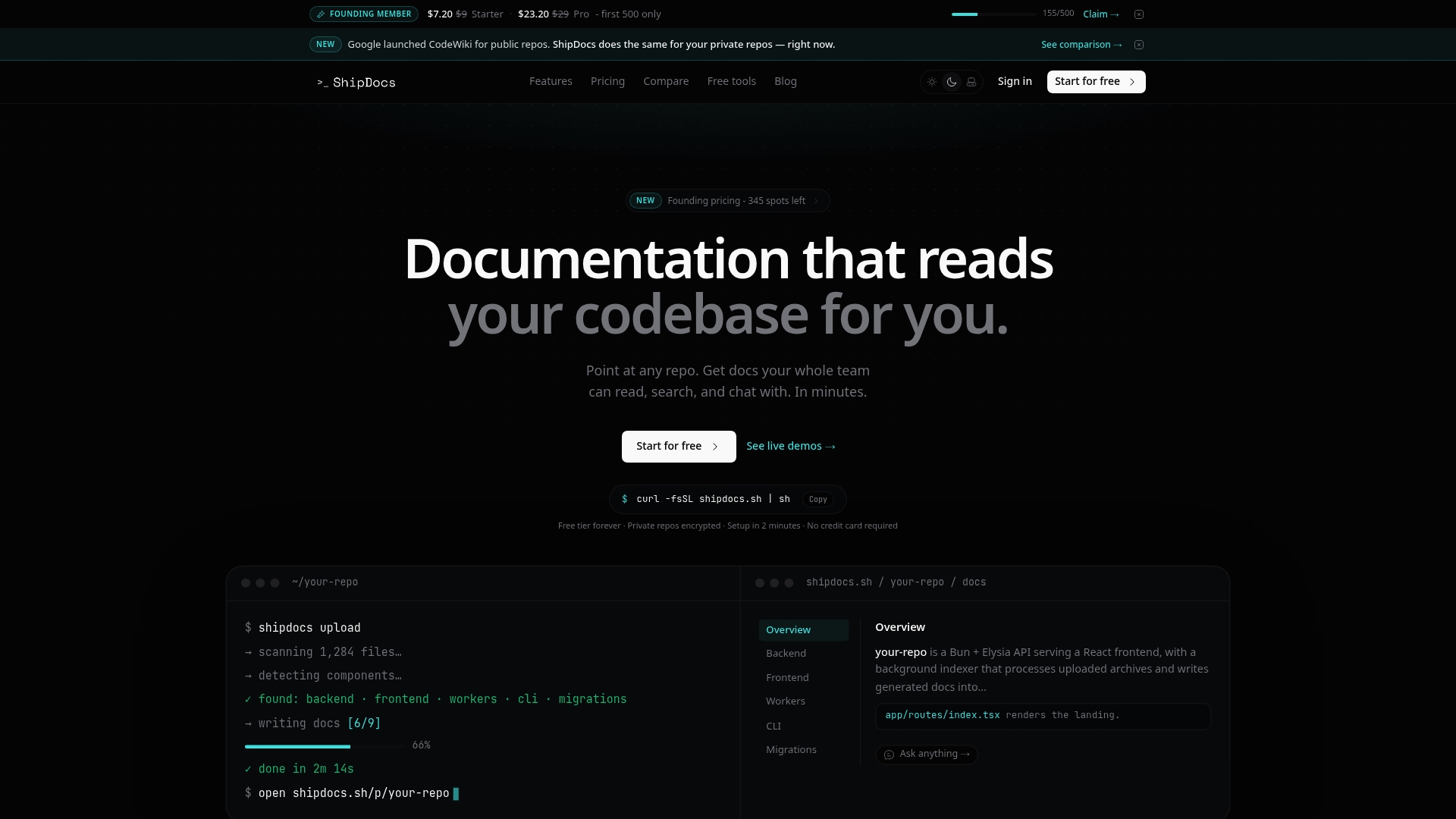
The AI-driven codebase chat answers questions with exact file references, which means new hires can ask "how does our authentication flow work?" and get a precise answer tied to the actual code. That's the kind of onboarding support that cuts ramp-up time from weeks to days. If you want to see how teams are using it in practice, the ShipDocs engineering teams guide walks through real workflows for documentation maintenance and standards enforcement.
FAQ
What are the main types of coding standards documentation?
The main types are inline comments and docstrings, markdown-based living documentation stored in the repository, engineering handbooks and contribution guides, and formal content frameworks. Most teams benefit from combining at least two of these types.
Why do coding standards stored in wikis get ignored?
Wiki-based standards sit outside the normal development workflow, so they don't get updated when code changes and developers rarely consult them during active work. Version-controlled markdown files in the repository get reviewed through pull requests, which keeps them accurate and visible.
How do you make coding standards work for AI coding assistants?
Store your guidelines in version-controlled files like agents.md or Coding.md and write rules that are unambiguous and pattern-based. AI tools can read and apply standards that are machine-readable, turning your documentation into automated enforcement.
When should a team adopt a formal documentation framework?
Formal content frameworks make sense for large organizations with multiple teams contributing to shared documentation. Smaller teams get more value from a focused Coding.md file and an engineering handbook than from the overhead of a full content architecture system.
What's the fastest way to start documenting coding standards?
Create a Coding.md file in your repository root and document your linting setup, branching conventions, and code review checklist first. These three areas cover the most common sources of inconsistency and give new hires an immediate reference point.
Recommended
- ShipDocs — The CodeWiki Alternative With Private Repo Support | AI Docs & Codebase Chat
- ShipDocs — The CodeWiki Alternative With Private Repo Support | AI Docs & Codebase Chat
- ShipDocs — The CodeWiki Alternative With Private Repo Support | AI Docs & Codebase Chat
- ShipDocs — The CodeWiki Alternative With Private Repo Support | AI Docs & Codebase Chat