
How Private Repository Tools Work: A Developer's Guide

If you’ve ever assumed a private repository is fully locked down just because the visibility toggle says “private,” you’re not alone. Understanding how private repository tools work goes deeper than a single setting. These tools enforce layered access controls, encrypt data at multiple levels, and integrate with external systems through scoped credentials. Yet real-world incidents keep proving that misconfiguration, not platform failure, is what exposes code. This guide breaks down the technical architecture, security realities, and emerging alternatives so you can make informed decisions about how your team manages and protects its codebase.
Table of Contents
Key Takeaways
| Point | Details |
|---|---|
| Private does not mean fully secure | Platform-level privacy is only one layer; misconfiguration and secret sprawl remain the top risks. |
| Access control is role-based | Read, Write, and Admin roles enforce authorization at the metadata layer, not just the UI. |
| Scoped credentials matter in CI/CD | Deploy keys and short-lived OIDC tokens reduce attack surface compared to broad personal access tokens. |
| Self-hosted tools offer more sovereignty | Options like Gitea and Forgejo give teams control over encryption keys and data residency. |
| Documentation is a security asset | Maintaining clear access documentation reduces permission drift and speeds up audits. |
How private repository tools work at the access layer
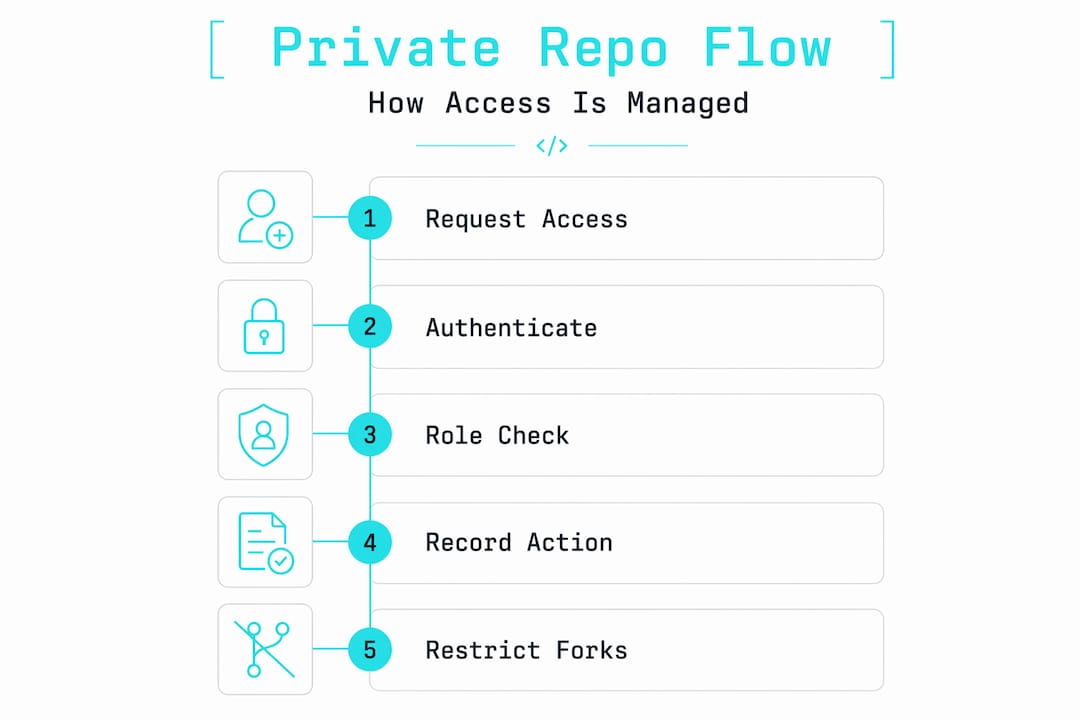
A private repository is, at its core, a version-controlled codebase with a restricted visibility flag enforced at the platform’s metadata layer. The platform checks authentication and authorization on every single request, whether you’re cloning over HTTPS, pushing via SSH, or fetching through an API. Access is controlled with roles like Read, Write, and Admin, and private repos are hidden from public profiles and search indexes entirely.
What that means in practice is worth unpacking. When you clone a private repo, the Git client sends credentials to the platform’s API gateway. The gateway validates your identity (authentication), then checks whether your account holds a role that permits the requested operation (authorization). Only after both checks pass does the server stream pack objects back to your client.
Role-based access controls enforce this at a granular level:
-
Read: Clone, fetch, and view code. No write operations permitted.
-
Write: Push commits and branches. Cannot modify repo settings or manage collaborators.
-
Admin: Full control, including managing members, configuring webhooks, and changing visibility.
-
Custom roles (available on enterprise tiers): Scoped to specific actions like managing issues without touching code.
Every operation, including cloning, pushing, and forking, is logged. Forks of private repositories inherit the parent’s visibility restrictions on most platforms, meaning a fork does not automatically become public. This is a common source of confusion for teams onboarding new contributors.
Pro Tip: Audit your repository’s collaborator list quarterly. Permission drift, where former contractors or rotated team members retain access, is one of the most overlooked security gaps in private repository management.
Security architecture and real-world vulnerabilities
The encryption story for private repositories is solid at the platform level. GitHub, for example, encrypts repos at rest with AES-256 and protects data in transit with TLS 1.2 or higher. Multi-factor authentication adds another identity verification layer, and fine-grained personal access tokens let you scope permissions down to specific repositories and operations.
But here’s where the gap between “private” and “secure” becomes critical.
“The biggest threat to private repository security is secret sprawl. Developers accidentally commit API keys, database credentials, and tokens despite every platform protection being in place.”
A 2026 incident at CISA made this painfully concrete. 844MB of sensitive data was exposed because plain-text secrets had been committed directly into a private repository. The repository’s visibility setting was irrelevant once an authorized user with access to those secrets was compromised.
The recommended approach to closing these gaps follows a clear sequence:
-
Enable secret scanning. Automated secret detection integrated into the push process can identify API keys, tokens, and credentials before they land in version history.
-
Activate push protection. This blocks commits containing known secret patterns at the point of push, not after the fact.
-
Use external vaults for secrets. Tools like HashiCorp Vault or AWS Secrets Manager keep credentials out of your repository entirely.
-
Run static analysis on pull requests. CodeQL and similar tools detect SQL injection, XSS, and other vulnerability patterns before code merges.
-
Rotate credentials immediately after any suspected exposure. Treat every leaked secret as compromised, regardless of whether you can confirm it was accessed.
Pro Tip: Treat your ".envfiles and any file containing connection strings as permanently off-limits for version control. Add them to.gitignore` before the first commit, not after an incident.
CI/CD integration and scoped credentials
Automation is where private repository access controls face their most complex challenges. CI/CD pipelines, deployment tools, and third-party integrations all need access to your private code, and how you grant that access determines your actual attack surface.
The options range from broad to tightly scoped:
-
Personal access tokens (PATs): Easy to set up but carry significant risk. A PAT typically grants access to all repositories a user owns, and tokens often outlive the workflows they were created for. Repository-level access alone is insufficient when credentials can be extracted from pipeline logs or environment variables.
-
Deploy keys: SSH key pairs scoped to a single repository with read-only access by default. Deploy keys provide secure read-only access, making them a better choice for tools like ArgoCD that only need to pull code, not push it.
-
GitHub App tokens: Short-lived, platform-managed tokens scoped to specific repositories and permissions. These are the preferred option for most automation because the platform rotates them automatically and they expire quickly.
-
OIDC federated identity: The most mature pattern for cloud-native CI/CD. Using OIDC to federate identity between your Git provider and cloud environments enables ephemeral credentials that exist only for the duration of a pipeline run. No long-lived secrets to steal.
The principle underlying all of these is least privilege. Every automated system should have access to exactly what it needs and nothing more. If your deployment pipeline only needs to read from one repository, it should not hold credentials that can write to ten.
Self-hosted and decentralized alternatives
The conversation around private repositories has shifted noticeably in recent years. Teams that once defaulted to large SaaS platforms are asking harder questions about data residency, vendor access to their code, and what “private” actually means when a third party controls the encryption keys.

GitHub’s provider-managed AES-256 encryption means the platform holds the keys, not you. That’s a meaningful distinction for organizations in regulated industries or those handling genuinely sensitive intellectual property.
| Tool | Hosting model | Key control | Best for |
|---|---|---|---|
| GitHub | Cloud (SaaS) | Platform-managed | Teams prioritizing ecosystem integrations |
| GitLab | Cloud or self-hosted | Customer-controlled (self-hosted) | Enterprises needing full DevOps in one platform |
| Gitea | Self-hosted | Customer-controlled | Small teams wanting lightweight, sovereign hosting |
| Forgejo | Self-hosted | Customer-controlled | Open-source projects avoiding vendor lock-in |
| Radicle | Peer-to-peer | Fully decentralized | Developers prioritizing censorship resistance |
Self-hosted solutions like Gitea and Forgejo are gaining real traction because they let you run the entire stack on your own infrastructure. You control the encryption keys, the network boundaries, and the backup strategy. The trade-off is operational overhead. You own the uptime, the patching, and the disaster recovery.
Radicle takes a different approach entirely. It uses a local-first, peer-to-peer model where repositories live on contributors’ machines and sync directly between peers. There’s no central server to compromise or go offline. The privacy guarantees are strong, but the tooling maturity and onboarding experience lag behind centralized platforms.
For most teams, the decision comes down to how much operational work you’re willing to take on in exchange for greater control. A startup moving fast will likely stay on a managed platform. A fintech handling regulated data might find the overhead of self-hosting worth every hour.
Private repository best practices for teams
Getting the architecture right is only half the work. The operational discipline around private repositories is what determines whether your security posture holds over time.
-
Audit permissions on a fixed schedule. Review collaborator access at least quarterly. Remove anyone who no longer needs it, including bots and service accounts from deprecated integrations.
-
Enforce secret scanning at the organization level. Don’t leave it to individual developers to remember. Make it a default policy that applies to every repository automatically.
-
Store secrets in dedicated vaults. Keep credentials out of your codebase entirely. Reference them in pipelines via environment injection from a secrets manager, not hardcoded values.
-
Apply the least privilege principle to every role and token. If a developer only reviews pull requests, they don’t need Write access. If a CI job only runs tests, it doesn’t need Admin tokens.
-
Document your access model. Write down who has access to what and why. This sounds obvious, but most teams don’t do it until an audit forces them to. Clear private repo documentation reduces permission drift and makes onboarding faster.
Pro Tip: When onboarding a new team member, provision access using the minimum role required for their first task. Upgrade permissions only when a specific need arises, not preemptively.
My honest take on private repository security
I’ve spent years watching teams treat the “private” label as a security guarantee. It isn’t. What I’ve found is that the platform does its job reliably. The encryption is real, the access controls work, and the audit logs are there. The failures almost always happen in the space between the platform and the people using it.
The uncomfortable truth is that most “private” repositories on managed platforms are better described as “private-ish.” The vendor has access to your code. Their employees, under certain legal or operational conditions, may too. That’s not a conspiracy theory. It’s the architecture of any cloud service where the provider manages encryption keys.
What I’ve learned from watching security incidents unfold is that the teams with the strongest posture aren’t necessarily using the most sophisticated tools. They’re the ones with clear policies, regular audits, and a culture where developers feel comfortable raising concerns about a credential that ended up in a commit message.
The move toward self-hosted and decentralized tools is real, and I think it reflects a healthy maturation in how developers think about trust infrastructure. But sovereignty without discipline is just a different attack surface. You can run Gitea on your own server and still commit your database password to config.yml.
The future of private repository tooling will be shaped by teams that understand both the technical controls and the human factors that undermine them.
— SupaX
How Shipdocs makes private repos more useful
Private repositories protect your code, but they can also create knowledge silos. New engineers spend days reading through undocumented files, and project managers struggle to get answers without interrupting developers.
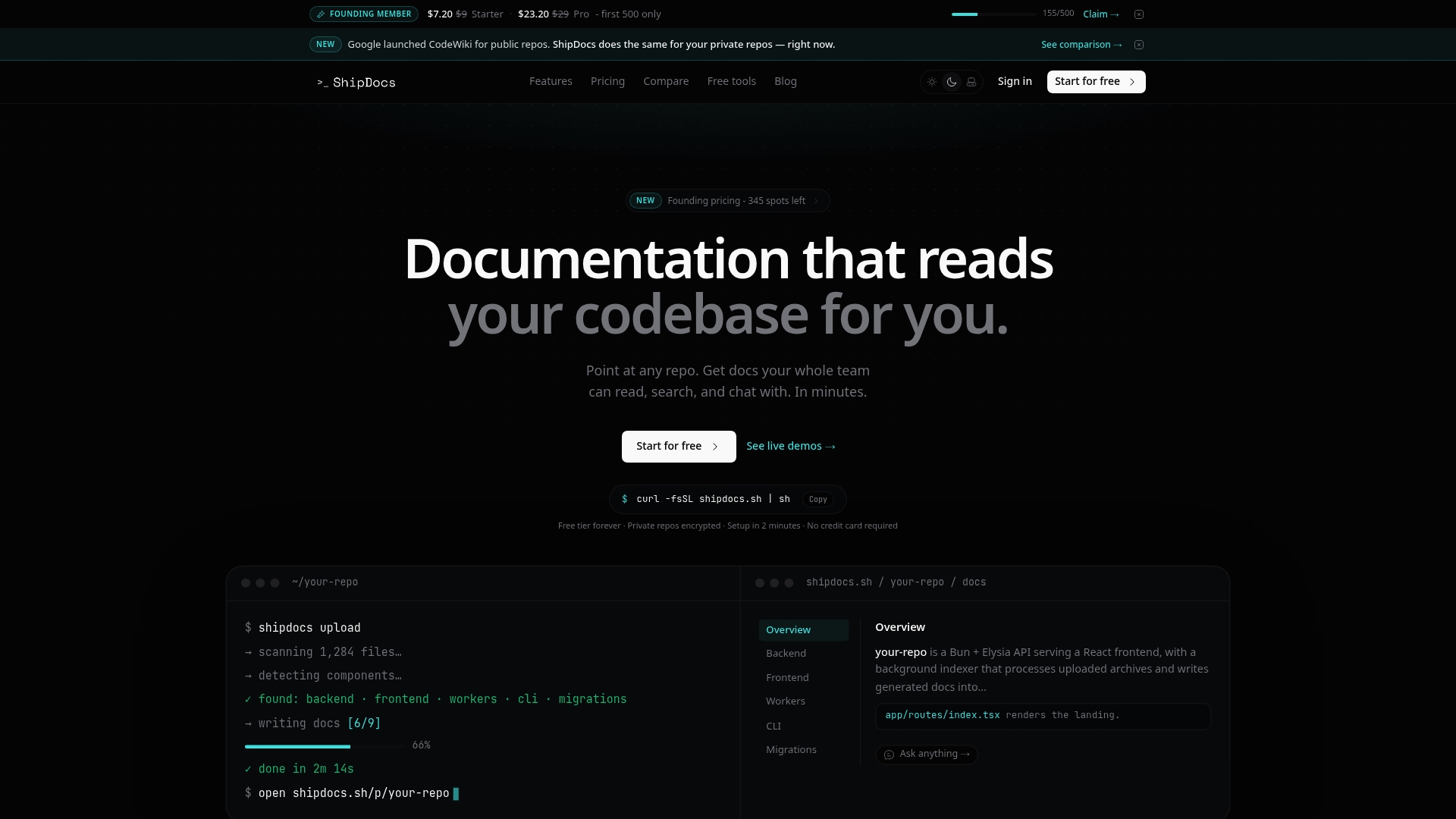
Shipdocs connects directly to your private repositories and generates comprehensive documentation automatically, averaging just over two minutes per codebase. Its AI-driven chat answers questions about your code with exact file references, so both engineers and non-technical stakeholders get the context they need without digging. If you’re looking for a smarter way to work with private codebases, explore Shipdocs and see how it handles access, documentation, and codebase understanding in one place. You can also browse the private repo tools overview to see what’s available for your workflow.
FAQ
What is a private repository?
A private repository is a version-controlled codebase where access is restricted to explicitly authorized users. It is hidden from public search results and profiles, with all operations requiring authenticated and authorized credentials.
How does private repository access control work?
Access control operates at the platform’s metadata layer using role-based permissions (Read, Write, Admin). Every Git operation, including cloning and pushing, is authenticated and authorized before the server responds.
Are private repositories fully encrypted?
Yes, at the platform level. GitHub uses AES-256 at rest and TLS 1.2 or higher in transit. However, the platform manages the encryption keys, not the repository owner.
What is the biggest security risk for private repositories?
The top risk is secret sprawl from misconfiguration, specifically developers committing API keys and credentials directly into repository history, not platform-level vulnerabilities.
What are the best credentials to use for CI/CD with private repos?
GitHub App tokens and OIDC federated identity are the preferred options. Deploy keys work well for read-only automation, while personal access tokens carry higher risk due to their broad scope and long lifespan.